4. Basic Operations
This chapter describes basic device operations.
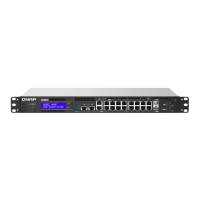
Buttons
Host Power Button
Operation User Action Result
Power on Press the button once. The device powers on.
Power o Press and hold the button for 1.5
seconds.
The device powers o.
Force power o Press and hold the button for 5
seconds.
The device powers o.
Important
Use this method only when
the device is unresponsive.
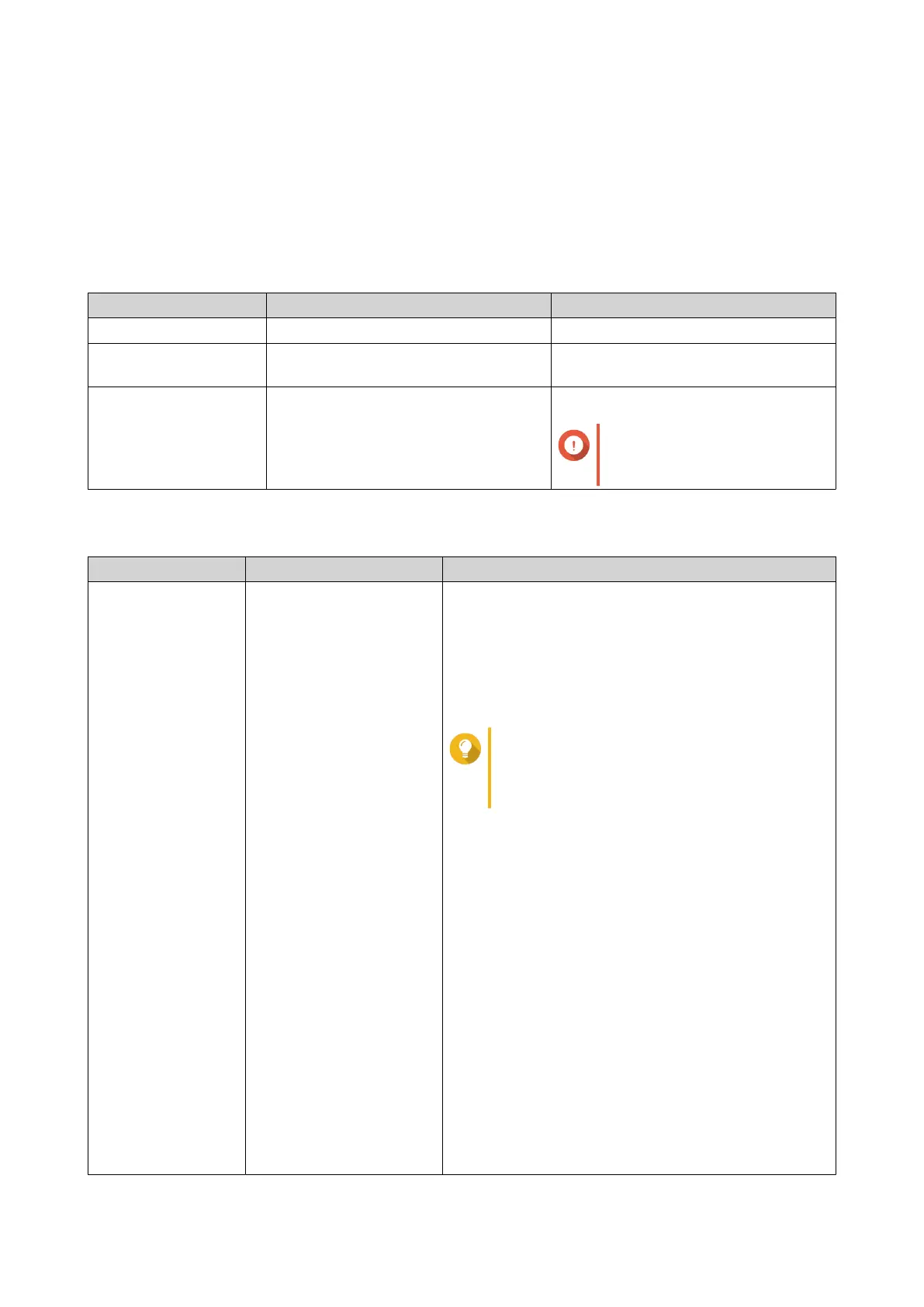
QTS Reset Button
Operation User Action Result
Basic system reset Press and hold the button
for 3 seconds.
The following settings are reset to default:
• System administrator password: The default
password is the rst MAC address in uppercase
letters without special characters. For example, if
the rst MAC address is 00-08-9B-F6-15-75, then the
admin password would be 00089BF61575.
Tip
You can nd the rst MAC address with
Qnder Pro or attached to a label on the
device listed as MAC1.
• The admin account is automatically enabled.
• TCP/IP conguration:
• Obtain IP address settings automatically via
DHCP
• Disable jumbo frames
• If port trunking is enabled (multi-LAN models
only), the port trunking mode is reset to “Active
Backup (Failover)”.
• System port: 8080 (system service port)
• Security level: Low (Allow all connections)
• LCD panel password: (blank)
• VLAN: Disabled
QGD Rackmount Switch User Guide
Basic Operations 53


 To Next Page
 Loading...