Q40 Tape Library Installation and Operations Manual
511026 Rev. 07-01-19 126
7.7.3 Powering Off the Library
Power off the library from the front panel. Press and hold the power button for 3 seconds. If the library
does not perform a soft shutdown, press and hold the power button for 10 seconds.
Verify that the robotic assembly is in its parked position.
Verify that all host processes are idle.
7.7.4 Preparing to Remove the Controller Board
1. Unplug the AC power cables from the module containing the failed controller.
2. Remove the expansion interconnect cables that connect the module with the failed controller to any
other modules.
3. Remove any Ethernet cable
.
7.7.5 Removing the Base or Expansion Module Controller
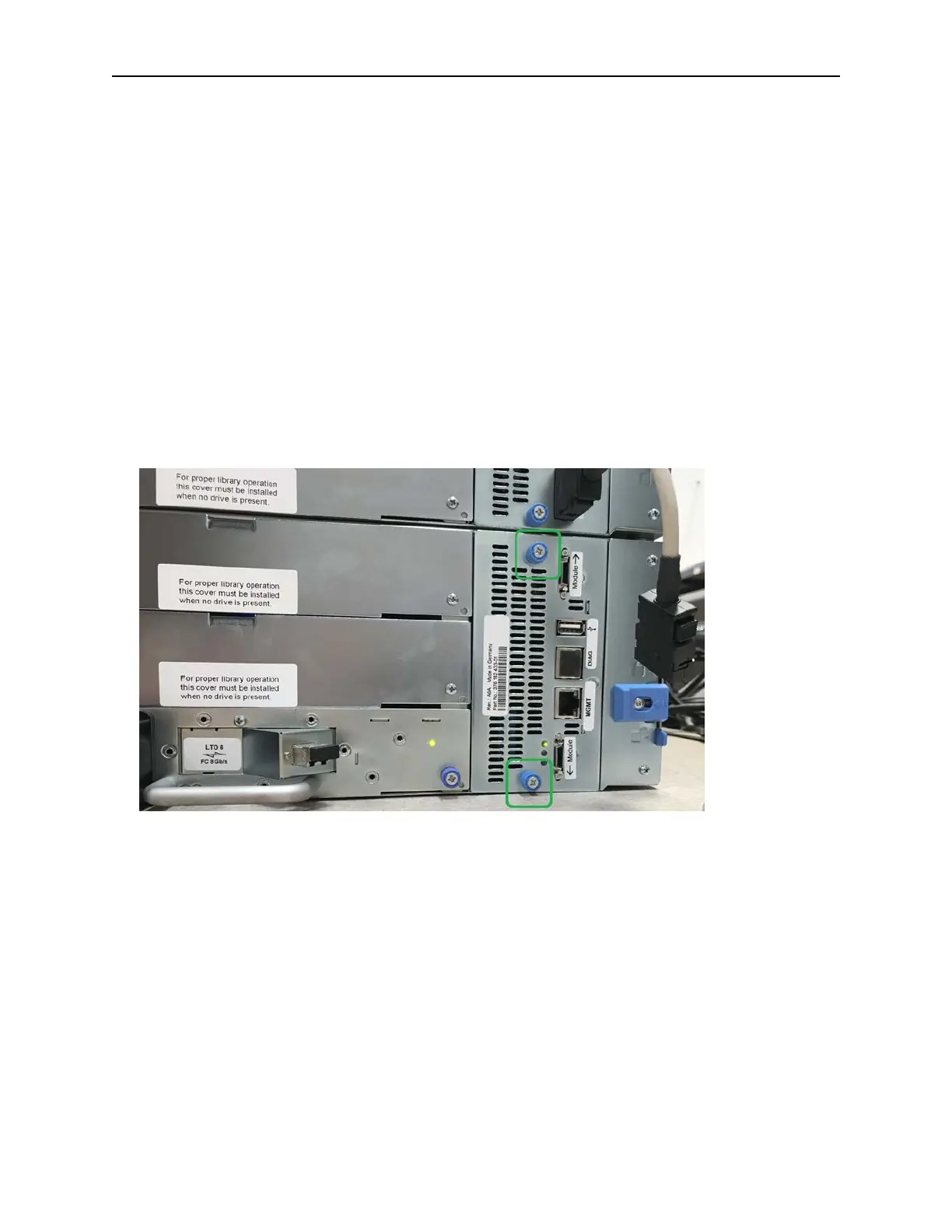
1. Loosen the two blue captive thumbscrews on the controller.
2. U
sing the thumbscrews, slowly remove the controller from the module.
7.7.6 Installing the Base or Expansion Module Controller
1. Position the new controller on the alignment rails.
2. Slide the controller slowly into the module until it is flush with the back panel of the module.
3. Tighten the blue captive thumbscrews with your fingers to secure it to the module.
4. Replace the expansion interconnect cables, the Ethernet cable, and the USB device remov
ed
pr
eviously.
5. Plug in the AC power cables.



 To Next Page