Q40 Tape Library Installation and Operations Manual
511026 Rev. 07-01-19 76
6.1.3 Center Pane Elements
• Open Mailslot – (Administrator user only) Click to unlock the mailslot on the selected module.
Mailslots must be enabled before the slots can be used as mailslots. See “Enabling or Disabling
Mailslots”.
• Open Magazine – (Administrator user only) Click to unlock a magazine in the selected module. Only
one magazine in the library can be open at a time. See “Opening a Magazine”.
• Configuration – (Administrator user only) Click to configure the library. See “Configuring the
Library”.
• Maintenance – (Administrator user only) Click to access maintenance functions. See “Maintaining
the Library”.
• Operation – (Administrator user only) Click to access operation functions. See “Operating the
Library”.
• Status – Click to access status information. See “Viewing Status Information”.
• Service Area – (Service user only) Click to access to functionality restricted to Service engineers.
6.2 Configuring the Library with the RMI
6.2.1 Saving, Restoring and Resetting the Library Configuration
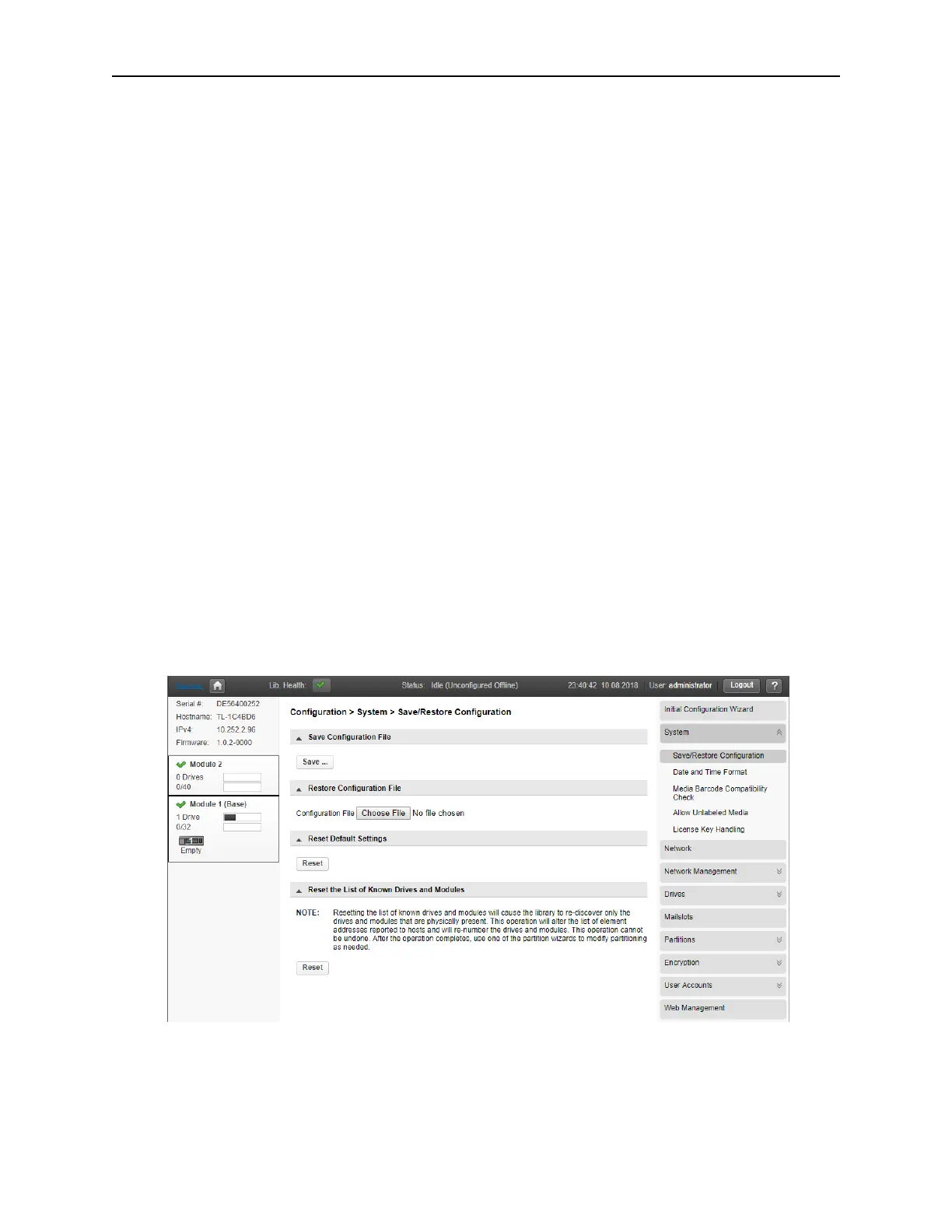
Use the Configuration > System > Save/Restore Configuration page to save the library configuration
settings to a file, restore the settings, or reset the library configuration to the default settings. The saved
configuration database will make it easier to recover the library configuration if you need to replace the
Base Module or Base Module Controller.
The feature Reset the List of Known Drives and Modules will do a re-discovery of installed hardware
components.
S
aving the library configuration to a file
1. Navigate to the Configuration > System > Save/Restore Configuration screen as shown above.
2. Click Save. Starts to download the configuration file to the browser or system running the RMI



 To Next Page