Q40 Tape Library Installation and Operations Manual
511026 Rev. 07-01-19 108
6.19 Viewing Status Information on the RMI
Click the Status button on the Home page of the library to view library status information.
6.19.1 Viewing Library and Module Status
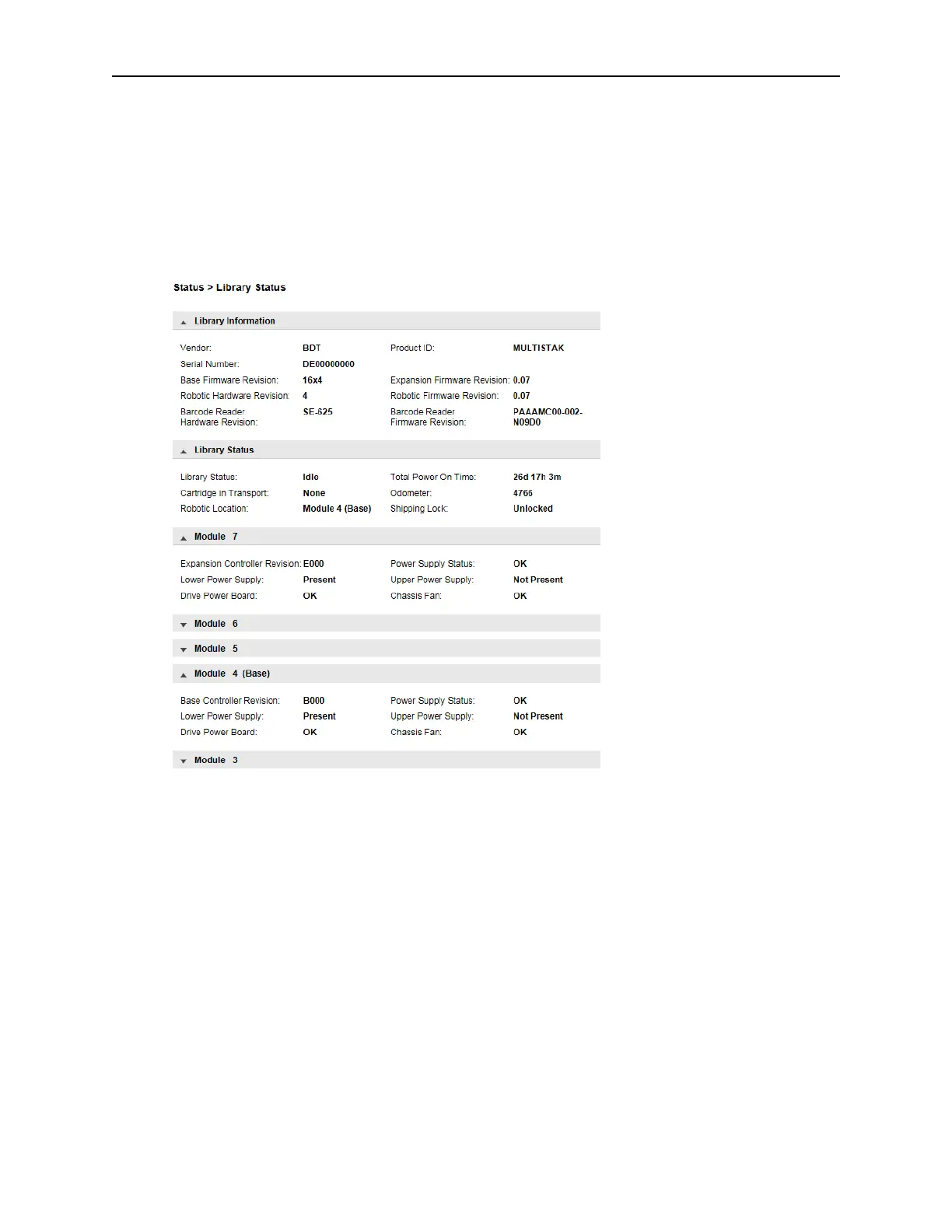
Summary information is displayed in the top banner and the left side bar. For additional library status
information navigate to Status > Library Status.
T
he Library Information section provides the following information:
• Vendor
• Serial Number – Library serial number
• Robotic Hardware Revision
• Barcode Reader Hardware Revision
• WWide Node Name – A worldwide unique identifier that the library reports over SCSI and can be
us
ed by operating systems or software applications to identify and track the library.
• Product ID
• Firmware Revision – Version of the currently installed library firmware
• Robotic Firmware Revision – Version of the currently installed robotic assembly firmware. The
r
obotic assembly firmware is bundled and installed with the library firmware.
• Barcode Reader Firmware Revision – Version of the currently installed barcode reader firmware. The
bar
code reader firmware is bundled and installed with the library firmware.



 To Next Page