511026 Rev. 07-01-19
99
6.7.6 Robotic Test
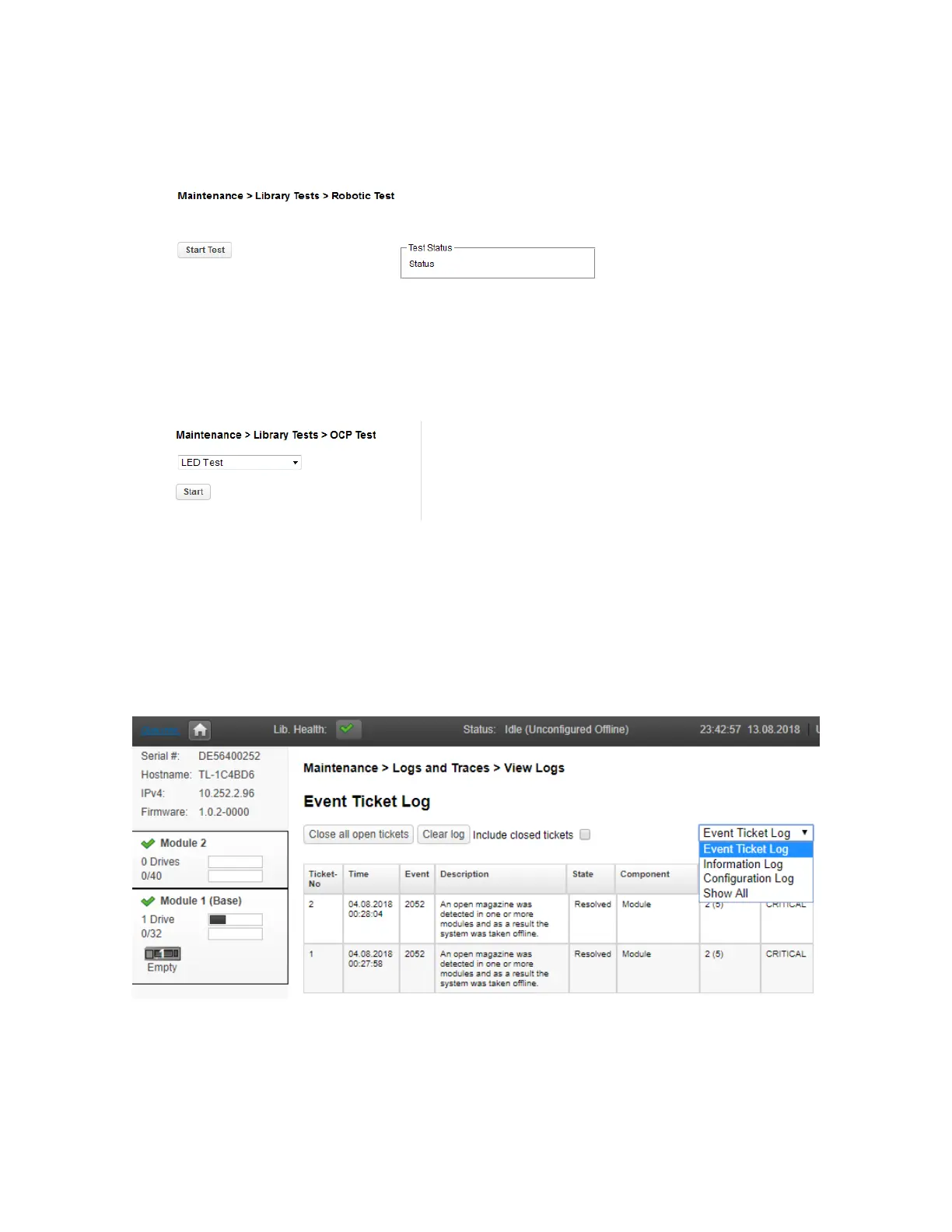
The robotic test exercises all robotic movements and sensors. To run the robotic test, navigate to
Maintenance > Library Tests > Robotic Test and click Start Test
6.7.7 OCP Test
From the RMI you can run an LED test on the OCP. The test illuminates each of the front panel LEDs. To
start the test, navigate to Maintenance > Library Tests > OCP Test and then click Start.
6.8 Viewing Log Files
To view the library log files, navigate to the Maintenance > Logs and Traces > View Logs page and
then select one of the logs. The available logs are:
• Event Ticket Log – Records library error and warning events
• Information Log – Records library information warnings
• Configuration Log – Records configuration changes
T
he log entries are displayed in order of most recent to oldest. The log entries contain a date and time
code, event code, severity, component identifier and event details. The format for the date and time is:
YY.MM.DD HH.MM.SS.ss.
• YY.MM.DD – The date displayed as Year.Month.Day
• HH.MM.SS.ss – The time displayed as Hour.Minute.Second.Hundredths of a second



 To Next Page