511026 Rev. 07-01-19
95
6.7 Maintaining the Library on the RMI
From the Home screen, click Maintenance to access the library’s maintenance features.
6.7.1 System Test
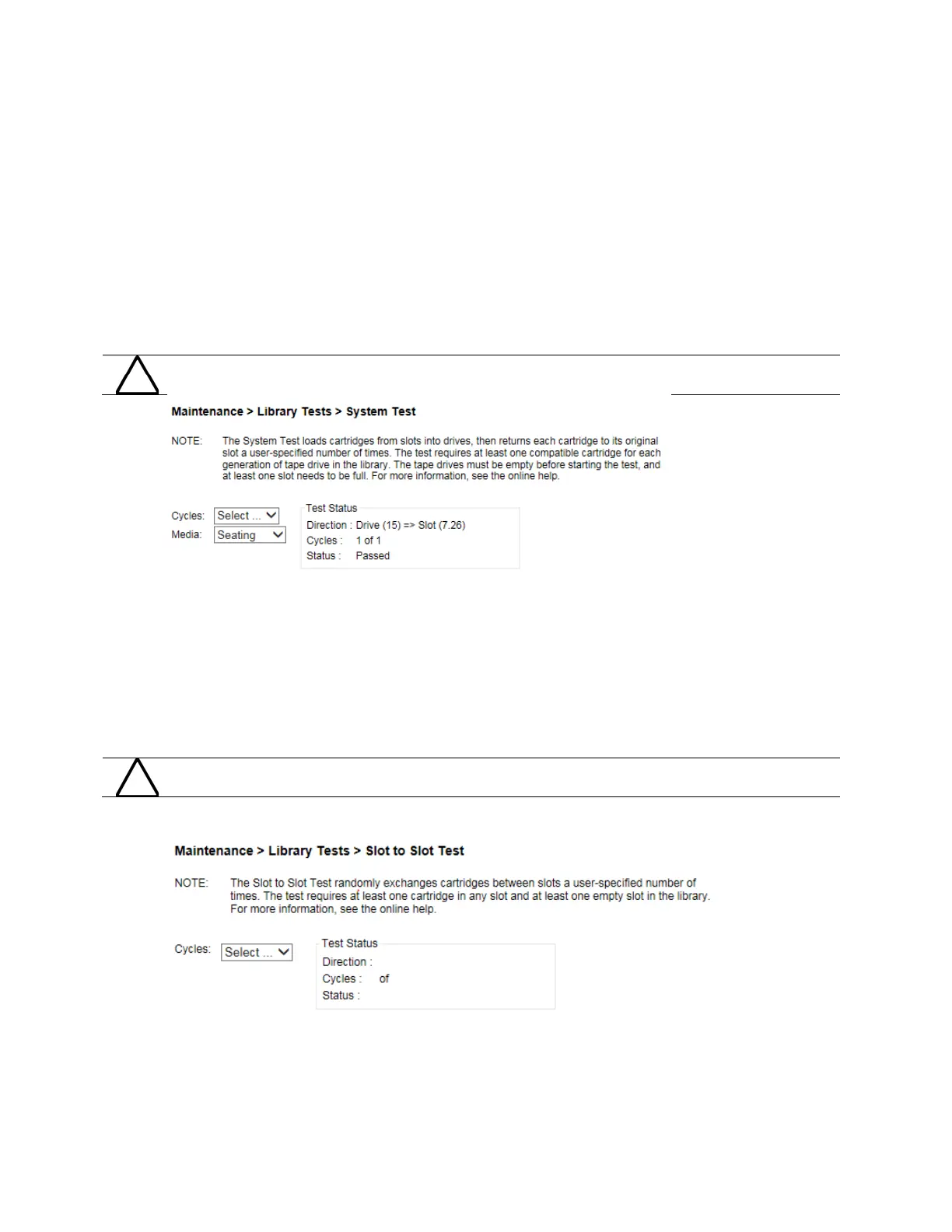
The system test exercises overall library functionality by moving cartridges within the library.
• During each cycle the library will move a cartridge from a full slot to an empty drive and then return it
to its original slot. You can select the number of cycles for the test. If the test is cancelled, the library
will return the cartridge to its original slot.
• The library will not move cleaning cartridges during the test.
• During the test the library is offline.
The test can move cartridges between partitions.
To run the system test, navigate to the Maintenance > Library Tests > System Test page, select the
number of cycles and then click Start Test.
6.7.2 Slot to Slot Test
The slot to slot test randomly exchanges cartridges between slots to verify that the library is operating
correctly. At the end of the test, the cartridges are NOT returned to their original slots. If a tape is moved
to an incompatible drive, the drive will reject the tape, as designed.
The test can move cartridges between partitions.
F
or service and diagnostics, use the robotic test.
T
o run the slot to slot test, navigate to the Maintenance > Library Tests > Slot to Slot Test page, select
the number of cycles and click Start Test.



 To Next Page