511026 Rev. 07-01-19
29
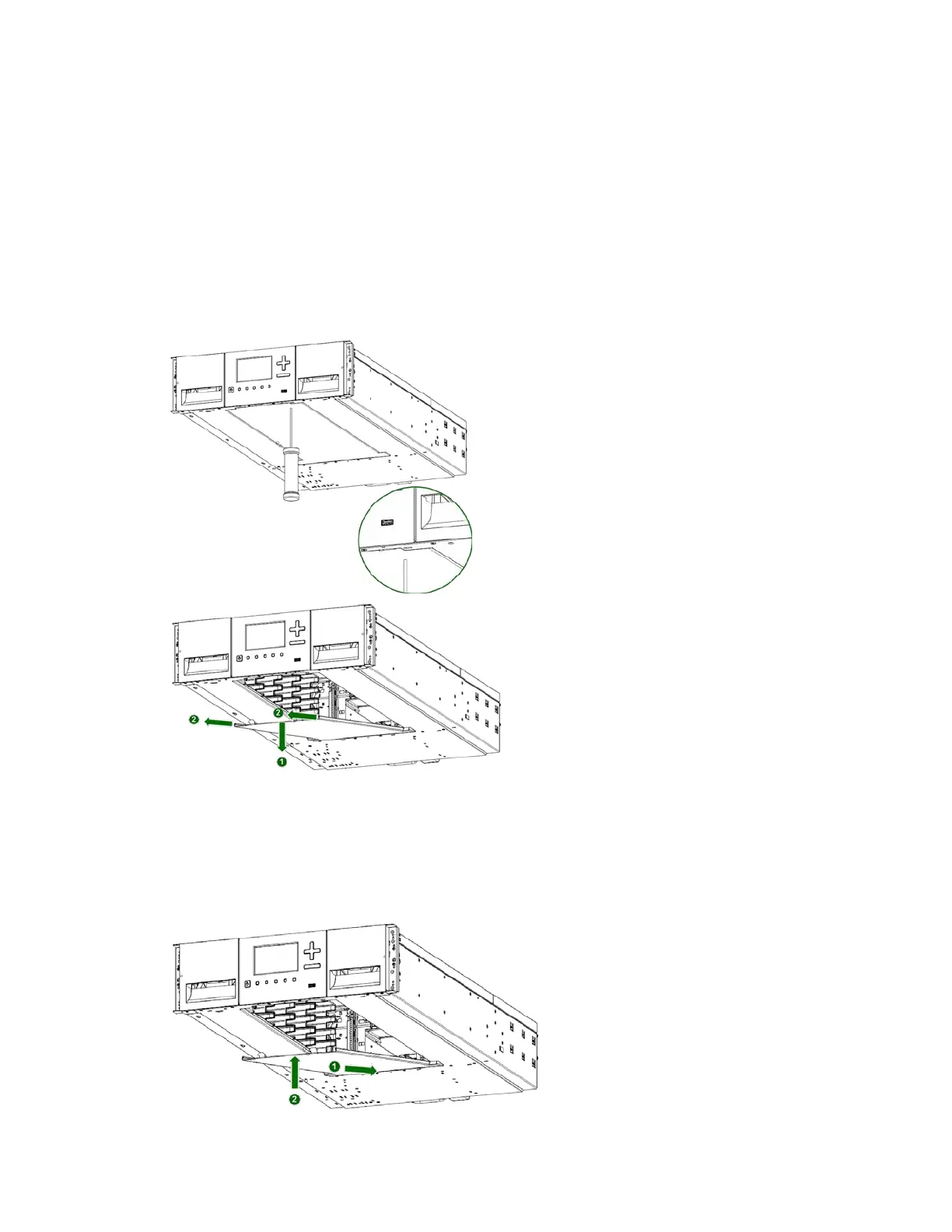
3.11.2 To move the library bottom cover plate from the Base Module to an Expansion
Module:
1. Remove the library bottom cover plate from the Base Module.
a. Place the Base Module on a work table
b. Lift the front end of the module (use module’s rear as a pivot edge)
c. Support the bottom cover with one hand. Insert a small flathead screwdriver or Torx screwdriver
into the hole and slide sidewards to unlock the spring loaded lock.
d. Lower the front end of the cover and pull gently forward to disengage from the pivot point at unit
center
e. Remove the cover from the module.
2. I
nstall the library bottom cover plate to the Expansion Module.
a. Place the Base Module on a work table
b. Lift the front end of the module (use unit rear as a pivot edge)
c. Insert the bottom cover at the center
d. Lift up the cover front edge until hard stop and it locks in at the module front.



 To Next Page