511026 Rev. 07-01-19
49
5.3.2 Move Media
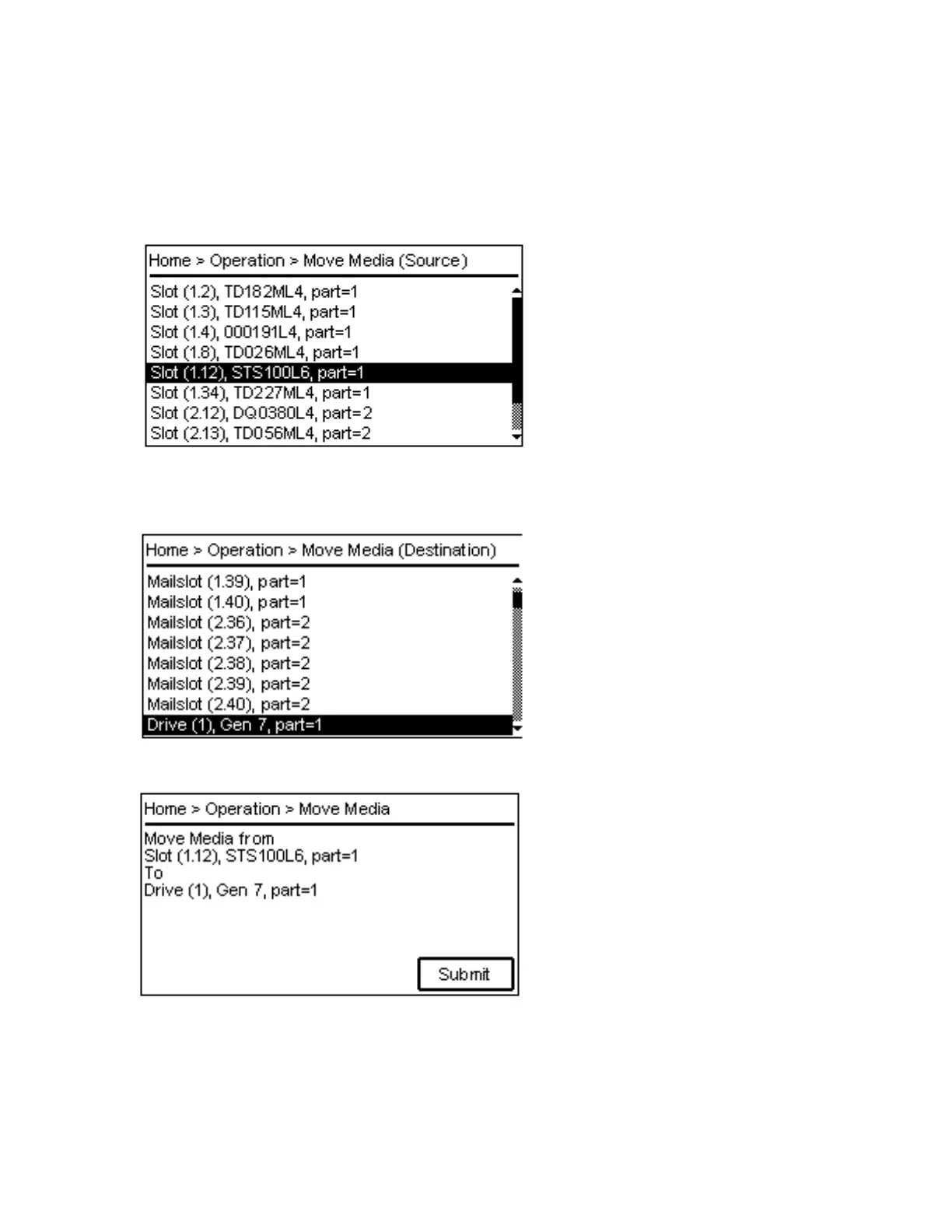
Navigate to Operation > Move Media page. The first page provides instructions how to proceed.
1. Pressing the Enter button opens the source screen. A list will be shown like below. Pressing the
B
ack button will take the screen back to the Operation menu. Navigate with the Up or Down buttons
to select the source element.
2. P
ressing the Enter button opens the destination screen. A list will be shown like below. Pressing t
he
Back button will take the screen back to the Operation menu. Navigate with the Up or Down buttons
to select the destination element.
3. P
ressing the Enter button opens the last page which provides the summary of the move data.
4. P
ressing the Enter button submits the move command and starts the Move Media operation. Once
the command is finished the page will be switched back to the first page. Pressing the Back button
s
hall abort the procedure and take the screen back to the Operation menu. Using the left and right
buttons on the OCP panel will allow the user to step through the pages again and change the
selection.



 To Next Page