ESP-LX Modular Controller 15
If you press “Yes,” the message “Factory Defaults Loading.
Please wait…” appears, followed by “Loaded” and “Cleared.”
Then the Clear Programs menu reappears.
Immediately after you restore the factory defaults, the
controller will ask you to select a language. See page 40 for
instructions.
Set Date
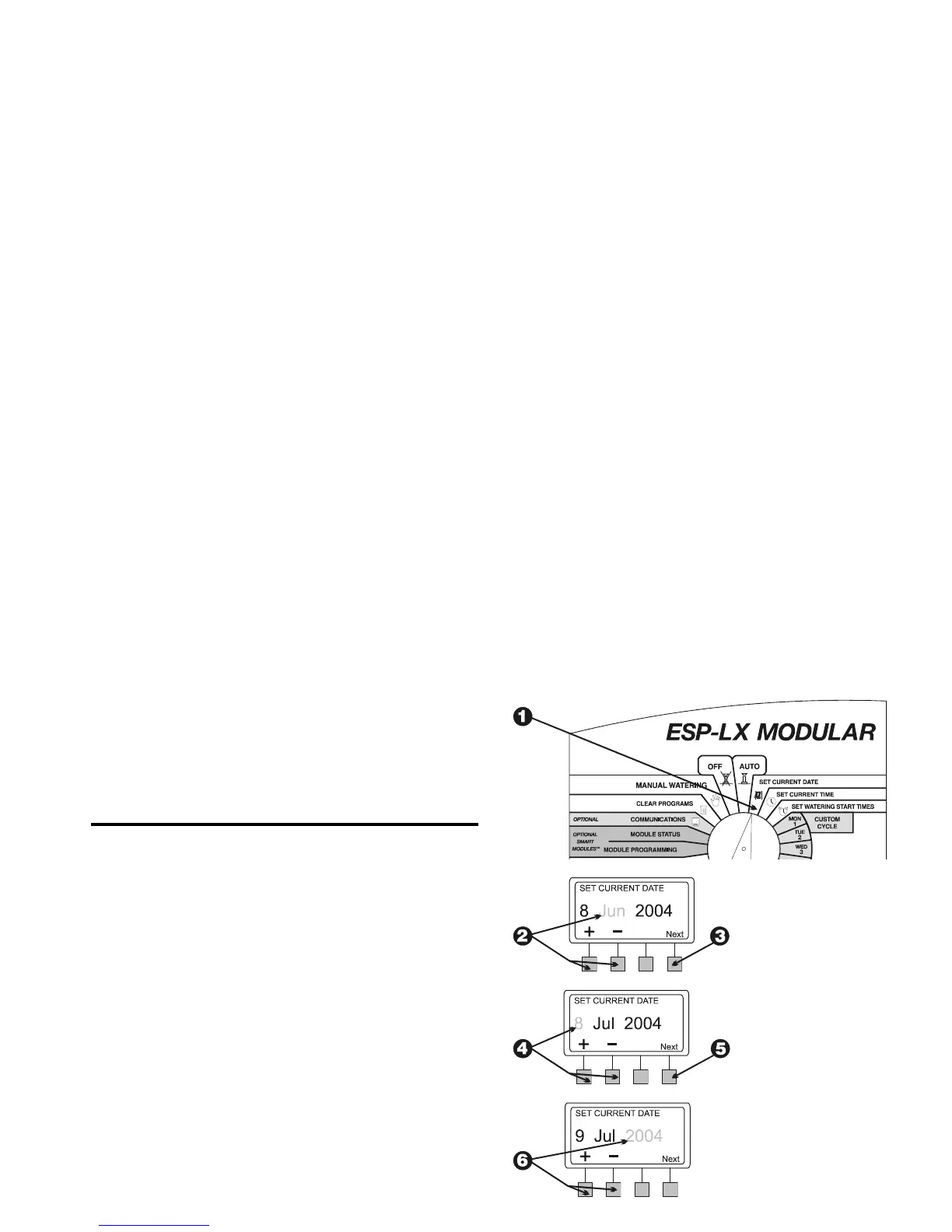
Turn the dial to “SET CURRENT DATE.”
The month in the display flashes. Press “+” or “–“ to set the
current month.
Press “Next.”
The day number flashes. Press “+” or “–“ to set the current day
of the month.
Press “Next.”
The year flashes. Press “+” or “–“ to set the current year.















 To Next Page