12.4
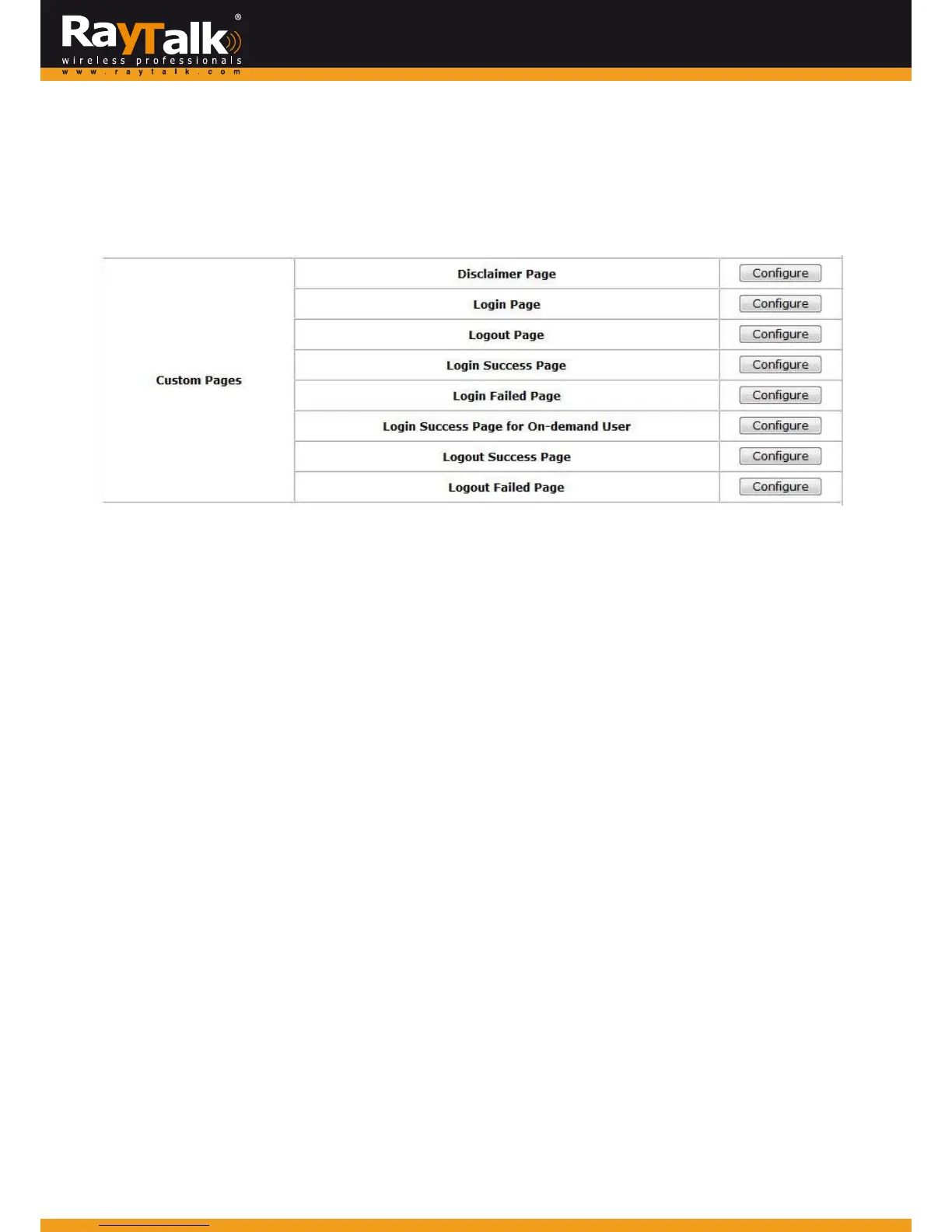
CustomizablePages
ToconfigureCustomPages,goto:System>>ServiceZones,clickConfigureinPubliczone.
Thereareseveraluserloginandlogoutpagesthatcanbecustomizedbytheadministrator .
Yo ucanselectDefaultPage,TemplatePage,UploadedorExternalPage.
DisclaimerPage:
The DisclaimerPage is for the hotspotownerorMIS staffwho wantsto display‘terms of use”or announcementinformation
beforetheuserloginpage.
ClickConfigure,thesetuppagewillappear.Anunauthorizedclientwillreceiveadisclaimerpageonceopeningthewebbrowser.
Ifaclientselects“Iagre
e”andclicksNext,thenheorshewillproceedtotheUserLoginPageforclienttologinwithusername
andpassword.TheDisclaimerPagecanbeEnabledat:System>>General
TemplatePage:
To utilizethetemplateuserpages storedlocallyin the system,chooseTemplatePage and configurethe nec essarysettingsas
follows.
ClickSelect(hyperlinked)topickupacolorforeachitemandfillinyourcopyrightmessage.Yo ucanalsouploadaLogoimagefile
foryourtemplatewiththePr
eviewandEdittheImageFilebutton.
Click Configure,thesetuppage will appearfor the correspondingpage where you can changethe text displayedas you wish.
Aftersettingis finished,clickPreviewtoseetheresult.If youarehappywiththecustomizedpages,clickApplytoactivatethe
changesmade.
UploadedPage:
ChoosetheUploadedPageoptionifyouwishtouploadyourownhtmlcodedpage.
ClickConfigureforeachcustompageanduploadtheHTMLfileandcorrespondingimagefilesandclickApply.
Afterapplyingthesetting,thenewloginpagecanbepreviewedbyclickingPreviewbutton.
ExternalPag
e:
ChoosetheExternalPageoptionifyouwishtouseuserpageslocatedonadesignatedwebsite.
ClickConfigureforeachcustompageandentertheURLofitscorrespondingexternalloginpageandclickApply.
Afterapplyingthesetting,thenewloginpagecanbepreviewedbyclickingPreviewbutton.



 To Next Page