10.12
ConsoleInterface
Via the console port, administrators can enter the console interface to handle problems and situations occurred during
operation.
1.InordertoconnecttotheconsoleportoftheRAYTALKRA‐696,aconsole,modemcable,andaterminalsimulationprogram,
suchastheHyperTerm inalareneeded.
2.IfaHy
perTerm i nal isused,pleasesettheparam etersas9600,8,None,1,None.
Caution:
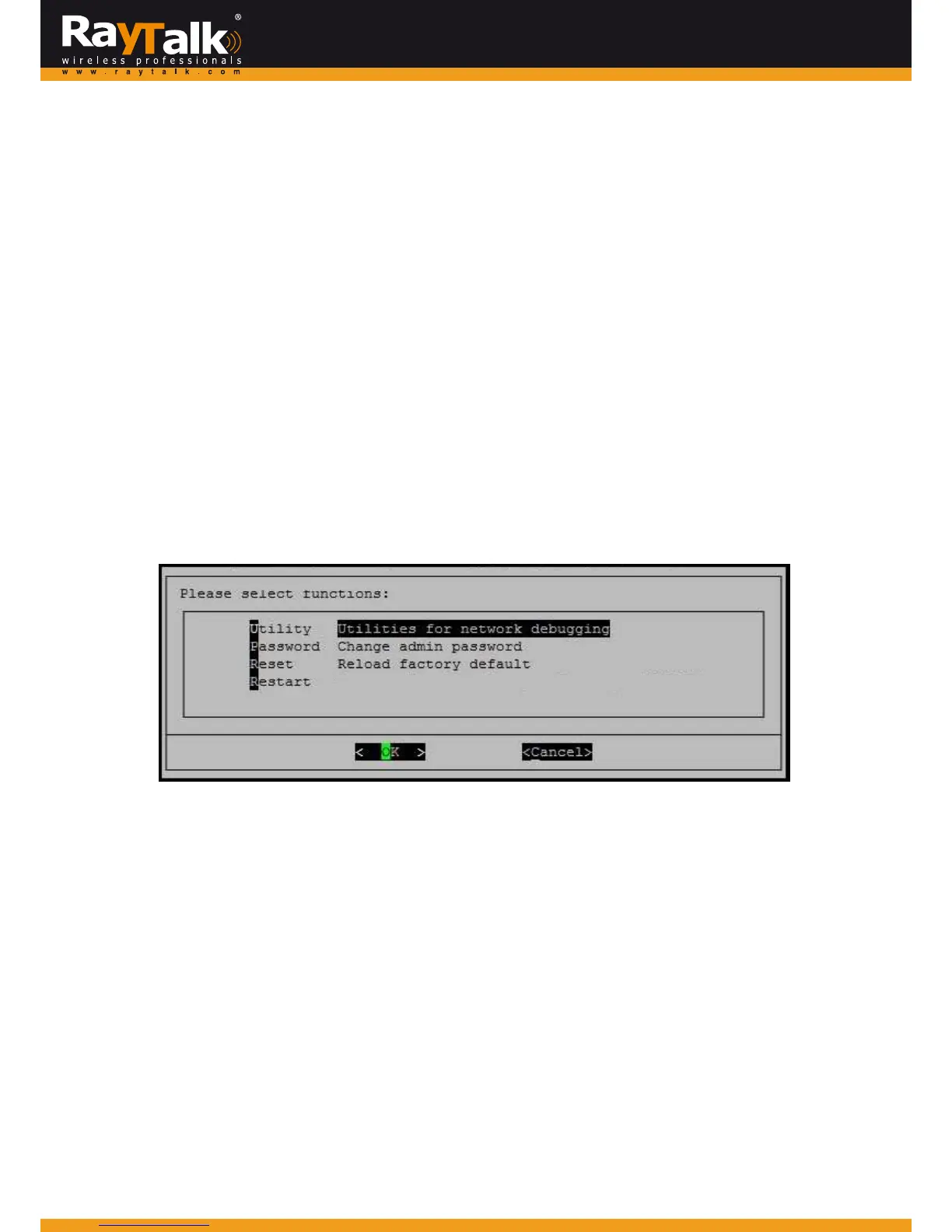
Themainconsoleisamenu‐driv entextinterfacewithdialogboxes.Pleaseusearrowkeysonthekeyboardtobrowsethemenu
andpresstheEnterkeytomakeselectionorconfirmwhatyouenter.
3.OncetheconsoleportoftheRAYTALKRA‐696isconnectedproperly,theconsolemainscreenwillappearautomatically.
If the screendoesnot appearintheterminalsimulationprogramautomatically,pleasetryto pressthearrowkeys so that the
terminalsimulationprogramwillsendsomemessagestothesy
stem,andthewelcomescreenormainmenushouldappear.
If the welcomescreen or main menuof the console still does not pop up, please check the connectionof the cables and the
settingsoftheterminalsimulationprogram.
Utilitiesfornetworkdebugging
The console interface provides several utilities to assist theAdministrator to check the system conditions and to debug any
problems.Theutilitiesaredescribedasfollows:



 To Next Page