9.3
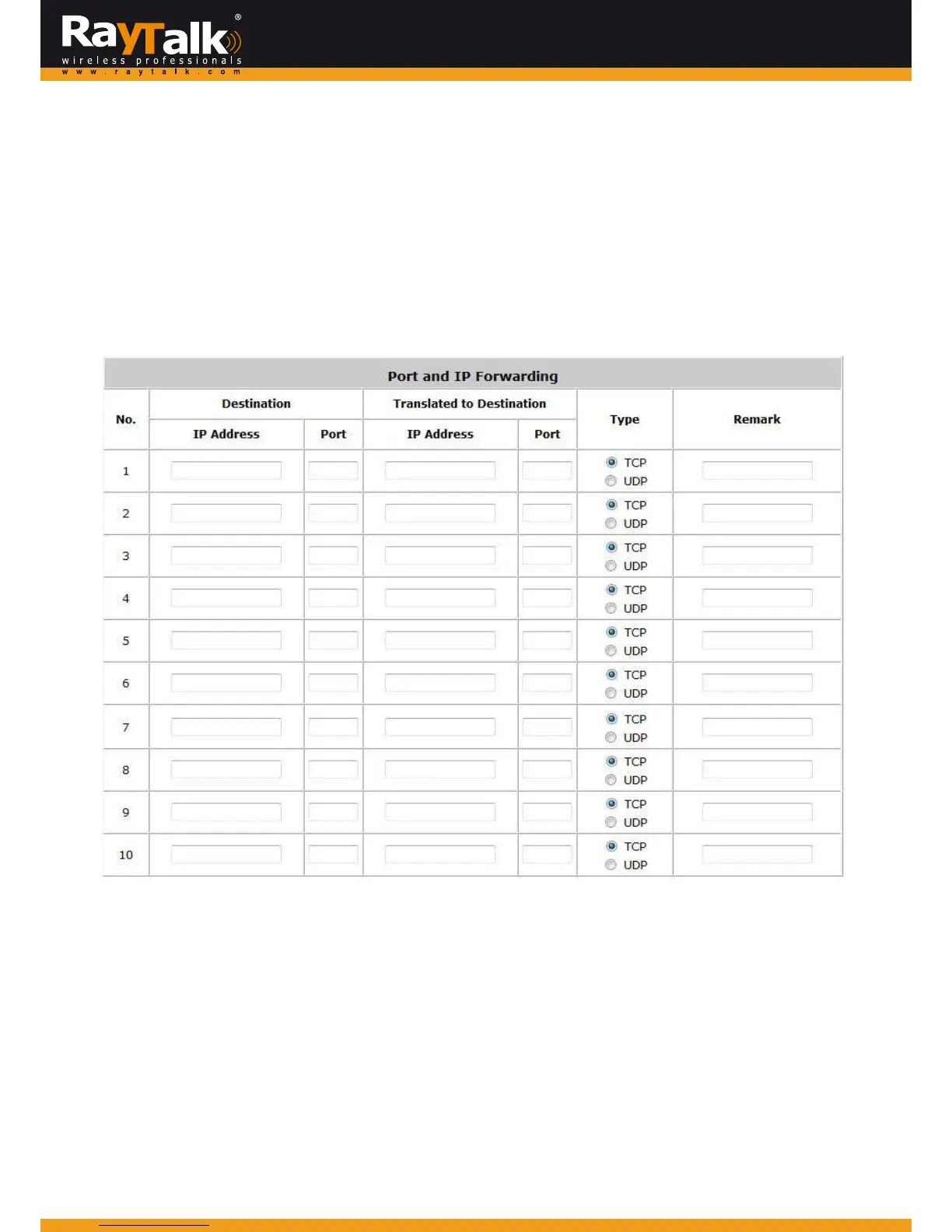
PortandIPForwarding
ToconfigurePortandIPForwarding,goto:Network>>NAT>>PortandIPForwarding.
Thisfunctionallowstheadministratortosetatmost40setsofIPaddressesforredirectionpurposes.
When the user attempts to connect to a destination IP address listed here, the connection packet will be converted and
redirectedtothecorrespondingdestination.
Pleaseenterthe“IPAddress”and “Port”of Destination,and the“I
PAddress”and“Port”of TranslatedtoDestination.Select
“TCP”or“UDP”fortheservice’stype.
Thesesettingswillbecomeeffectiveimm ediatel y afterclickingApply.



 To Next Page