10.10
NetworkUtility
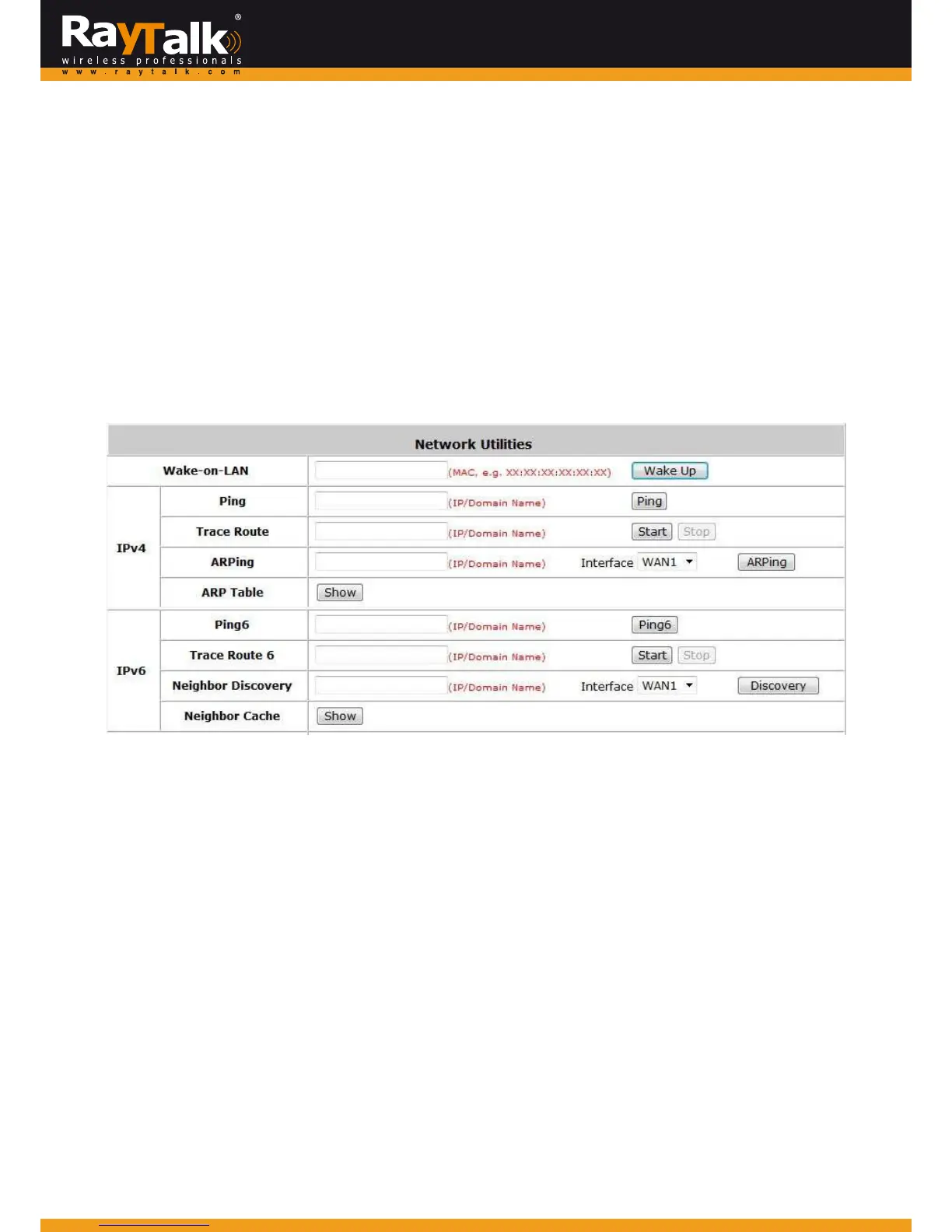
ToconfigureNetworkUtility,goto:Utilities>>NetworkUtilities.
Systemprovidessomenetworkutilitiesforadministrators.BothIPv4andIPv6aresupported.
Wake‐on‐LANis for wakingupremotedevicesthat supportsWake‐on‐LANfeatureby enteringthe MACaddress of thetarget
deviceandthenpressWakeUpbutton.
Pingistoseewhetheradestinationhostisreachableandalivebyenteringthedestinationhost’sdomainnameor
IPaddressandthenpressPingbutton.
TraceRoute displaysthe actualroute taken to reach the destinationhost. Enteringthe destinationhost’sdomain name or IP
addressandthenpressStartbuttontoseetheroute.
ARPTableisfordisplayingARPinformationstore donthesystem.
10.10.1
Wake‐on‐LAN
This allows the system to remotely boot up a power‐down computer connected to a LAN port with Wake‐On‐LAN feature
enabledinitsBIOS.EntertheMACAddressofthedesireddeviceandclickWakeUptoexecutethisfunction.
10.10.2
Ping
ItallowsadministratortodetectadeviceusingIPaddressorHostdomainnametoseeifitisaliveornot.
10.10.3
TraceRoute
ItallowsadministratortofindouttherealpathofpacketsfromthegatewaytoadestinationusingIPaddressor
Hostdomainname.
10.10.4
ShowARPTable
ItallowsadministratortoviewtheIP‐to‐Physicaladdresstranslationtablesusedbyaddressresolutionprotocol
(ARP).



 To Next Page