11.1.4
CurrentUsers
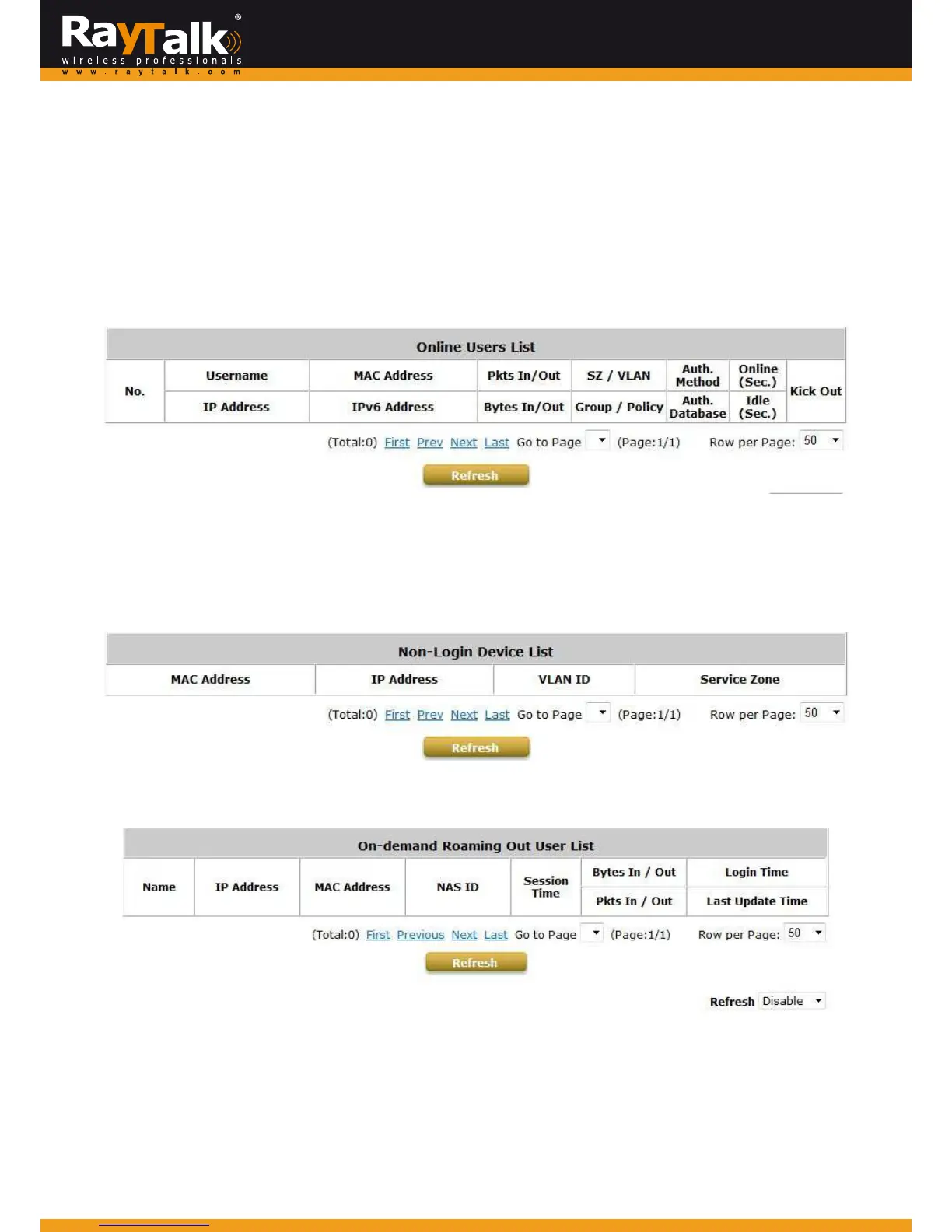
ToviewCurrentUsers,goto:Status>>CurrentUsers.
Onthispage,eachonlineuser’sinformationincludingUsername,IPAddress,MACAddress,IPv6Address,PktsIn,BytesIn,Pkts
Out,BytesOut,ServiceZone/VLAN,Group/Policy,AuthenticationMethod/AuthenticationDatabase,Online/IdleandKickOut
willbeshown.
Adm inistratorscanforceoutaspecificonlineuserbyclickingthehyperlinkofKickOut.
ClickRefreshtoupdatethecurrentuserslist.
Non‐Login Devices shows users that have acquired an IP address from the system’s DHCP server but have not yet been
authenticated, either under the LAN or rem otely tunneled site. This feature is designed for administrators to keep track of
systems’resourcesfrombeingexhausted.
Thelistshowstheclient’sMACAddress,IPAddressandassociatedVLANID,aswellastheServiceZone.
TheOn‐demandRoamingOut UserList showstheusers thatareauthenticatedbyother gatewaysusingthis RayTalk RA‐696’s
On‐demanddatabaseasRADIUSdatabase.



 To Next Page