3.5.1
PortRole
A
ss
i
g
n
m
e
n
t
The MiMo Hot Spot Access Point Wi‐Fi RayTalk RA‐696 supports two zones, Pr ivate and Public. In the Private Zone,
authenticationisnotrequiredtoaccessthenetwork,whetheritisviawiredandwirelessconnection.
In the Public Zone, the “AuthenticationRequiredfor Zone” option is enabled bydefault,so clients have to be authenticated
successfullybeforesurfingtheInternet.
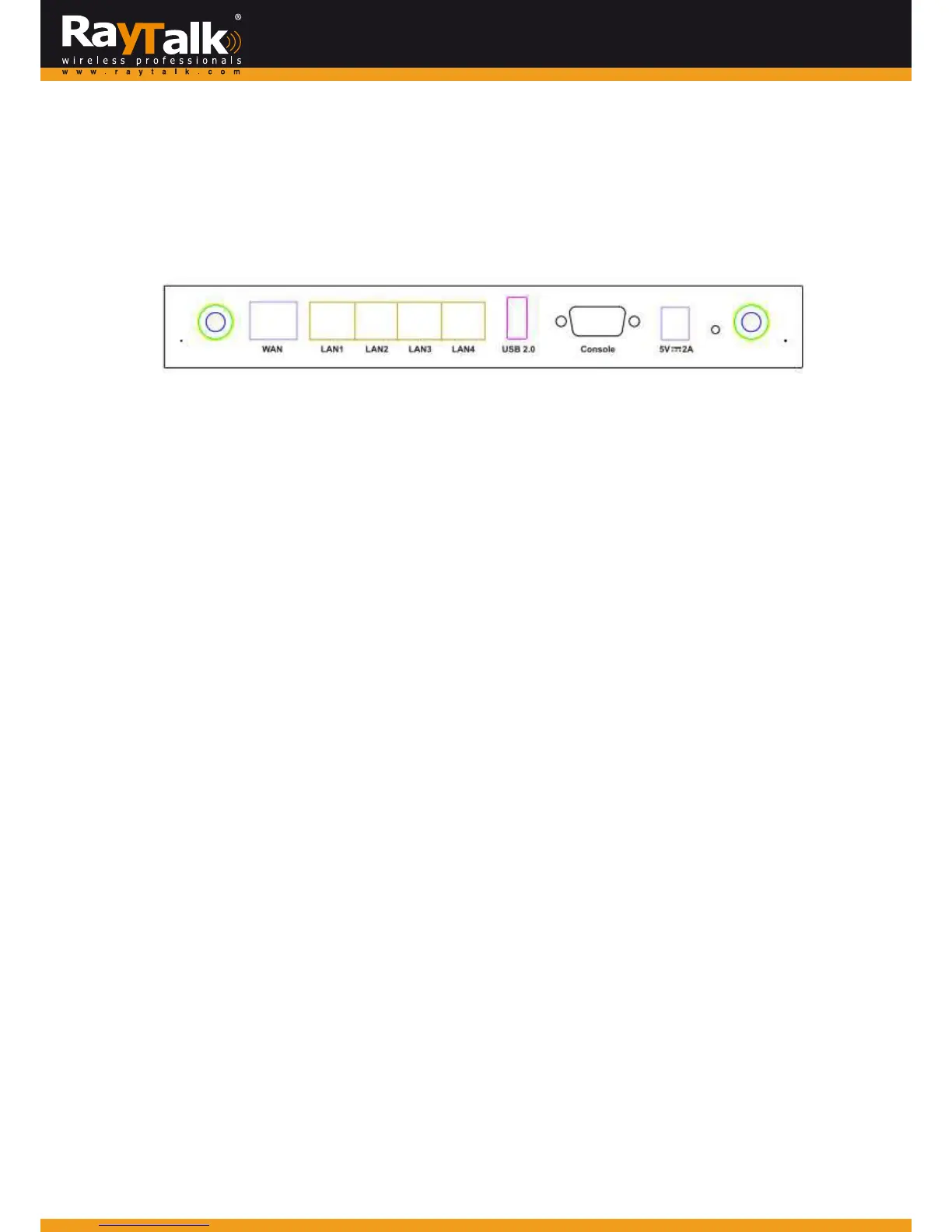
TheZoneandPortmappingsareshownbelow,LAN1,LAN2mapstoPrivateZon eandLAN3,LAN4toPublicZonerespectively.
Note:
System’sWMIcanalsobeaccessesviaWANportaslongastheadm inistratorusesanIPaddresslistedontheM anagementIP
AddressList(GotoSystem>>General>>ManagementIPAddressList).IfbothWANandLANportsareunabletoreachtheWMI,
pleaseuseconsoleinterfacetoresolvethisissue.
3.5.2
PlanningYourInternet
N
e
t
w
o
r
k
MiMoHotSpotAccessPointWi‐FiRayTalkRA‐696supportstwozones,PrivateandPublic.InthePrivateZone,authenticationis
notrequiredtoaccesstheinternetviawiredandwireless.
InPublicZone,bydefaultthe“AuthenticationRequiredforZone”optionisenabled, soclientsarerequiredtobeauthenticated
successfullybeforesurfingtheInternet.AdministratorcanaccesstheWebManagementInterface(WMI)oftheRAYTALKRA‐696
throughthewiredLANport.
3.5.3
ConfigureZoneNetwork
Toconfigure Zone network; goto:
System
>>
Service
Zone. Click thebutton
Configure
forPrivatezone
for
further
configuration.
The parameter descriptions of Basic Settings for Private Zone and Public Zone are the
same
.
The wireless settings under each
zone willbe covered inthe next
sectio
n
.
NetworkInterface:
OperationMode:
Contains NAT mode and
Router
mode. When NATmode is chosen ,
service
zone runs in NAT mode.
When Router mode is
chosen,
this zone runs inRouter
mode
.
IP
Address:
TheIPAddress ofthis
zone.
SubnetMask: The
subnet Mask of this
zone
.



 To Next Page