Caution:
If youcan’tgetto the loginscreen,thereasonsmaybe:(1)The PCis setincorrectlysothatthe PC can’t obtain the IPaddress
automaticallyfromtheLANport;(2)TheIPaddressandthedefaultgatewayarenotunderthesamenetworksegment.
Pleasesetyo
urPCwithastaticIPaddresssuchas192.168.10.xxinyournetworkandthentryitagain.
3
IncorporateMiMoHotSpotAccessPointWi‐FiRayTalkRA‐
696totheNetwork
3.1
Network
R
e
q
u
i
r
e
m
e
n
t
Inthegeneralnetworkenvironment,themainroleoftheMiMoHotSpotAccessPointWi‐FiRayTalkRA‐696istomanageallthe
networkaccessfrominternalnetworktoInternet.Thus,thefirststepistoprepareanInternetconnectionfromyourISP(Internet
ServiceProvider)andconnectittotheWANportoftheMiMoHotSpotAccessPointWi‐FiRayTalkRA‐696.
3.2
Configure WAN
P
o
r
t
Thereare3connectiontypesfortheWANPort:Static, DynamicandPPPoE.Theseconnectiontypesareenoughtosupportmost
ISPs.
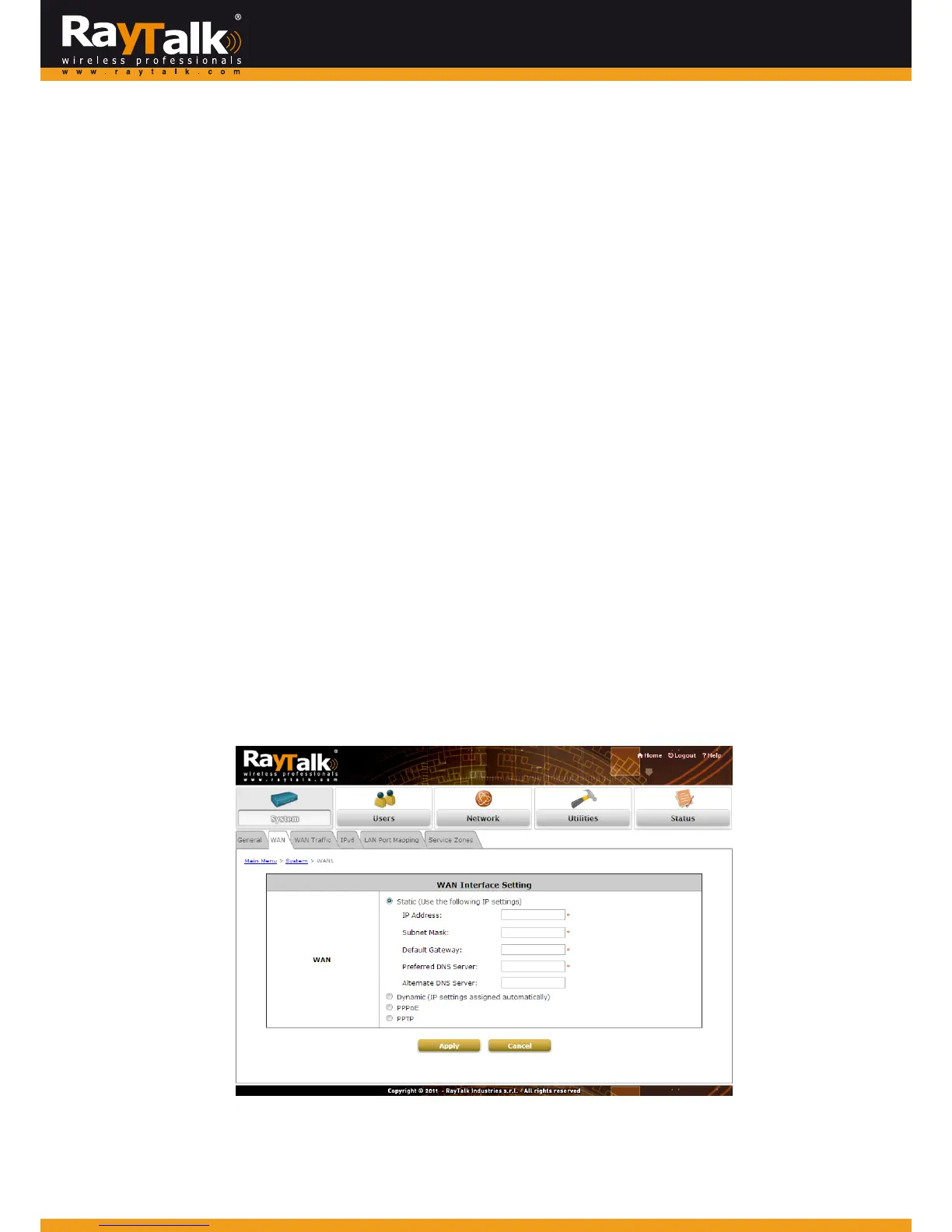
Now,letusdiscusshowtoconfiguretheWANport.Goto:System>>WAN.
Theparametersrelatedtoeachconnectionmethodaredescribedinthefollowingpages.
3.2.1
StaticIP
Static:ManuallyspecifyingtheIPaddressoftheWANPort.Thefieldswithredasterisksaremandatory.
IPAddress:TheIPaddressoftheWANport.
SubnetMask:ThesubnetmaskoftheWANport.
DefaultGateway:ThegatewayoftheWANport.
PreferredDNSServer:Theprimar y DNSServerofthesystem.
AlternateDNSServer:ThesubstituteDNSServerofthesystem.Thisisanoptionalfield.



 To Next Page