6.2
G
r
o
u
p
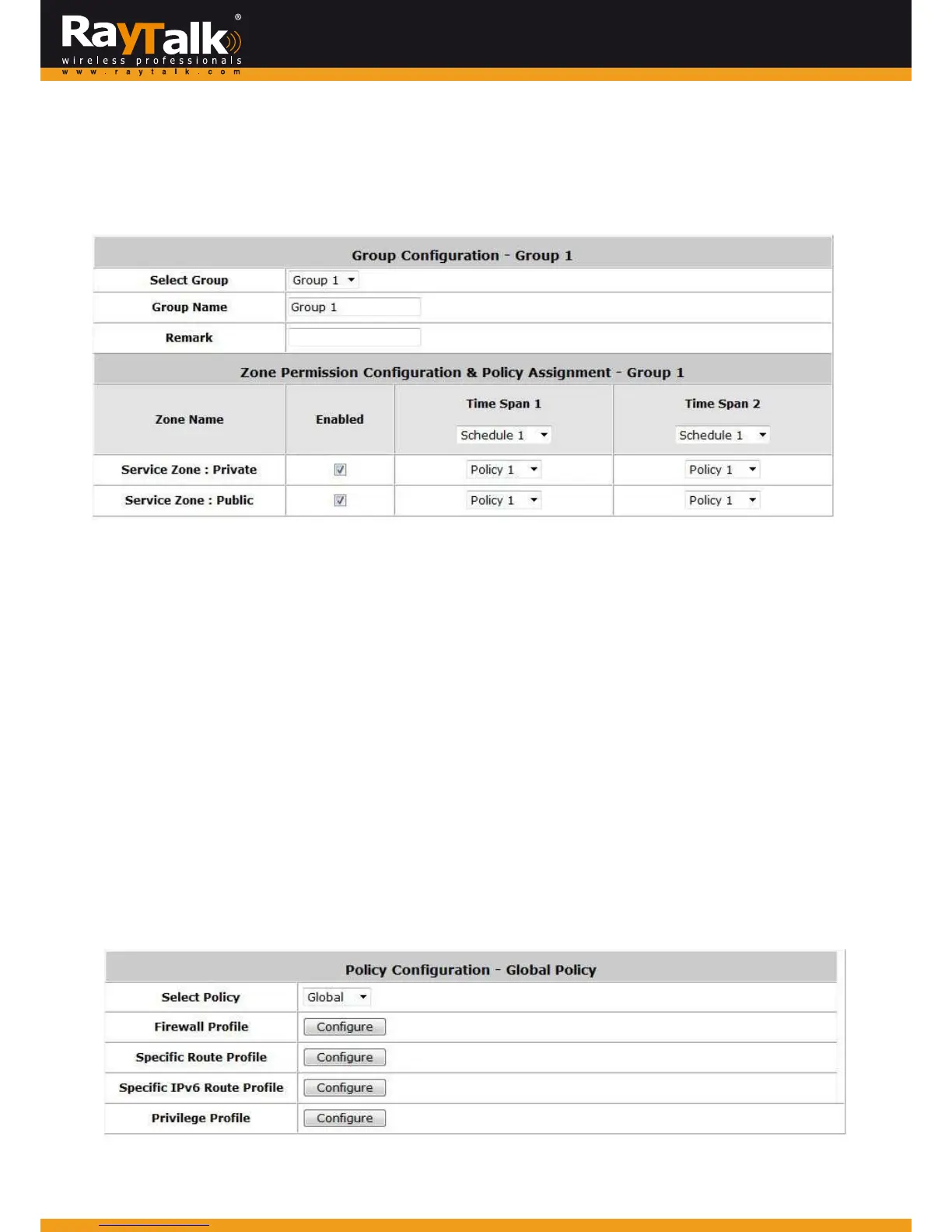
ToconfigureGroup,goto:Users>>Group.
UsersontheRAYTALKRA‐696canbeclassifiedintodifferentgroups,whichcanbeassigneddifferentPoliciesandSchedules.
TheRAYTALKRA‐696supportsupto5userGroups.
When the type of authentication database is RADIUS, the Class‐Group Mapping function will be available to allow the
administrator to assign a Group for a RADIUS class attribute; therefore, a Group will be mapped to a user of a RADIUSclass
attribute.
6.3
Policy
ToconfigurePolicy,goto:Users>>Policy.
TheRAYTALKRA‐696supportsmultiplePolicies,includingoneGlob alPolicyand5individualPolicies.
Global Policy is the system’s universal policy and is applied to all clients unless the clients are bounded by another policy.
IndividualPolicycanbedefine dandappliedtodifferentauthenticationserver.
Aclientlogginginwiththisauthenticationserver willbeboundbythecorrespondingPolicy.
Ifnopolicyisappliedtothea
uthenticationserver,itsuserswillbegovernedbytheGlobalPolicy.
GlobalPolicy
Globalpolicy is the system’s universalpolicycontainingthe Firewall Profile, SpecificRoutes Profile (IPv4/IPv6), and Privilege
Profile,whichwillbeappliedtoallusersunlesstheuserhasbeenregulatedbyanotherindividualPolicy.



 To Next Page