ManagingRT‐TO696RFontheWebManagementInterface
RT‐TO696RFisdesignedspecificallytooperateinconjunctionwithallRayTalkHotSpotWi‐FiAccessPointandInternetSubscriber
Gateways.
If you are not using default settings, bef ore connectingRT‐TO696R F to your RayTalk Hot Spot Wi‐Fi Access Point and Internet
SubscriberGateways,someconfigurationsstepsarerequired.
Gototh
eWe
bManagementInterface(WMI)forRT‐TO696RF’srelevantconfigurations.
Thedefaultvaluesare:
IPaddress:192.168.1.10
SubnetMask:255.255.255.0
DefaultGateway:192.168.1.254
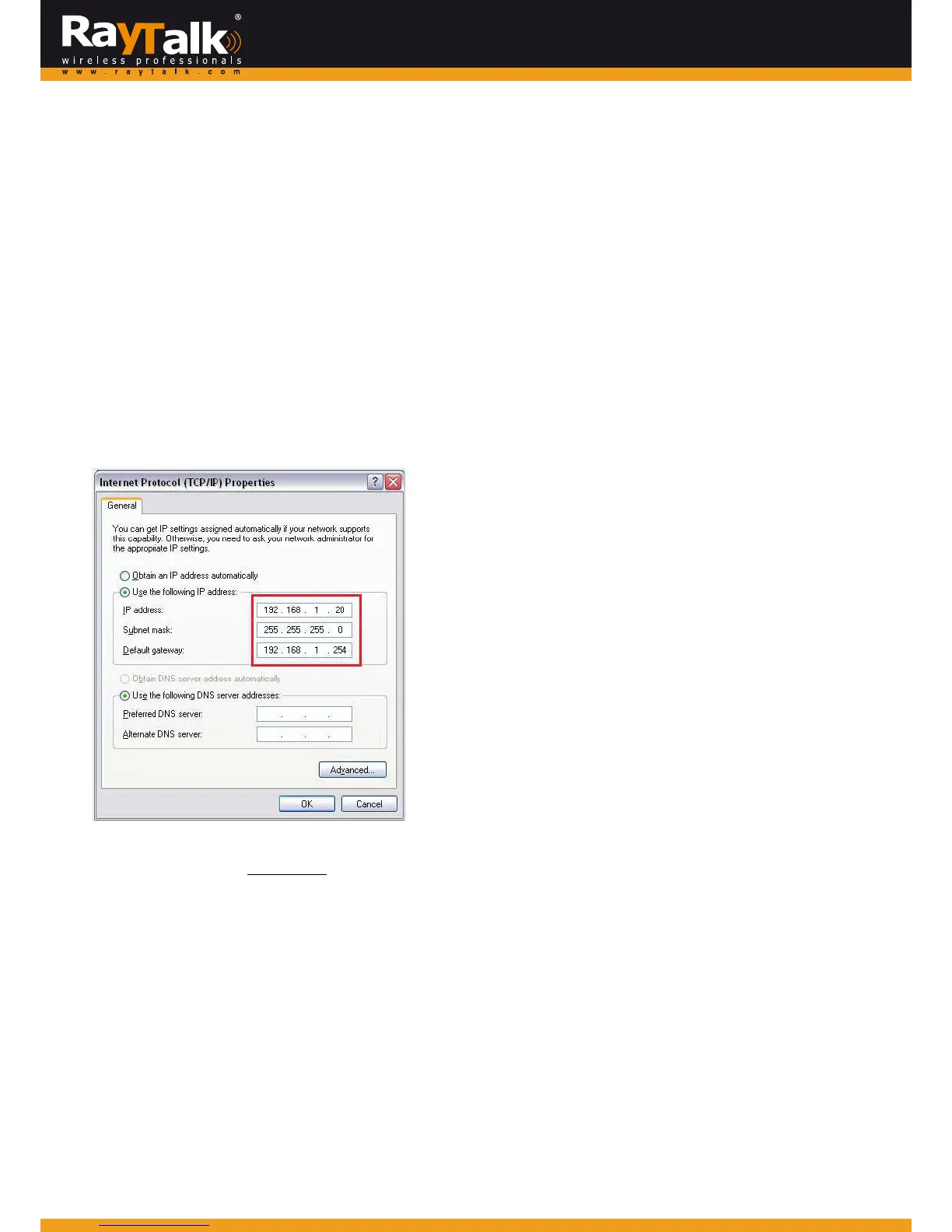
Rememberto set the TCP/IPsettings of the computer you use with a static IP address that is under the sam e subnetas RT‐
TO696RF.Forexam ple:192.168.1.20.
ThesettingsofRT‐TO696RFareseparatedintosevencategories,whichare
1. System–tosetupthesystemnameanddevicecontrol.
2. Uplink – to determinewired / wireless relevantparameters.Anychangeon this page will take effect after rebooting the
system.
3. Console–tochangeconsolerelatedsettingsforPOSprinters.
4. Utility–toupgradethefirmwareversionorbackup/restoreRT‐TO696RF’sconfigurationsettings.
5. Password–tochangeadministrator’ spassword.
6. Reboot–toreboot(restart)thesystem.
7. Status–tooverviewdevice,system,uplink,andradiostatusifavailable.



 To Next Page