HowExternalPagesOperate
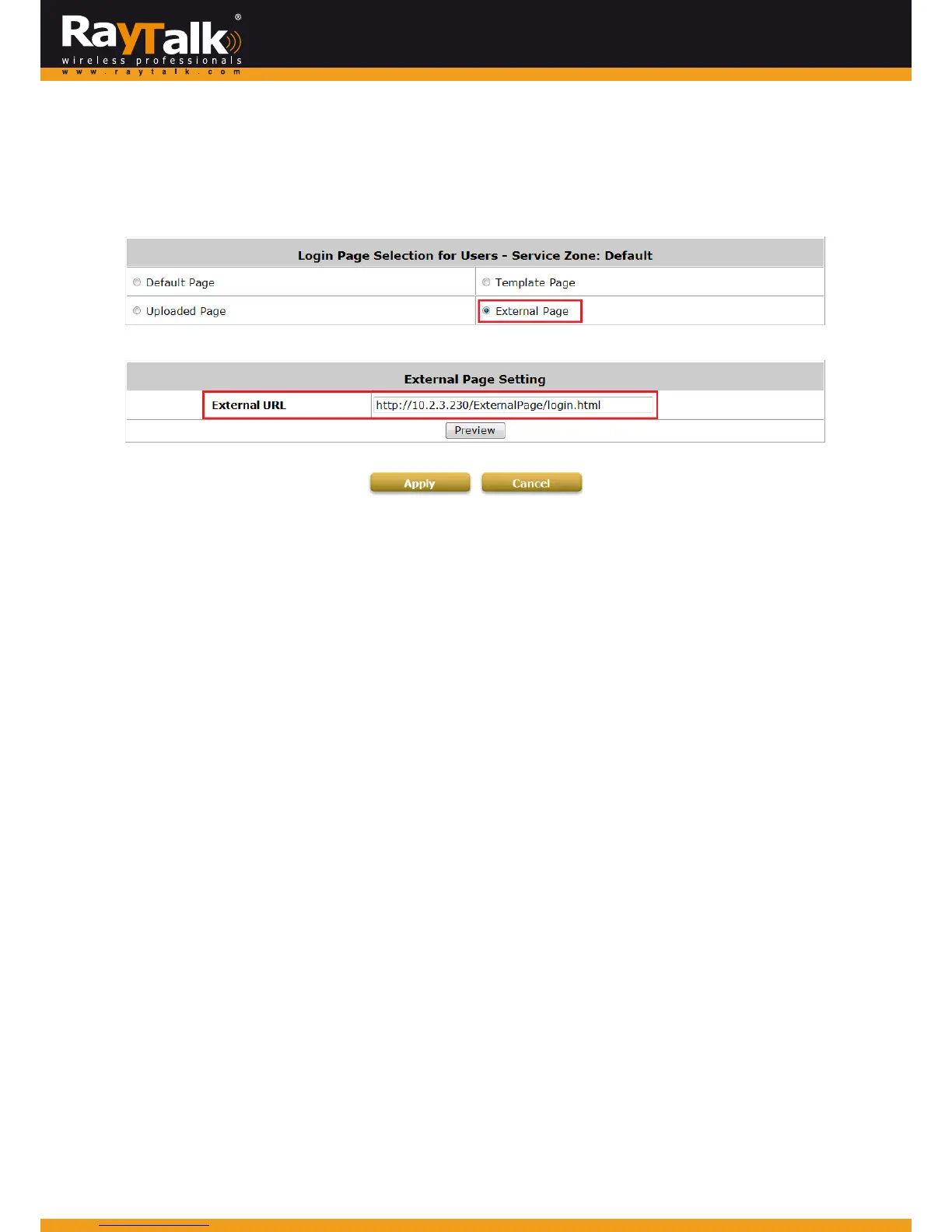
ChooseExternalPageifyoudesiretouseanexternalwebpageforyourcustompages.
SimplyentertheURLofyourexterna lwebpage,clickPreviewbuttontocheckifitisreachable,takealookathowyourexternal
webpagewillbedisplayed,thenclickApplybutton.
MainMenu>>System>>ServiceZone>>ServiceZoneConfiguration>>LoginPage
WhenauserconnectstothisServiceZone,opensawebbrowserandattemptstoaccesstheinternet,thesystemwillred irectthe
usertotheexternalloginpageconfigured.
Gatewaywhileredirectinguserstotheexternalwebpa
gewillalsosendURLparametersrequiredfortheoperation,forinstance
user authentication.Therefore, each self‐defined external pages (Login, Logout, Login Success, Logout Success, etc.) requires
codestohandleURLparameterstoandfromtheGateway.
AsimpleexampleisillustratedbelowforLoginPage,pleaserefertoEx
ternalLogi
nPageParametersforURLparameterrelating
tootherpagessuchasLoginSuccessPage...andetc.
Thereforeitisimportantthatyourexternalpagesaredesignedbysom eonewithgoodknowledgeofURLparameterutilization.
DiagrambelowexplainshowExternalPageoperatesusinguserloginflowasil
lustration:



 To Next Page