2. PaymentsviaPayPal
ToconfigurePaymentsviaPayPal,goto:
User>>Authentication>>On‐demandUser>>ExternalPaymentGatewa y>>PayPal.
Beforesettingup“PayPal”,itisrequiredthatthehotspotownershaveavalidPayPal“BusinessAccount”.
AfteropeningaPayPalBusinessAccount,thehotspotownersshouldfindthe“IdentityToken”ofthisPayPalaccounttocontinue
with“PayPalPaym entPageConfiguration”.
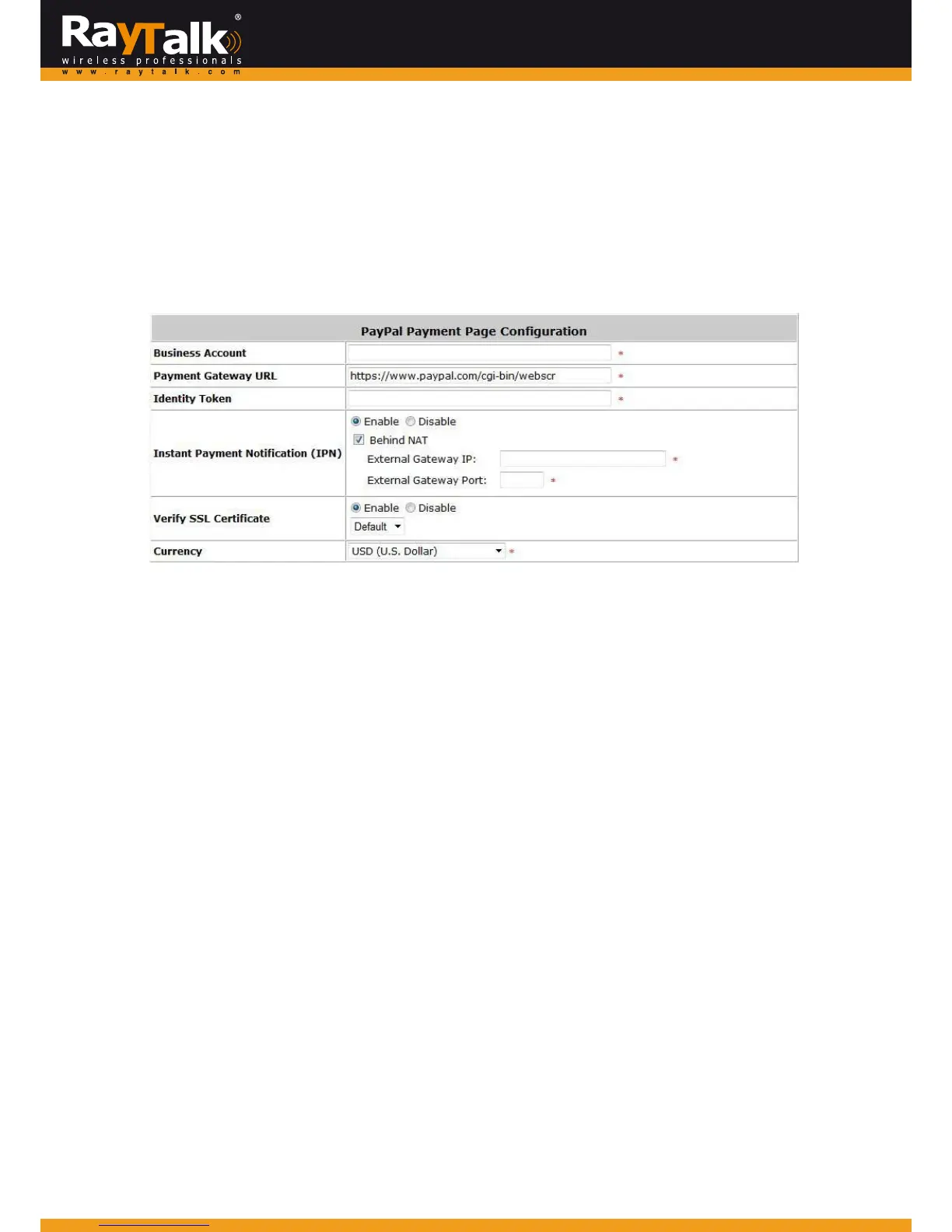
> ExternalPaymentGateway/PayPalPaymentPageConfiguration
o BusinessAccount:The“LoginID”(anemailaddress)associatedwiththePayPalBusinessAccount.
o PaymentGatewayURL:Thedefaultwebsiteaddresstopostalltransactiondata.
o IdentityToken:ThisisthekeyusedbyPayPaltovalidateallthetransactions.
o IPNbehindNAT:IPNistheac
rony mofInst
antPaymentNotificationwhichisamechanismadoptedbyPayPalfor
identifyingtheoutcomeofatransaction.Whenthisoptionisenabled,anupstreamNATservermaybedesignatedforaccepting
theIPNmessagefromPayPal.Thisis a mandatoryconfigurationitem if theWANIPof yourga
tewayinnot
apublicIPaddress,
correspondingNATtranslationconfigurationsarenecessary.
o VerifySSLCertificat e:Thisistohelpprotectthesystemfromaccessingawebsiteotherth anPayPal
o Currency:Thecurrencytobeusedforpaymenttransaction.



 To Next Page