LEDPanel
LEDindicators
Power
Whenthepoweradapterisconnected,Powerwillbecomeconstantlyon;whendisconnected,thelightturnsintoconstantlyoff.
AlwayscheckifPowerisonbeforeusin gRT‐TO696RF.
Status
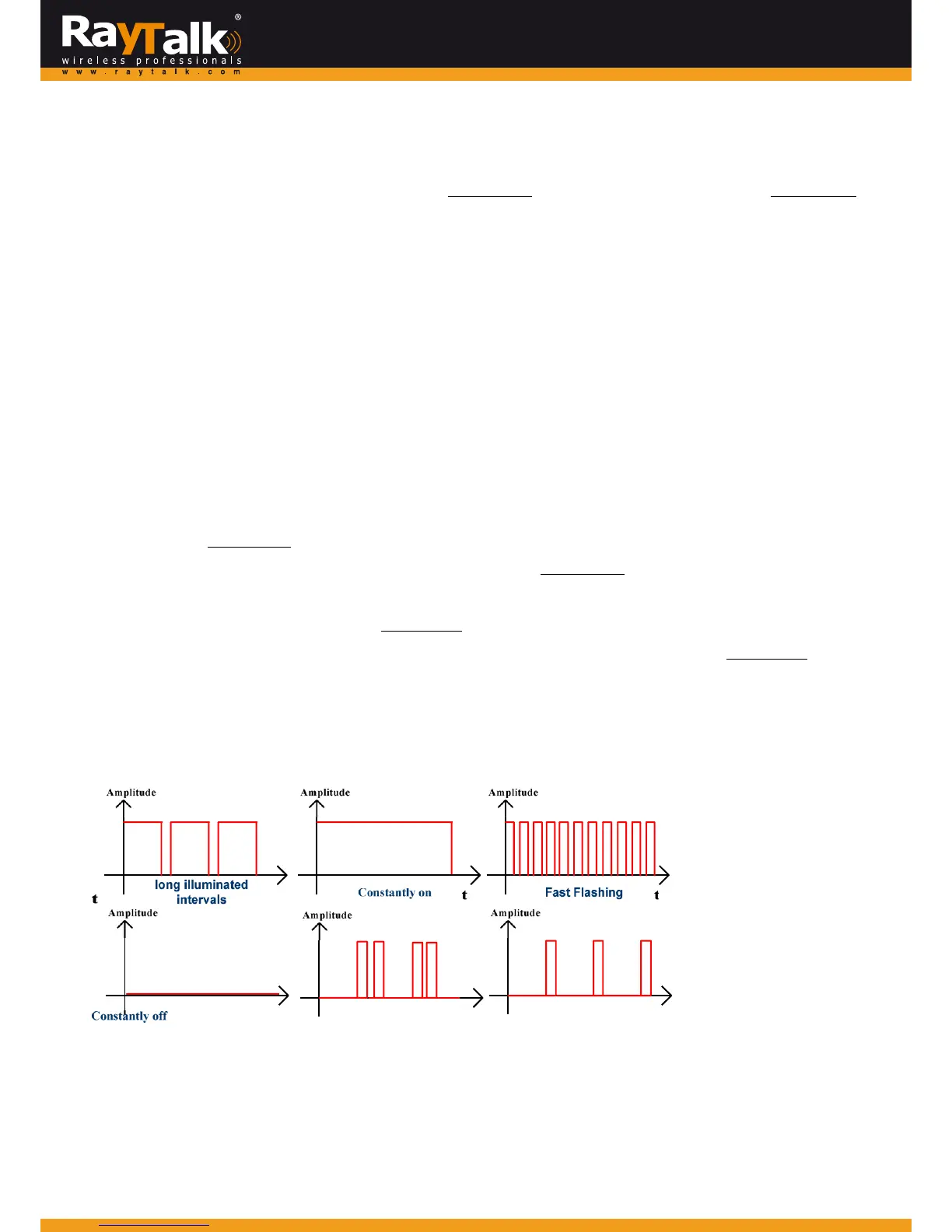
1.ShortilluminatedintervalsmeansRT‐TO696RFsuccessfullybootedup.Itflashesslowly.
2.LongilluminatedintervalsmeansRT‐TO696RFanduplinkdeviceconnected
3.Specialflashingmeansthekeypadlocked.Theindicatorfast‐blinkstwiceperiodically.
Note:<TASModeonly>
4.FastflashingmeansRT‐TO696RFtryingtoconnecttouplinkdevice.
5.ConstantlyofffortensecondsmeansRT‐TO696 RF failstoconnecttouplinkdeviceafterstep4.Afterwards,Statuswillgoback
tostep1.
6.ConstantlyonfortensecondsmeansRT‐TO696RFsucceedsinconnectingto
uplinkdeviceafterste p4.Afterwards,Statuswillgotostep2.
Ethernet
Ethernetturnsintoconstantlyonwhe nanEthernetcableisconnected.
EthernetblinkswhenthesystemdetectswiredtrafficpassingEthernet.Itisconstantlyoffwhennocableisconnected.
WLAN
WLANbehavessimilarlyasEthernet‐becomingconstantlyonwhenwirelessconnectivityisenabled(notnecessarilyconnected.
ItjustmeansthattheRFcardisreadytoserve).WLANblinkswhenthesystemdetectswirelesstraffic.ItisconstantlyoffiftheRF
cardisdisabled.
UnderstandingtheLEDindicators
Therearefour LEDindicatorsonthe panel: Power,Status,LAN,andWLANfromlefttoright.Belowsum marizesallindication
typesindifferentstates:



 To Next Page