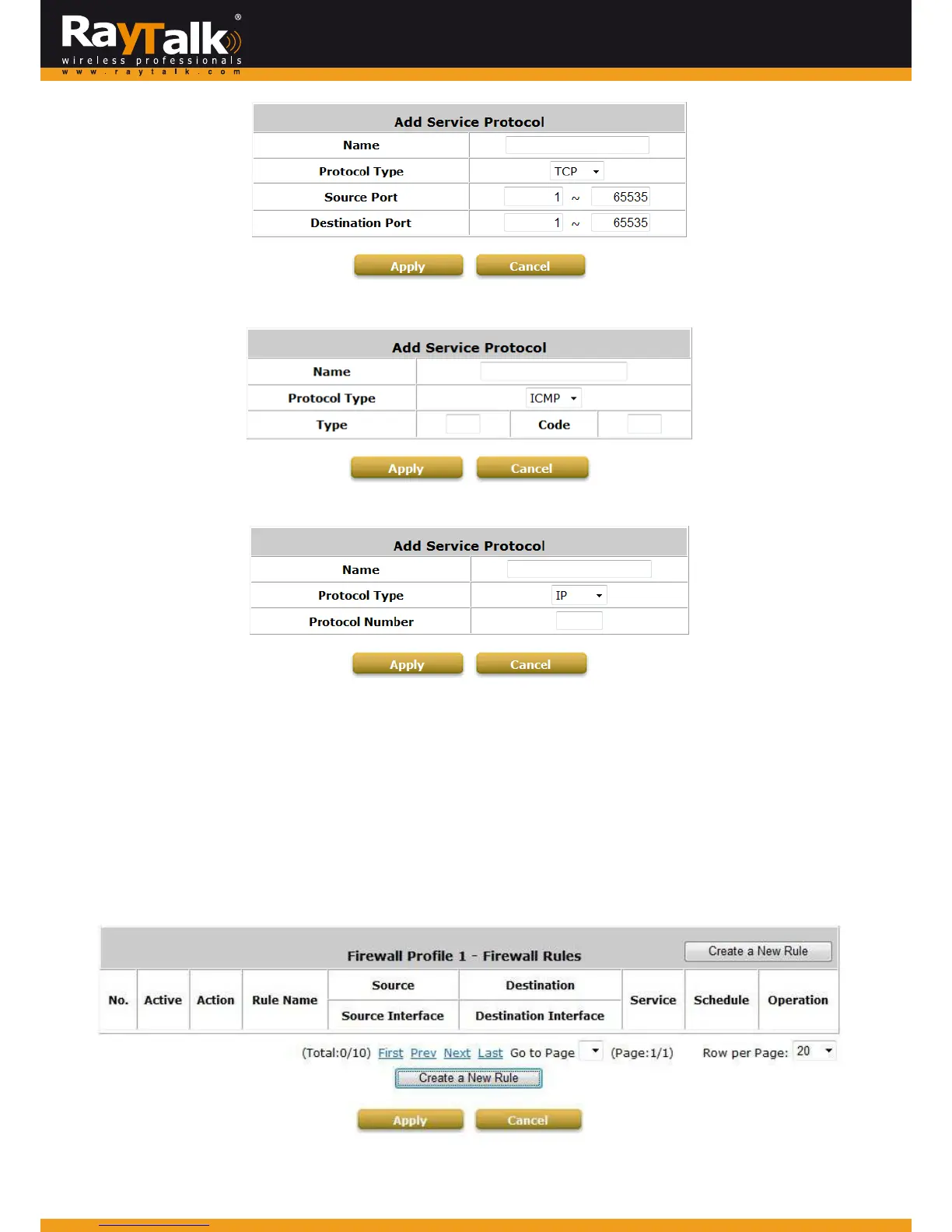
IftheProtocolTypeisICMP,theTypeandCodeneedstobedefined.
IftheProtocolTypeisIP,theProtocolNumberneedstobedefined.
2)UserFirewallRules
Afterthecustomprotocolisdefined(orjustusethePredefinedServiceProtocols),youwillneedtoenablethe
FirewallRuletoapplytheseprotocols.FirewallRulesforIPv6isalsosupported.
FirewallRules:ClickRuleNo.toeditindividualrulesandclickApplytosavethesettings.Therulestatuswillbe
shown on the list. Check the “Active” checkbox and click Applyto enable the rule. Rule No.1 has the highest
priority; Rule No.2 has the second priorityand so on. Ea
ch firewall rule is definedbySource,Destination and
Pass/Blockaction.Optionally,aFirewallRuleSchedulecanbesettospecifywhenthefirewallruleisenforced.It
canbesettoAlways,RecurringorOneTime.
SelectingtheFilterRuleNumber1asanexample:



 To Next Page