Assembly
Connecting the drive unit to the forestay
35
5.5 Connecting the drive unit to the forestay
Pos: 43 /ZINDEL/Rollref fanlagen/Montage/ Vorbereitung Antr iebseinheit <-> Vor stag @ 1\mod_1400849299329_ 13349.docx @ 13965 @ 3 @ 1
5.5.1 Preparation
Risk of scratching the drive unit casing
A rough or soiled surface can scratch the drive un
it casing.
Only remove the leather cover after completing assembly.
Set the drive unit down on a clean, soft surface after the leather cover has been
To connect the drive unit to the forestay, lay the drive unit beside the lower end of the forestay.
Pos: 44 /ZINDEL/Rollref fanlagen/Montage/ Schürze abnehmen @ 1\mod_1 401084496968_13349. docx @ 13968 @ 3 @ 1
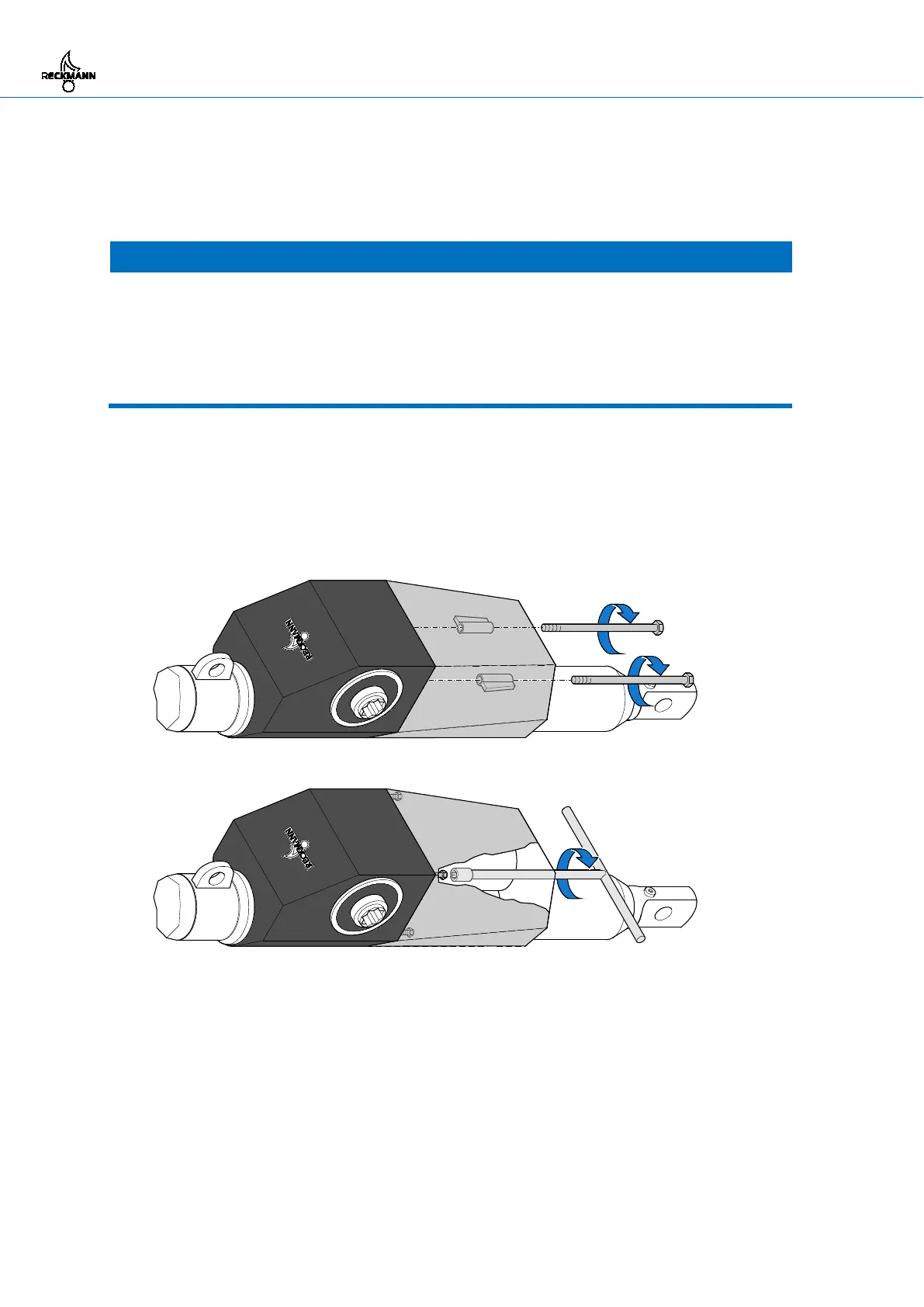
5.5.2 Detaching the cover
The cover does not have to be removed for drive units RF90-2 and RF90-3.
1.a RF90-4: Unscrew the two screws in the outer cover and pull them out of the guide sleeves.
1.b RF90-5: Unscrew the four nuts in the outer cover using the supplied box spanner.
2. Detach the outer cover.
Pos: 45 /ZINDEL/Rollref fanlagen/Montage/ RF90-2, RF90-3/Vers telleinheit demonti eren (RF90-2, RF 90-3) @ 1\mod_140084 9124568_13349.doc x @ 13966 @ 3 @ 1



 To Next Page