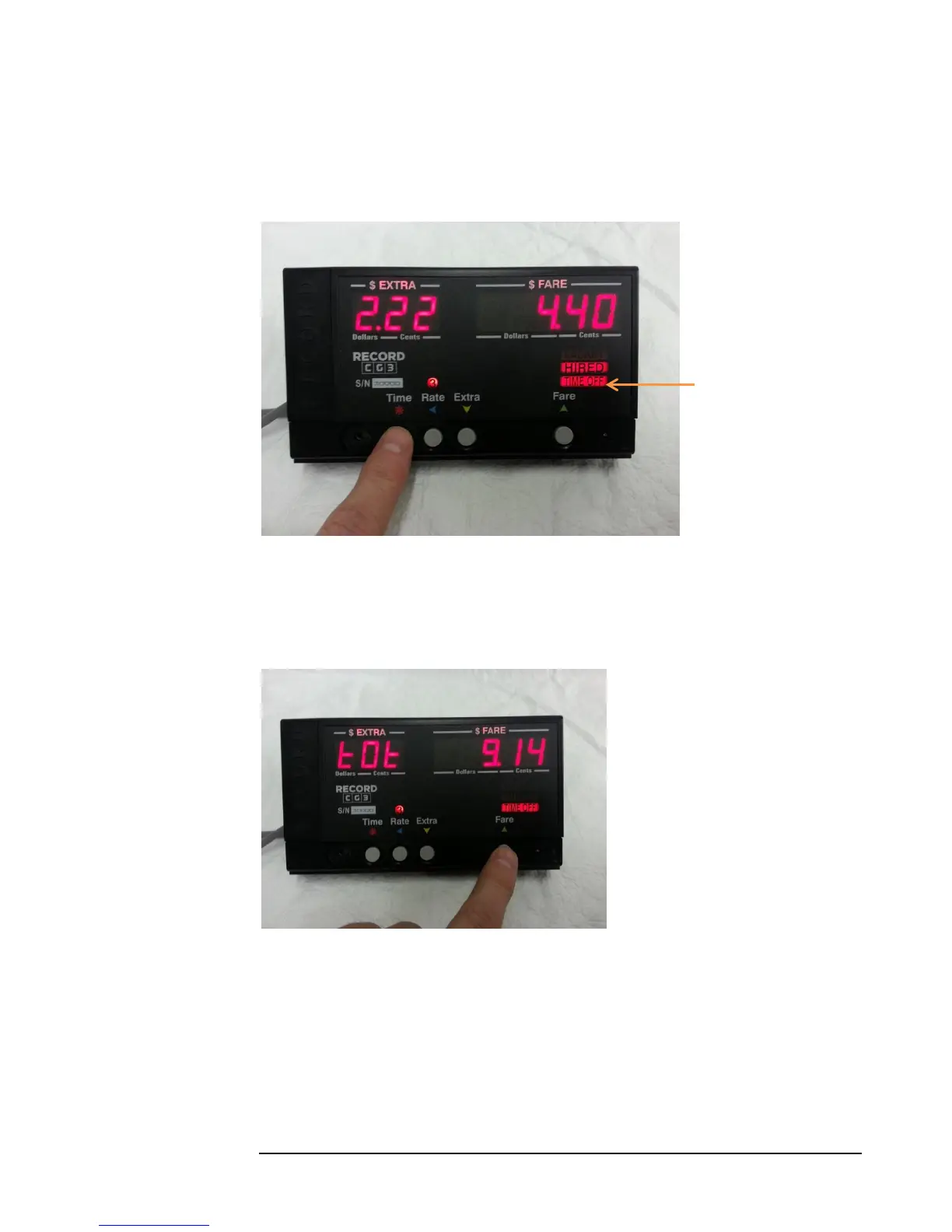
4.2.3 Toggling Rate time-charges Off / On
Pressing the
Time Button will Turn
off the time charge.
The taximeter will then
only charge by distance.
When the rate time
charge is OFF, the
TIME OFF indicator
will illuminate.
Pressing the Time
Button again will turn
the rate time-charges
back on.
4.2.4 Ending the Fare
To stop the fare, the rate-time charges must first be turned off (see above). Pressing the
Fare Button will then stop the fare, and enter End-of-Fare Mode.
The taximeter will briefly display
the fare total (Fare + Extras) for 3
seconds.
Figure 9: Turning off time-charges.
Figure 10: Fare is stopped by pressing the Fare Button, while time-charges
are off. Note the "TOT" indicator in the Extra display, indicating the total
fare (Fare + Extras) is currently displayed in the Fare display.



 To Next Page