5.0 Main Menu
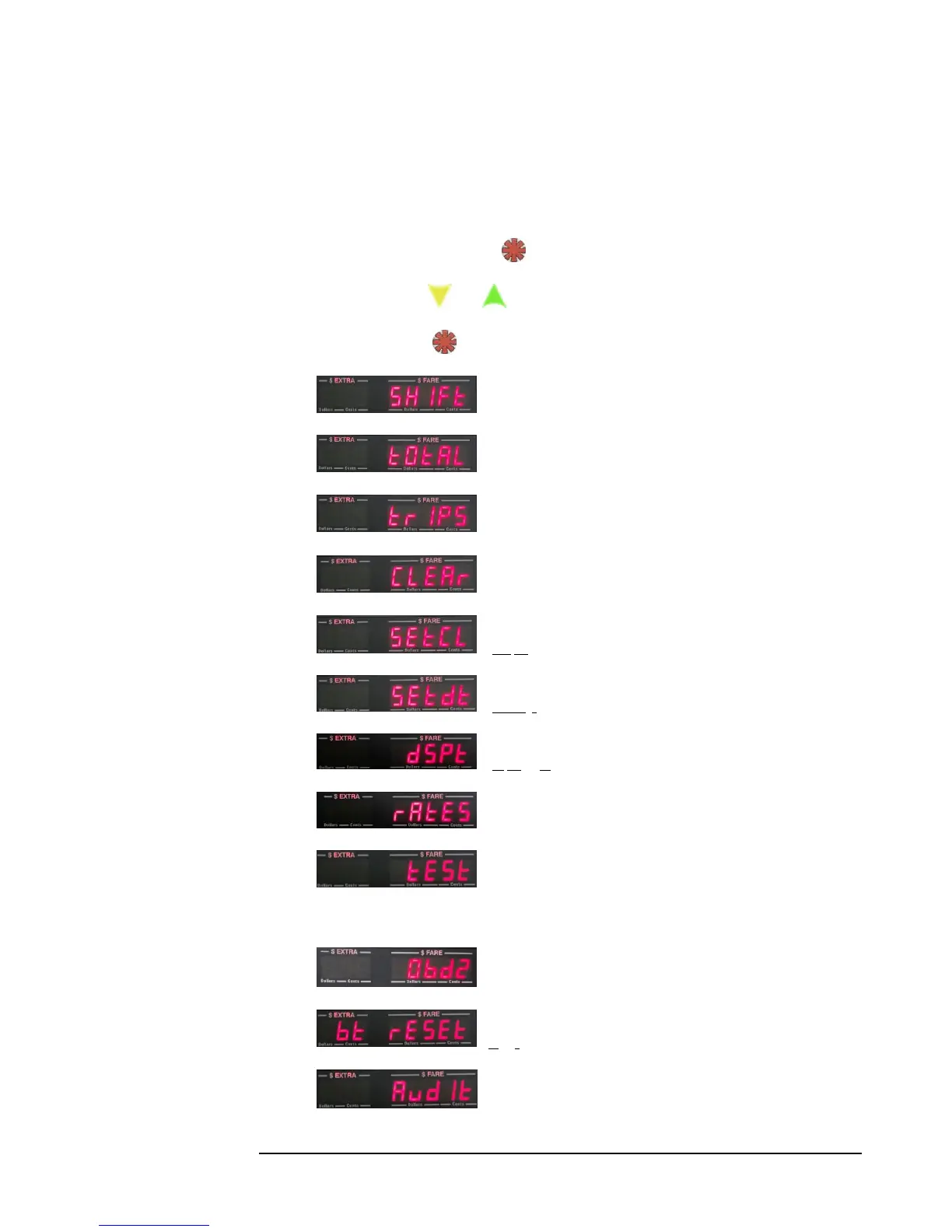
The Main Menu is accessible while in Vacant Mode (section 4.1). It allows you access to the following
CG3 functions and features, as listed in the order shown below.
To access (while in Vacant Mode), Press: . You will now be in the Main Menu.
To navigate the Menu press: and
To select a menu entry, Press:
1) - View Shift Stats.
2) - View Total Stats.
3) - Upload Daily Trips to USB flash-drive.
4) - Clear Shift Stats.
5) - Set Clock.
6) - Set Date
7) - Display Test
8) - View Rates
9) - Calibration test
OR:
- OBD2 Settings (if turned on in Configuration; see section 4.5)
10) - Bluetooth reset
11) - Audit total trips.



 To Next Page