5.4 Setting the Clock
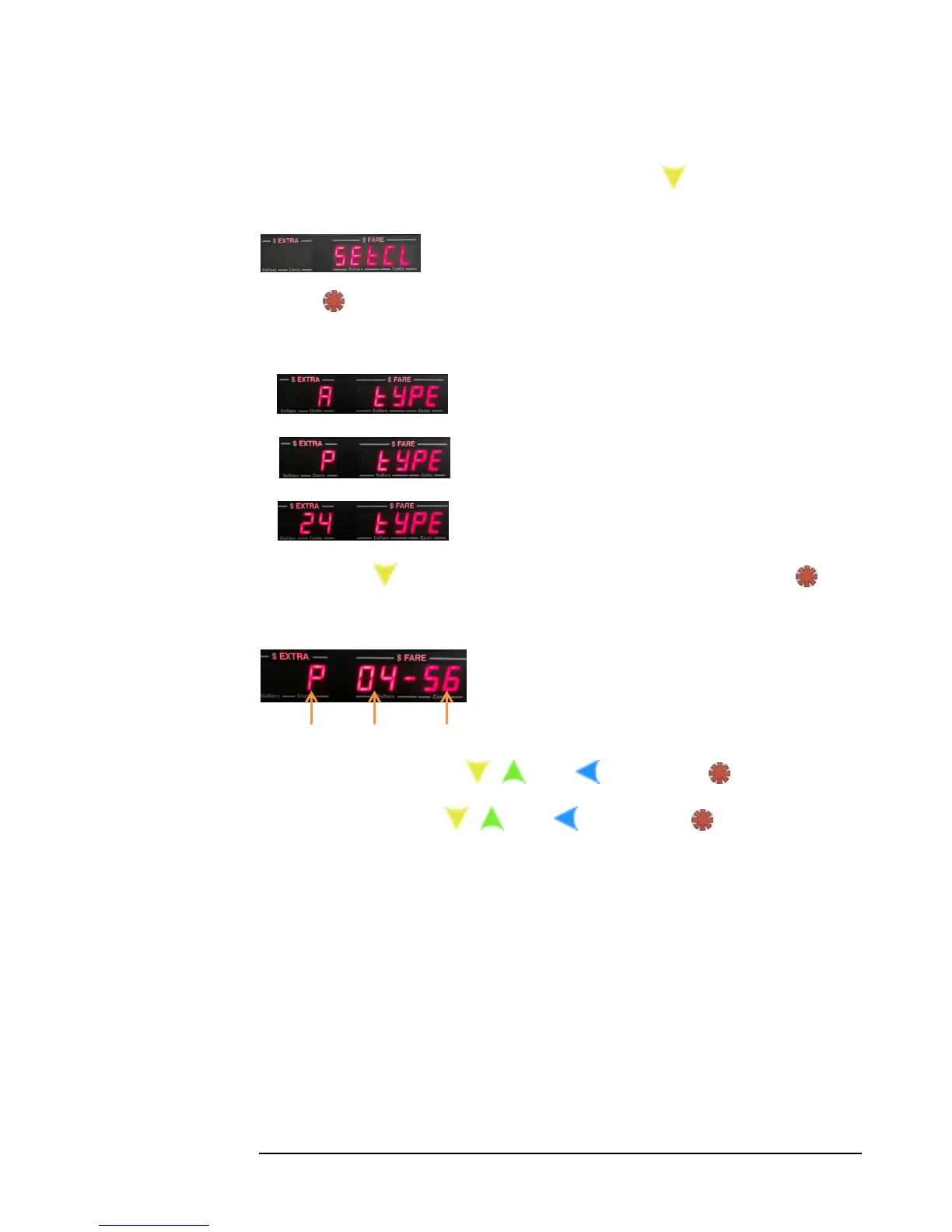
1) Enter the Main Menu (Section 5.0), and press the button four times. The
following entry will be shown:
2) Press:
3) You will now be able to set the clock type: a) AM, b) PM, or c) 24 Hour clock:
a)
b)
c)
Use the button to display the clock type that you want, and press .
4) Now, you will be able to set the Minutes and Hour:
Clock type Hour Minutes
5) Set the Minutes, using the , , and buttons. Press
6) Set the Hour, using the , , and buttons. Press .
The CG3 will now exit to Vacant Mode.



 To Next Page