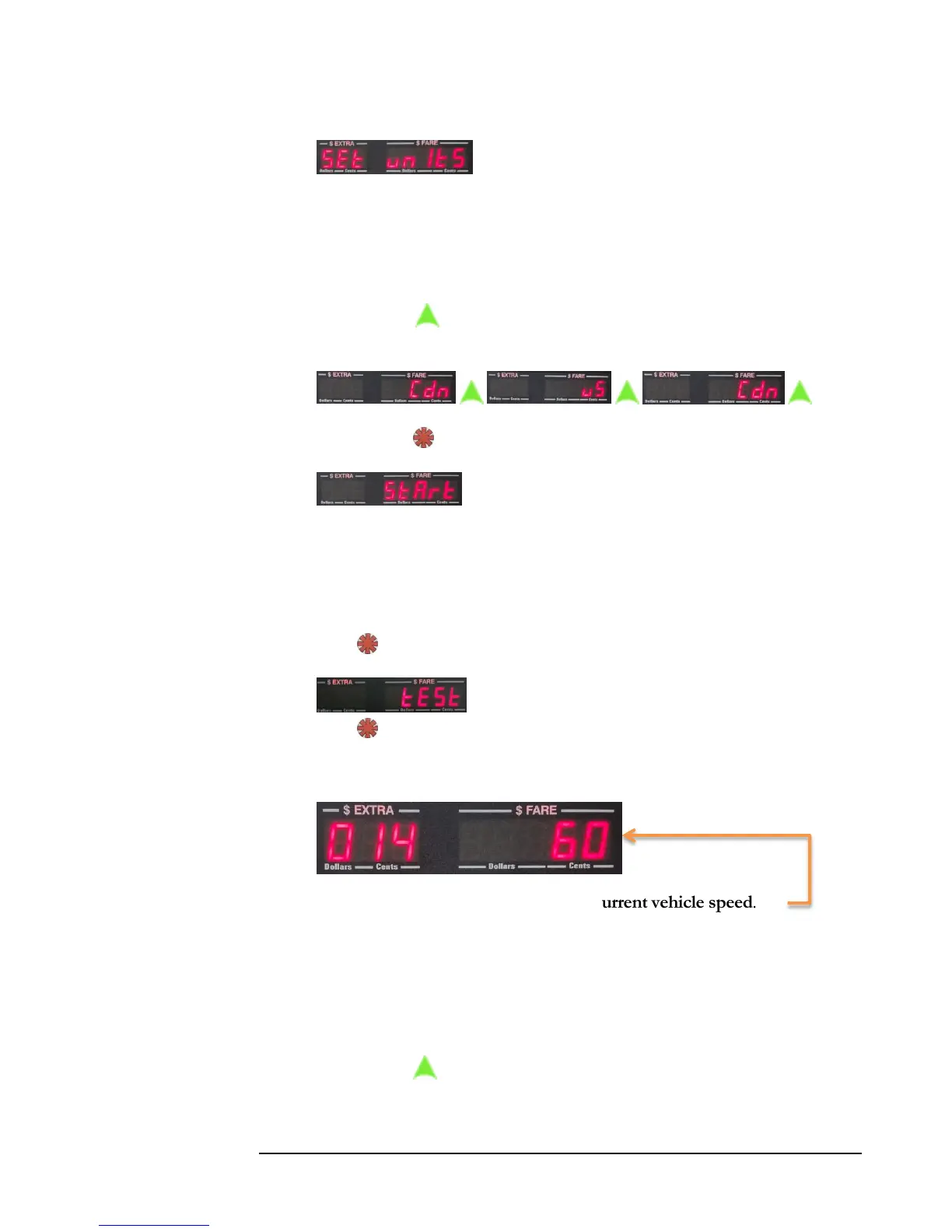
2) Set Units allows the user to select between Metric
(km) or U.S. Imperial (miles) units of measurement. The OBDII interface
reports speed in Metric, so using this option will automatically convert speed
and distance to Imperial if required. You will need to set the CG3 to the
proper unit for your country in order to have the taximeter calculate the
fare correctly.
Press to toggle between Metric (Cdn = Canadian) and Imperial
(US = US Imperial):
…
Press to set.
3) The Start option allows the user to manually reset the
OBDII interface. Normally, if the CG3 encounters a communication problem
it will automatically reset the interface without requiring user intervention.
However, in the event that the user accidentally disconnects the CG3 serial
cable from the OBDII interface (if using RS-232 serial communication) during
operation, the user can “reboot” the interface by using this step.
Press to select. The CG3 will now reset the OBDII interface.
4) You can test the OBDII interface by using this option.
Press to select.
The following information will be displayed:
The value in the Fare display shows the current vehicle speed.
The value in the Extra display roughly corresponds to the number of seconds
since the test started, and is actually the number of speed samples x10 that
have been accumulated (the CG3 samples speed information at a rate of 10
times per second). In the example above, 140 samples have occurred since the
start of the test.
Press to exit the test.



 To Next Page