COPYRIGHT © 2015 RED.COM, INC
RED DSMC OPERATION GUIDE: EPIC/SCARLET
955-0020_V6.0, REV-J | 38
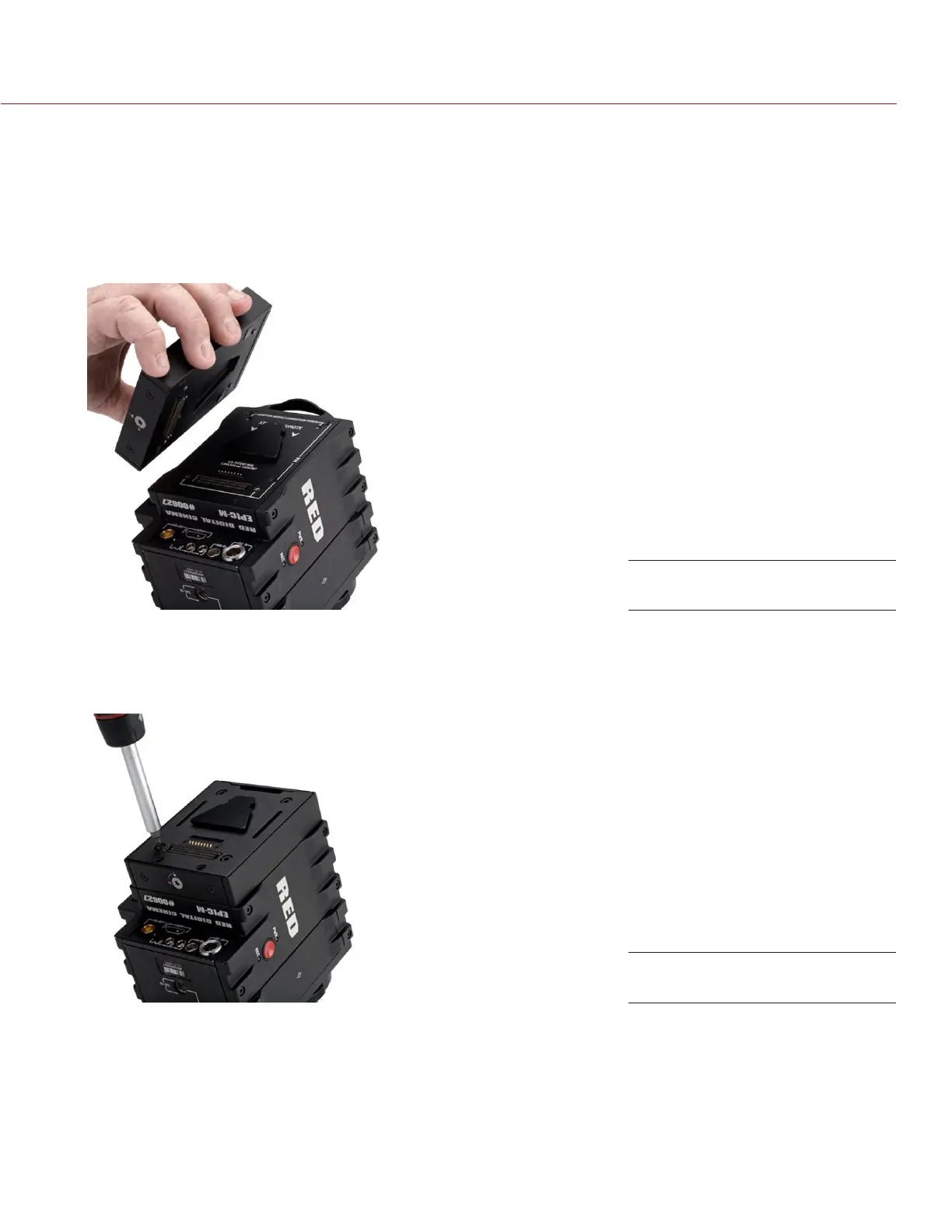
INSTALL THE MODULE ADAPTOR
You must install an adaptor module on the back of the BRAIN before you install a DSMC module.
REQUIRED TOOL: T20 TORX driver
1. Turn off the BRAIN.
2. Remove the REDMOTE, if attached.
3. Position the Module Adaptor over the V-mount on the rear of the BRAIN.
4. Apply pressure and tighten the four (4) captive screws in a cross pattern (“X” pattern) approximately two (2)
turns each using a T20 TORX driver. DO NOT FULLY TIGHTEN.
5. Fully tighten the four (4) screws in a cross pattern (“X” pattern) using a T20 TORX driver.
WARNING: DO NOT OVERTIGHTEN.
Install Module Adaptor
Tighten screws



 To Next Page