COPYRIGHT © 2015 RED.COM, INC
RED DSMC OPERATION GUIDE: EPIC/SCARLET
955-0020_V6.0, REV-J | 64
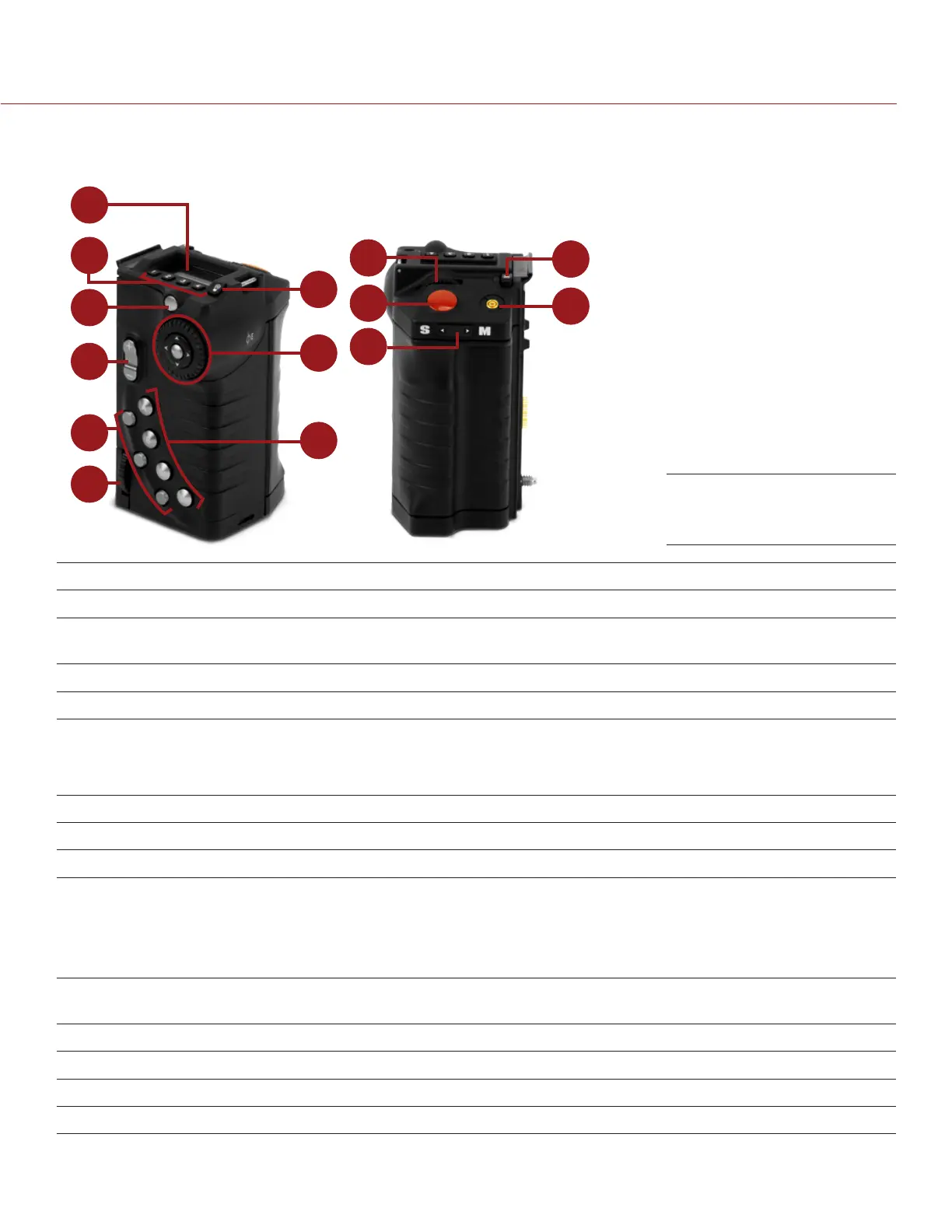
DSMC SIDE HANDLE
This section describes the controls and display of the DSMC Side Handle.
1
2
7
3
8
4
9
5
6
10
12
13
14
11
# CONTROL/ITEM DESCRIPTION
1 LCD Display Go to “DSMC Side Handle Display” on page 65
2 User Keys (1–4)
1
User 1-4 keys are used to select a slot on the DSMC Side Handle Display. The
front rotary then adjusts the value of the selected slot.
3 Menu Button Access menus or exit currently selected menu
4 Rocker Switch Open (Up)/Close (Down) Iris
5 User Keys (5–7) 5: Toggle Exposure Mode on/off
6: Key Disabled
7: Eject Media
6 Thumbwheel Lock Install and remove the DSMC Side Handle
7 LCD Backlight Button Toggles LCD backlight illumination
8 Navigation Group Navigate menus and menu items; go to “Navigation Group” on page 63
9 User Keys (A–D) A: Cycle Auto-Focus Mode
B: Auto White Balance
C: Toggle 1:1 Magnify on/off
D: Toggle Exposure Mode on/off
10 Rotary Dial Adjust camera parameter values based on the underlined value on the
DSMC Side Handle LCD Display
11 Focus/Record Button Half-press for auto-focus; full press to Start/Stop Record
12 Stills/Motion Mode Switch Toggles between Stills/Motion Mode, enabled in v6.0 firmware or later
13 Battery Door Release Press to open the battery door
14 PC Sync Port Triggers external flashes or strobes
1. Press User Keys 1 + 4 simultaneously to lock/unlock DSMC Side Handle buttons to prevent inadvertent menu changes.
NOTE: DSMC Side Handle keys are programmable. For more information, go to “Key Mapping” on page 103.
DSMC Side Handle
Controls



 To Next Page