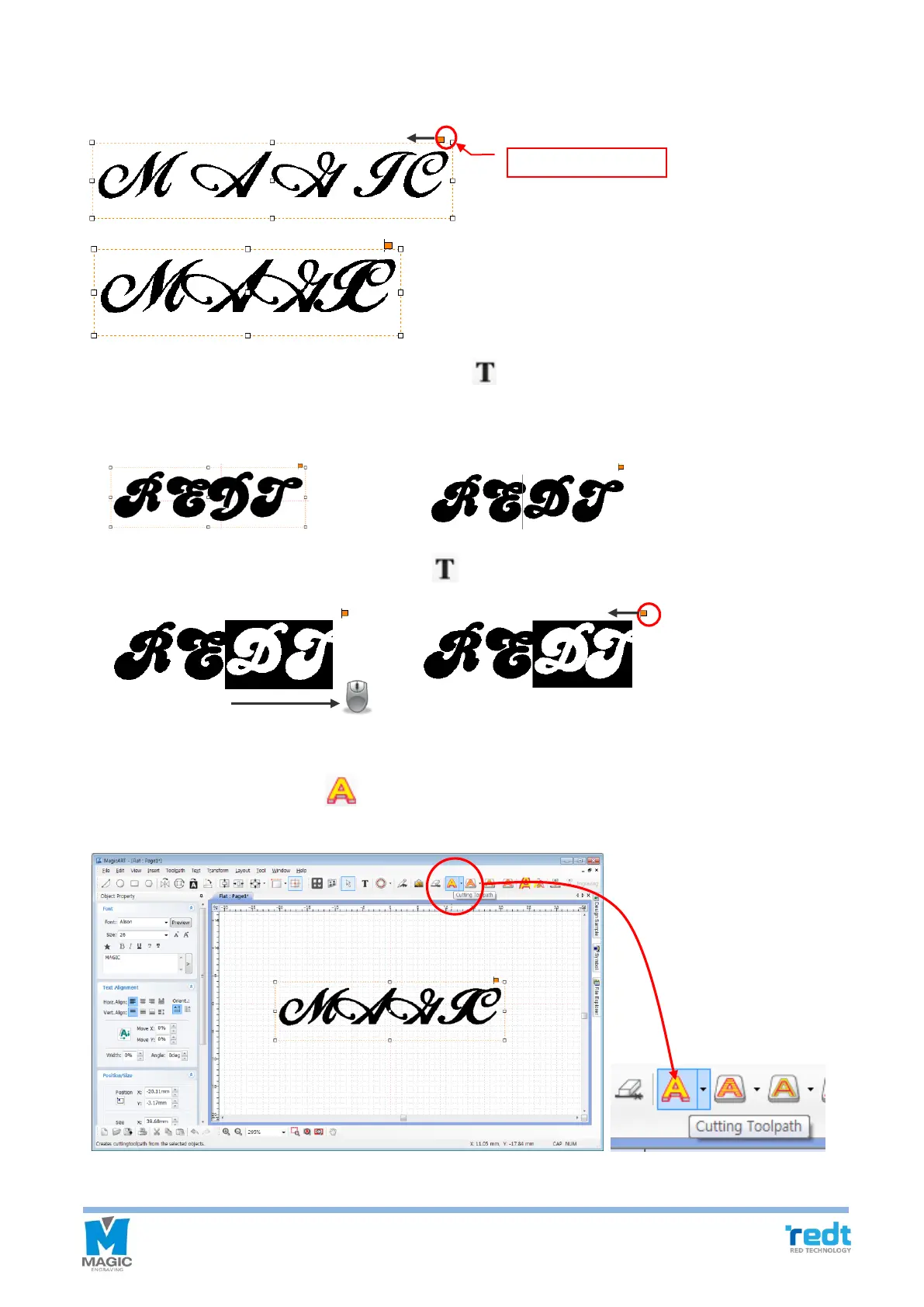
5. Drag the character gap adjustment handle (a square in the picture below) with the mouse to narrow the gap
between the characters.
If the gap of some characters is partially adjusted, press [Text Input] button and drag the mouse to select what
you want. Drag a character gap adjustment handle by the mouse and adjust the character gap.
① ②
[Design character] [Press button and click with the mouse]
③ ④
[Select character] [Adjust character gap]
6. Once design is completed, click [Cutting Tool path]. A tool path means a route along which a tool is moved
for engraving.



 To Next Page