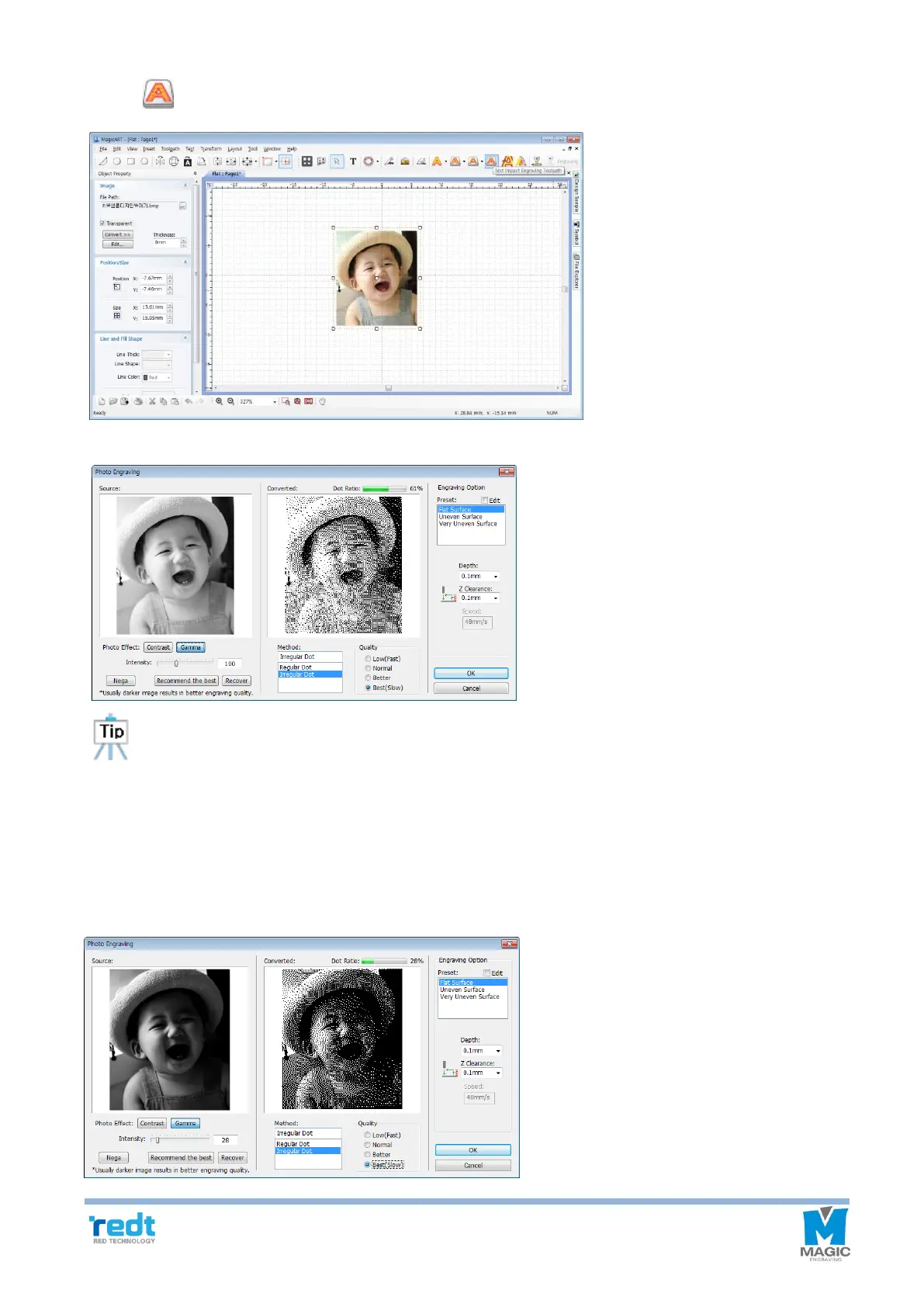
4. Click [Text Impact Engraving Tool path] button.
5. Adjust image engraving option in punching option window.
When engraving an image, bright part (white area) of image can be expressed by punching. Since
darker image shows higher quality, adjust the brightness to dark. Normally, dot ratio 10-20% shows the
best engraving quality for a portrait. According to the brightness and background of the image, the
optimal image conditions are different. Properly adjust it while checking the image preview for
engraving.
If you are not familiar with the image adjustment, click “Recommend the best” button to automatically adjust the
image.



 To Next Page