SYSTEM (1/6)
“System”
menu
Accessing the system settings
From the main menu, press “System”.
The “System” menu enables access
and settings adjustments to the follow-
ing elements:
– « Home pages » ;
– “User profile”;
– “Display”;
– “Brightness”;
– “Volume”;
– “Language”;
– “Keyboard”;
– “Date and time”;
– “Units”;
– “Voice command”;
– "System information";
– “Suggestion bar”;
– “Factory reset”;
– “Smartphone Integration”.
« Home pages »
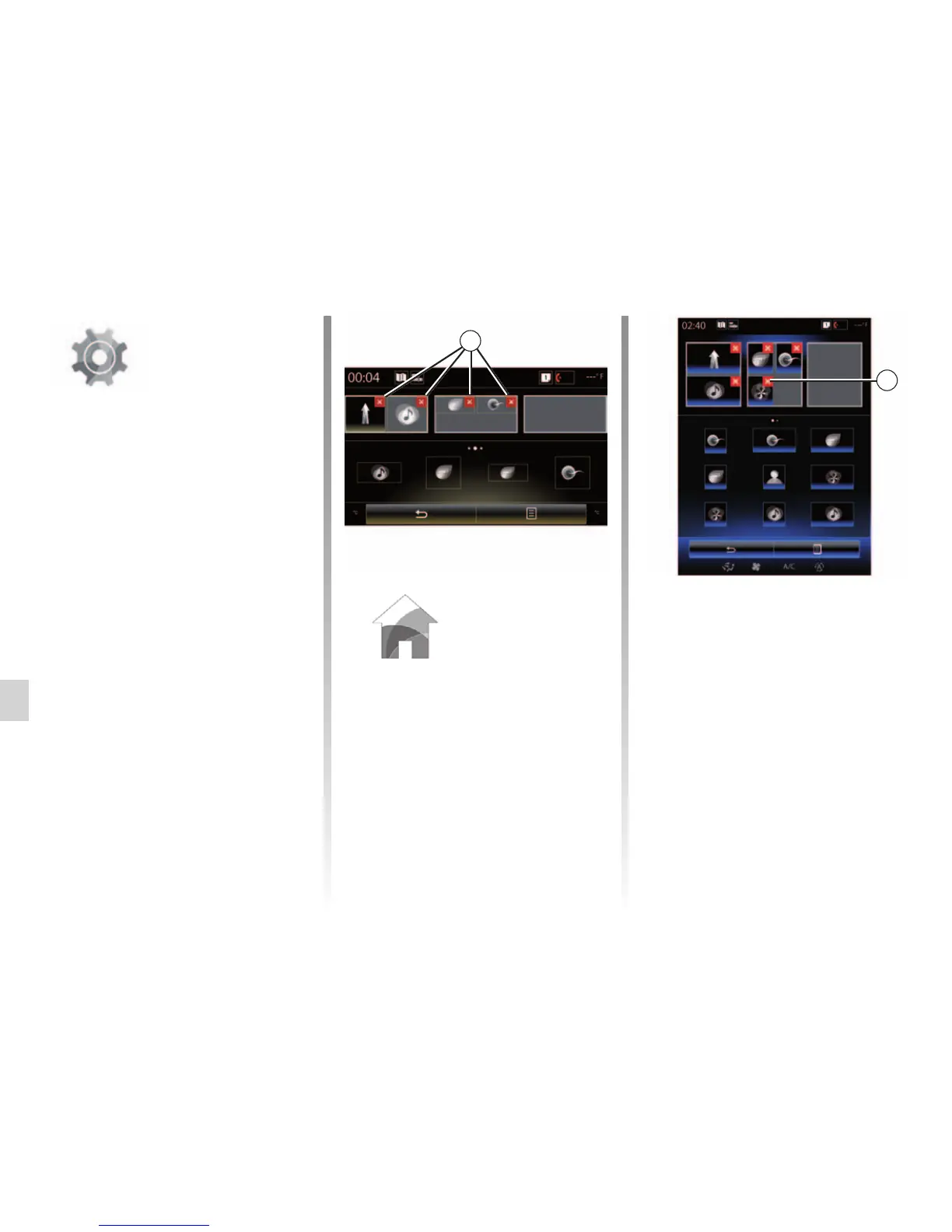
This menu sets the configuration of
the home pages. The three avail-
able home pages are displayed in the
upper part of the screen to give you a
preview of your selection.
The available widgets are found at
the bottom of the screen and can be
displayed on several pages.
Configuration of home pages
Multimedia
Driving eco2 Driving eco2
1
Air quality
Configuration of home pages
Driving eco2
Driving eco2
Favourites
Multi-Sense
Multi-Sense
Multimedia
Multimedia
1
Press and hold the desired widget,
drag and drop it onto one of the three
home pages to be displayed.
To delete an app selected on the
home pages, press “X” 1 appearing
on the app, in the preview area.
Please refer to the “Add, manage
widgets” section for further informa-
tion.
Air quality
Air quality



 To Next Page