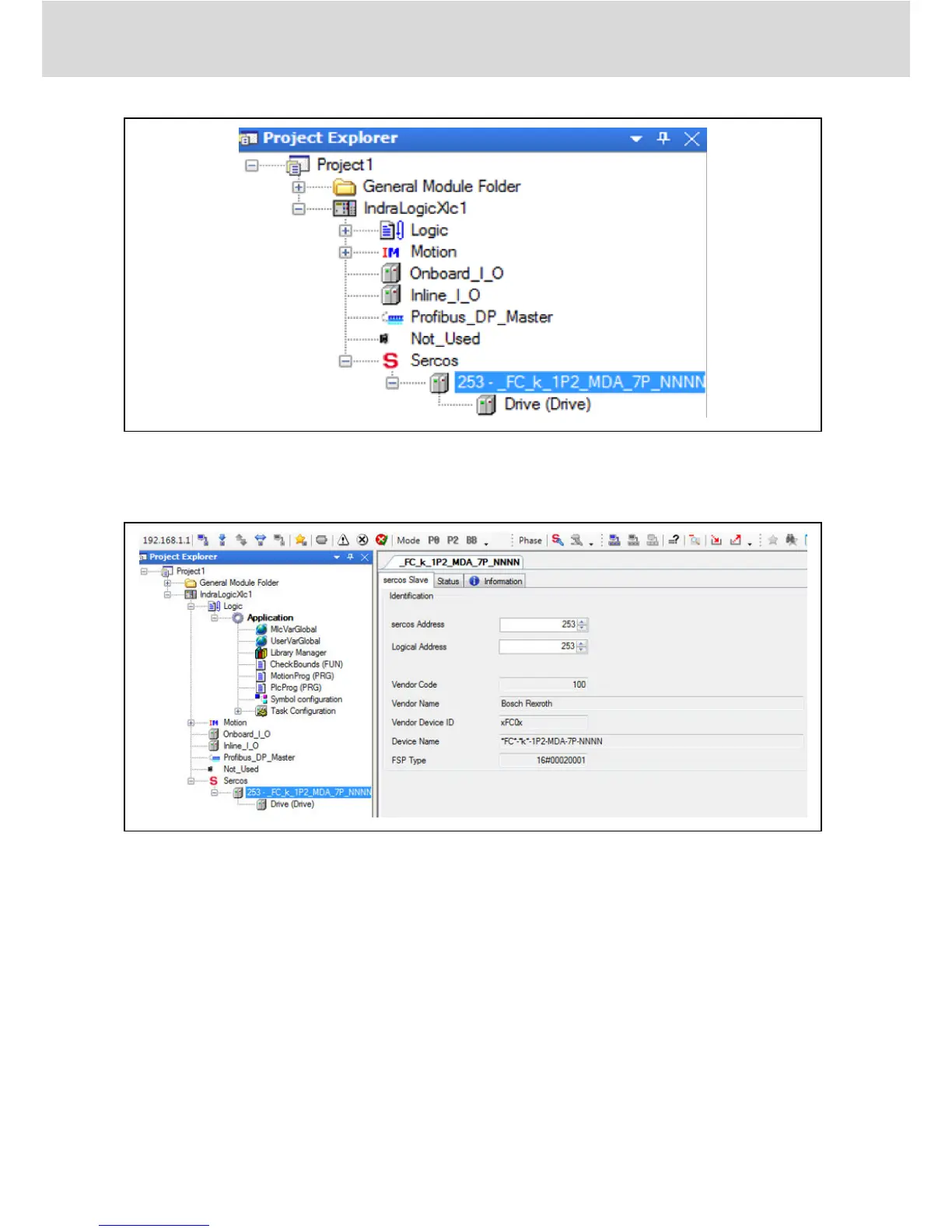
Fig. 7-6: Project Explorer window
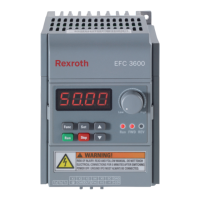
● Double click on device name, modify the SERCOS address with values to be
identical to that of EFCx610 MEP [H3.23].
Fig. 7-7: Modify SERCOS address_1
The SERCOS address can also be modified through the following steps:
1. Right click on “Sercos” and select “Scan Bus Configuration”.
Bosch Rexroth AG
SERCOS III
Multi-Ethernet Card
38/61
DOK-RCON0*-XFCX610*MUL-IT02-EN-P


 To Next Page