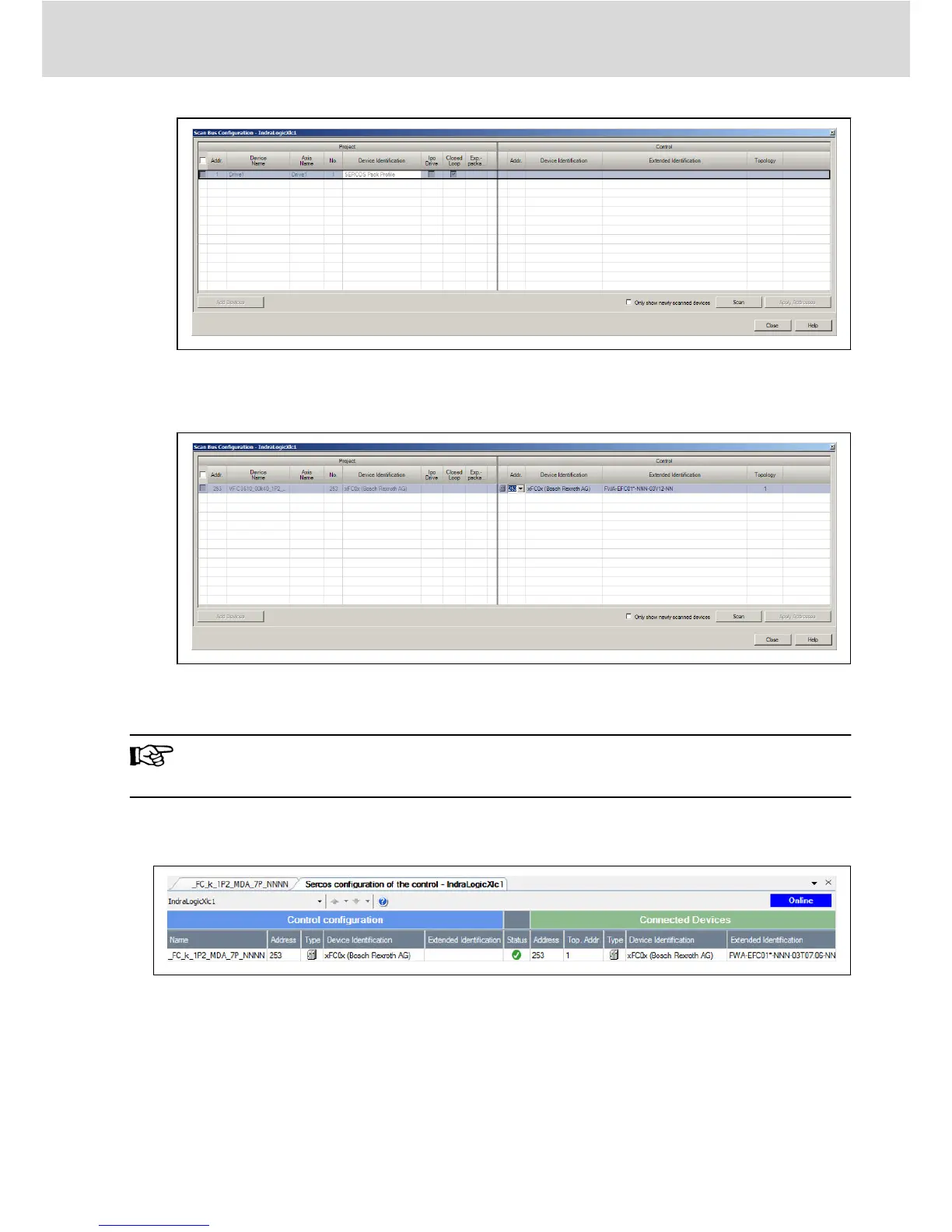
Fig. 7-8: Modify SERCOS address_2
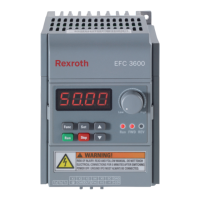
2. Click "Scan" to scan the EFC device, then modify the address in the "Addr."
column.
Fig. 7-9: Modify SERCOS address_2
3. Click "Apply Addresses".
You can modify the SERCOS address of multiple devices at the same
time.
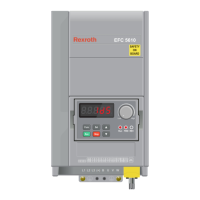
After the address is modified, right click on “Sercos” and select “Sercos con-
figuration”, make sure the “Status” is OK.
Fig. 7-10: Device status
● Double click on the “Drive”, click further into “General inputs and outputs”.
Using “Add”, the parameters of producer can be added at left-hand side and
parameters of consumer can be added at right-hand side.
Multi-Ethernet Card
Bosch Rexroth AG
SERCOS III
DOK-RCON0*-XFCX610*MUL-IT02-EN-P
39/61


 To Next Page