User Manual Bearing System RT-300
Issue: 2017/06/27 [Rev 1.04.c] Page 48 of 79 12-9-1-0013-9-2-0001-3-1-60
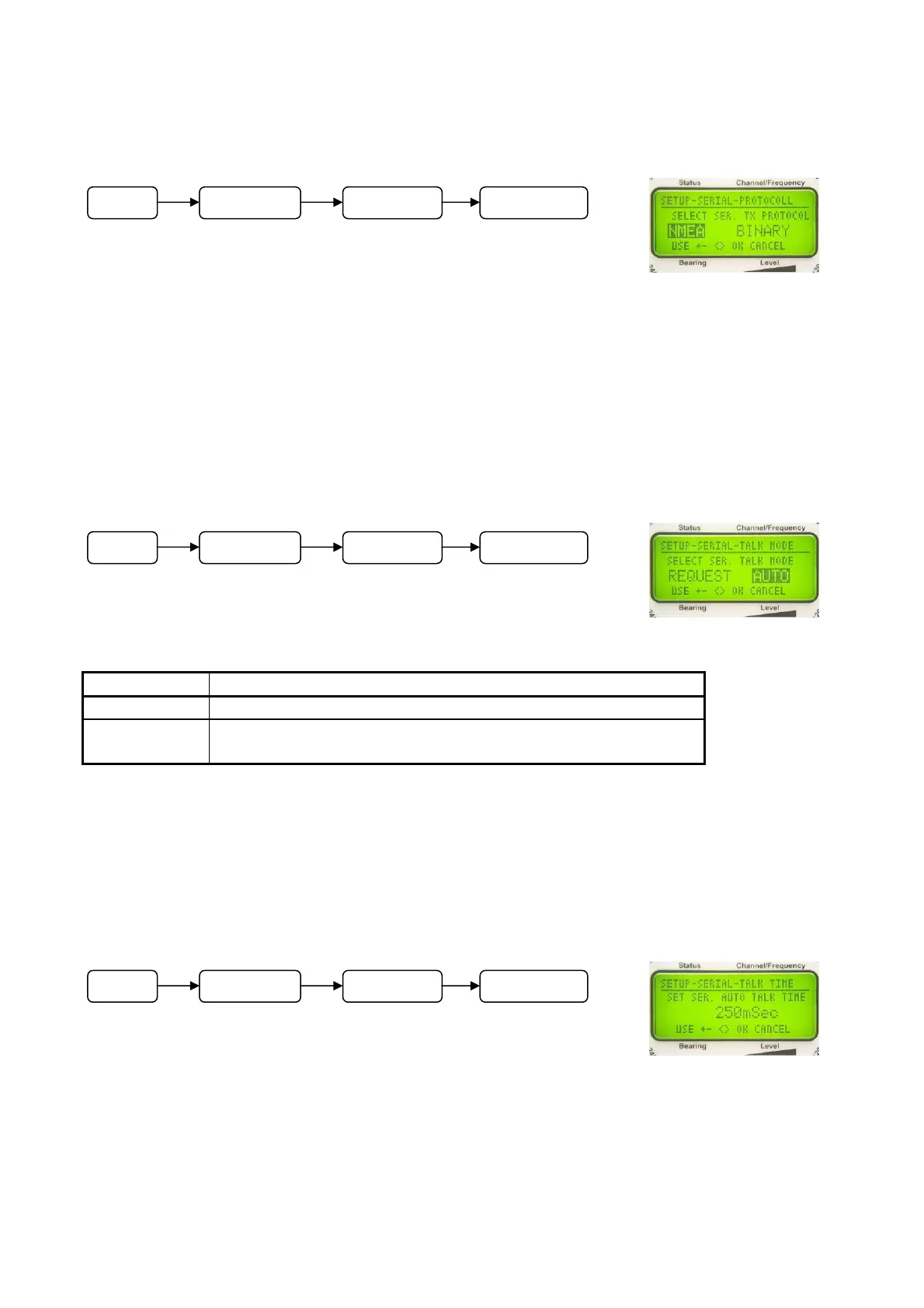
6.2.1.5.3.4 Selecting Data Protocol: SELECT SER. TX PROTOCOLL
In
submenu SETUP – SERIAL - PROTOCOLL the data protocol of
the serial interface can be adjusted.
Following adjustments are possible:
- NMEA
- Binary (at the present no data record defined)
NOTE
See documentation “RT-300 NMEA Serial Communication & Remote Control” describing
exactly all these functions.
6.2.1.5.3.5 Selecting Type of Transmission: SELECT SER. TALK MODE
In
submenu SETUP - SERIAL - TALK MODE the type of data
transmission of the serial interface can be selected.
Following adjustments are possible:
Designation Meaning
REQUEST Data will only be sent if required by an other device
AUTO Data will be sent automatically in a certain adjustable
interval
NOTE
See documentation “RT-300 NMEA Serial Communication & Remote Control” describing
exactly all these functions.
6.2.1.5.3.6 Adjusting Transmitting Interval: SET SERIAL AUTO TALK TIME
In
submenu SETUP - SERIAL - TALK TIME select time interval for
sending data via the serial interface in transmitting mode ”auto”.
NOTE
See documentation”RT-300 NMEA Serial Communication &
Remote Control“ describing exactly all these functions.
Operating:
- In submenu SETUP - SERIAL select adjusting function TALK TIME.
- The menu appears as shown in Fig. 70.
Fig. 68
Fig. 69
Fig. 70
M
n
SETUP SERIAL PROTOCOLL
M
n
SETUP SERIAL TALK MODE
M
n
SETUP SERIAL TALK TIME



 To Next Page