Printing Functions
104
3
A Place the originals.
Reference
For details on the types of origi-
nals and how to place them, see
p.44 “Placing Originals”.
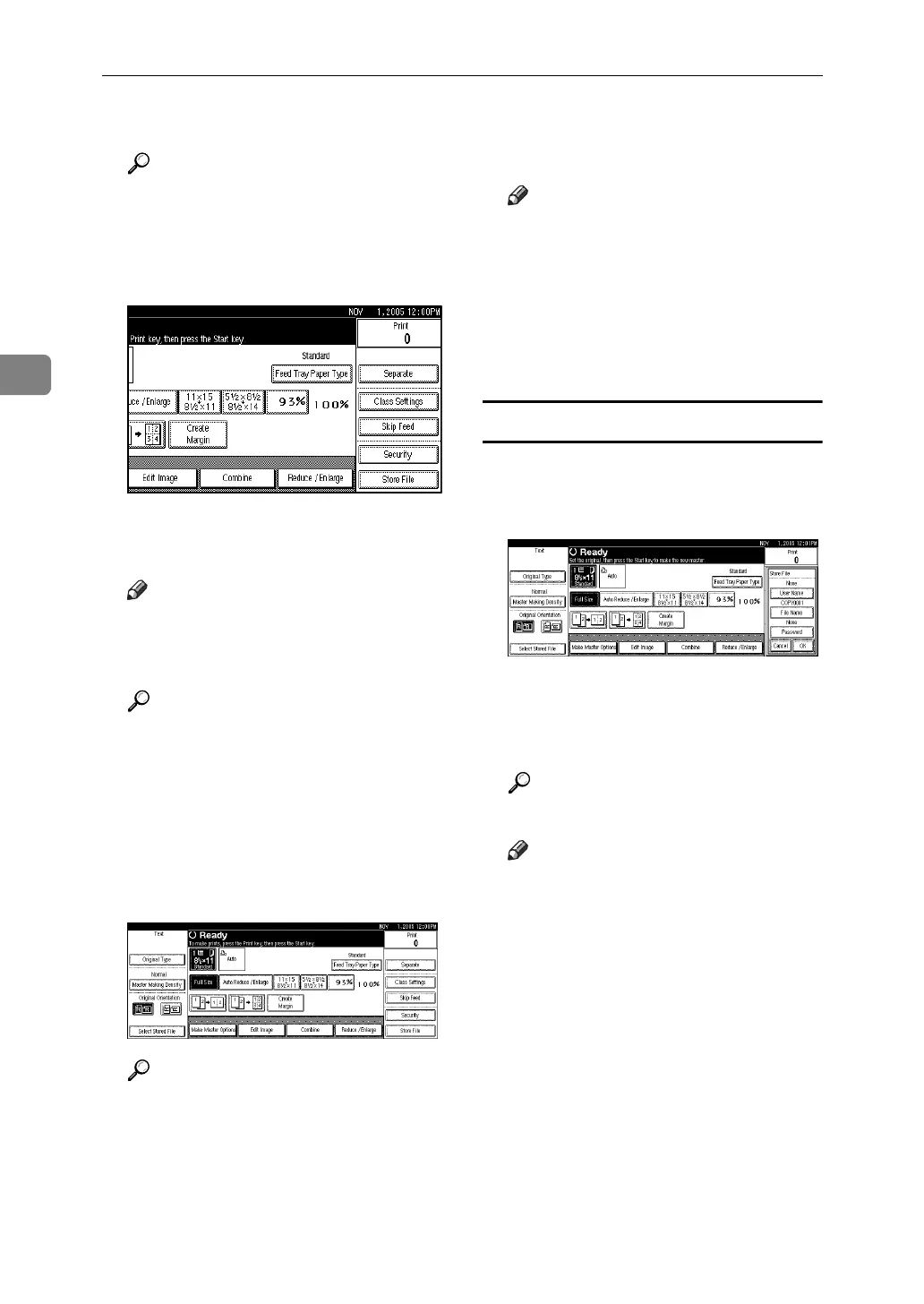
B Press [Store File].
C Enter a user name, file name, or
password if necessary.
Note
❒ If you do not enter a file name,
one will be automatically as-
signed.
Reference
p.104 “To register a user name”
p.105 “To change a file name”
p.105 “To set or change a pass-
word”
D Press [OK].
E Make settings as desired.
Reference
For details, see p.59 “Printing
Functions”
F Press the {Start} key.
The file is stored in the machine.
Note
❒ When using the exposure glass,
after the first original is
scanned, place the subsequent
one on the exposure glass, and
then press the {Start} key again.
After all the originals are
scanned, press the {q }key.
To register a user name
A Press [Store File].
B Press [User Name].
The User Name display appears.
C Enter a user name, and then press
[OK].
Reference
p.177 “Entering Text”
Note
❒ Up to 20 characters can be en-
tered as a file name, but only 16
characters of each file name will
be displayed in the file list.





 To Next Page