Punch Unit (B807)
D017/D018/D019/D020/D084/D085 2-61 SM
Installation
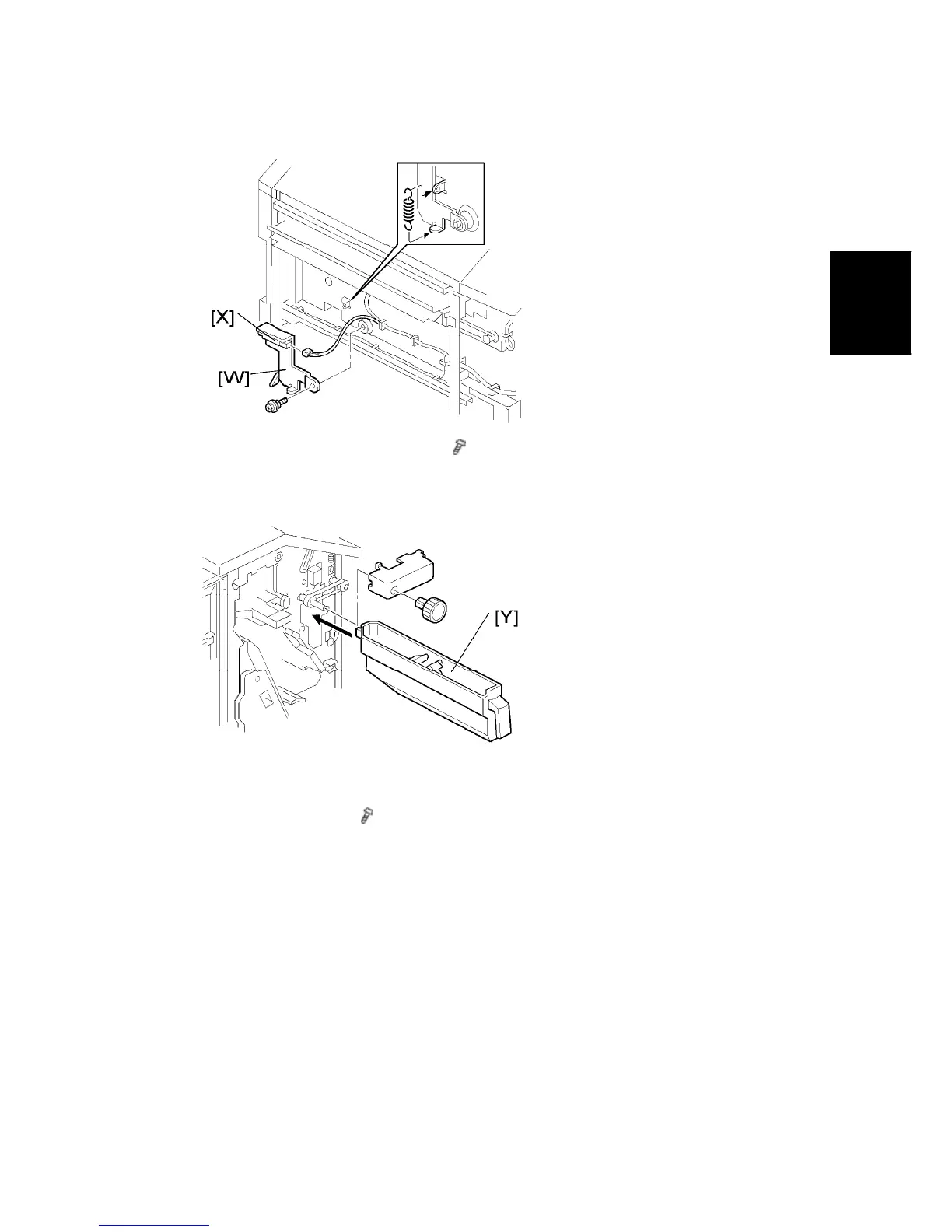
21. Install the hopper full sensor arm [W] (
x 1, spring x 1).
22. Connect the harness from the sub-scan registration sensor unit to the hopper full sensor
[X].
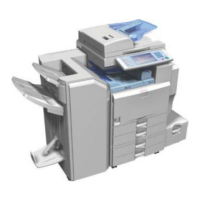
23. Install the hopper [Y] from the front side.
24. Reinstall the timing belt cover and knob.
25. Reinstall the rear cover (
x 2).
26. Close the front door and top cover.
27. Install the 1000-sheet booklet finisher on the copier.
28. Plug in and turn on the main power switch.
29. Check the 1000-sheet booklet finisher operation.


 To Next Page