47
Reading the Display
Marker 1 / marker 2 display
During measurement, pressing the key will bring up the indication
“MARKER-1” and pressing the
key will bring up the indication
“MARKER-2” on the display, and the respective marker will be recorded
along with the measurement data (see page 92). This applies when the
store mode is Auto or Timer Auto, and the L
v
store interval has been set.
Key lock
Indicates that the key lock function has been set to ON (see page 6).
Backlight
Indicates that the display backlight has been lit up (see page 34).
If the remaining battery capacity indication or the power supply plug
symbol is shown in red, the backlight will not come on.
USB/RS-232C connection
Indicates that the communication control function has been set to USB
or RS-232C (see page 63).
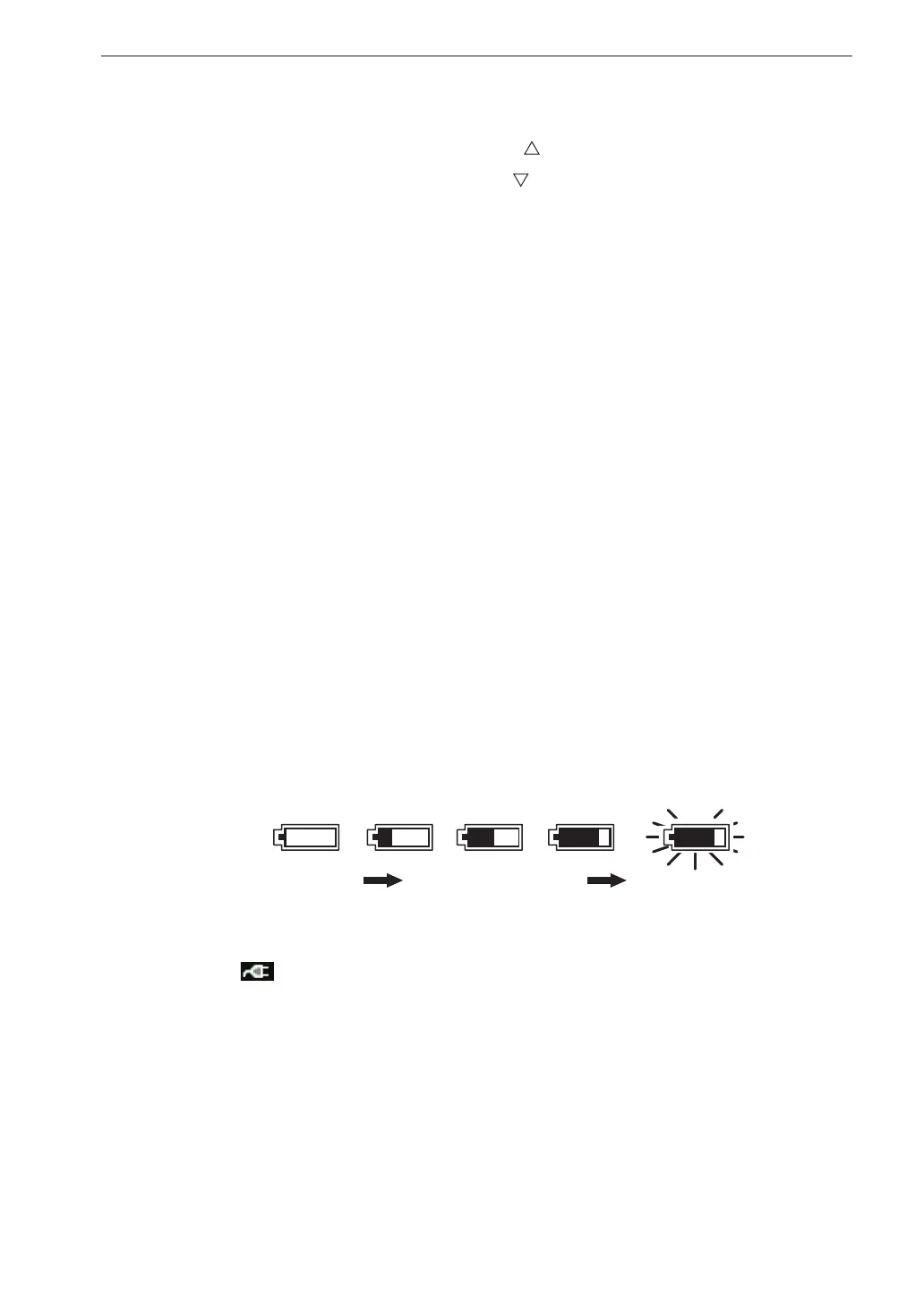
Battery status
When the unit is operated on battery power, you should regularly check this
indication. The number of white segments will decrease as the batteries get
used up. When the indication starts to ash in red, measurement can no
longer be performed. Replace the batteries with a fresh set.
When the unit is being powered from an AC adapter or a battery pack,
the
symbol is shown. If the indication turns red and stays lit, do not
perform any further measurements, and check the power supply condition.
Auto store display
When the store mode is Auto or Timer Auto, this indication ashes during
measurement. The indication is off when data are stored in memory.
During waveform recording using the optional Waveform Recording Program
VX-55WR, the indications “Store” and “REC.” are shown alternately on the
display
Batteries good Batteries getting low
Indication ashes
Replace batteries
White White White Red
Red



 To Next Page