30 WiNG-MGR User Guide 800.518.1519
3 Web Interface
3.2. Sensors
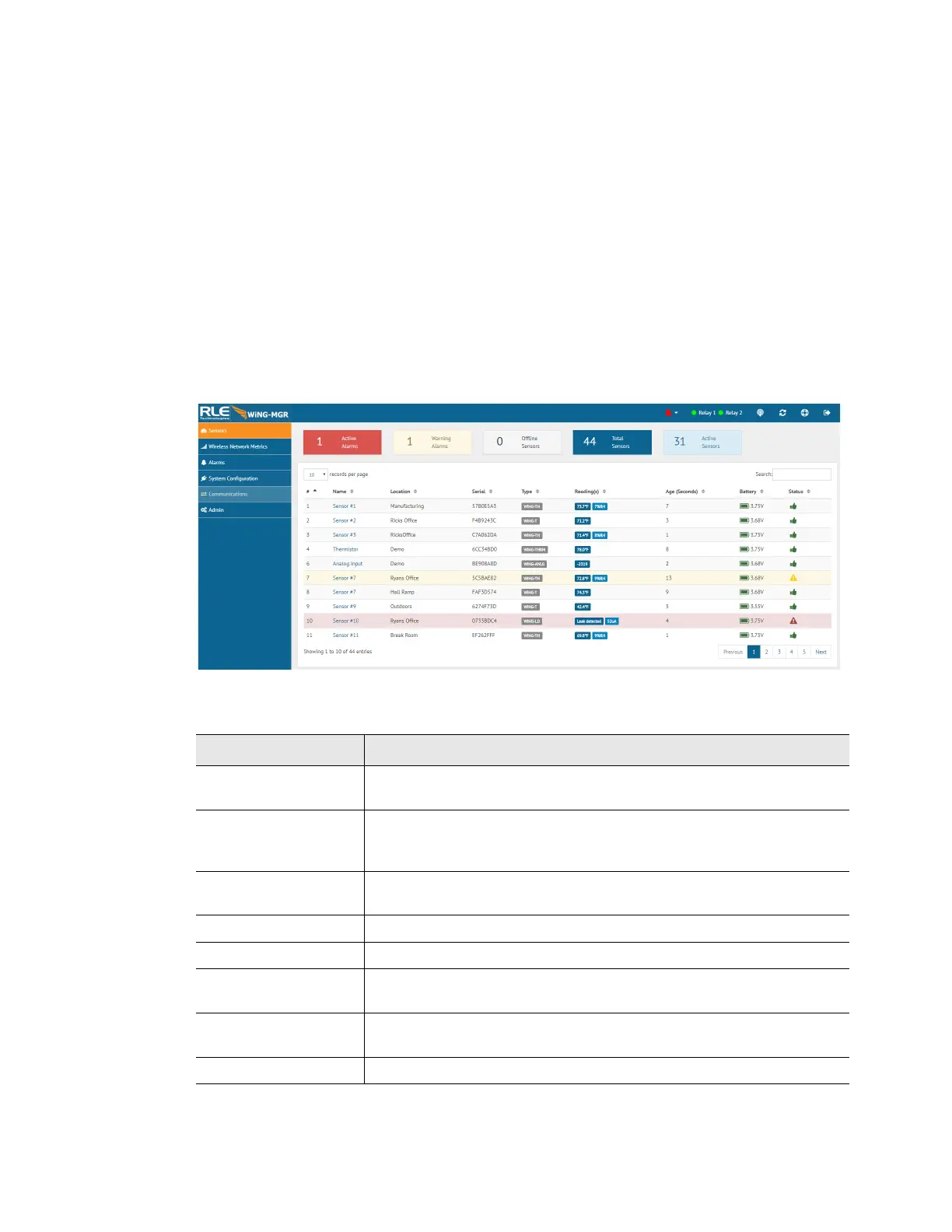
The Sensors page allows users to view all the sensors accessible through the WiNG-MGR and
also serves at the unit’s dashboard view.
The drop down menu allows you to decide how many sensors will be displayed per page.
The search field allows you to display only the sensors that meet your specific search criteria.
The page displays a sensor number, the sensor’s name - which is also a link to that sensor’s
individual configuration and data page, the sensor’s location, the sensor’s serial number, the
sensor type (model description), current value reading, the age - the amount of time that’s
passed since the last reading was transmitted, battery life, and an icon that denotes the sensor’s
current status. Arrows next to each column heading allow the data to be sorted, in ascending or
descending order, by that column.
Figure 3.7
Sensors Page
Attribute Description
# The sensor’s specific number. This number is uneditable, and is
assigned by the WiNG-MGR.
Name A unique name, configurable for each sensor. The sensor’s name a
is link. Click on the sensor’s name to go to the that sensor’s
configuration and data page.
Location A label used to note the sensor’s physical location, or any other
necessary descriptive information.
Type The sensor’s model and type.
Reading(s) Displays the current sensor reading.
Age Amount of time that has passed, in seconds, since the WiNG-MGR
has received a broadcast signal from this sensor.
Battery The amount of battery life left in the 3.6V AA Lithium battery in this
sensor.
Status An icon that tells, at a glance, the status of the sensor.
Table 3.2
Sensor Page Field Descriptions



 To Next Page