rletech.com WiNG-MGR User Guide 55
3 Web Interface
3.7. Admin
Administrator-exclusive options and capabilities are located in the Admin section.
3.7.1 XML/Logging
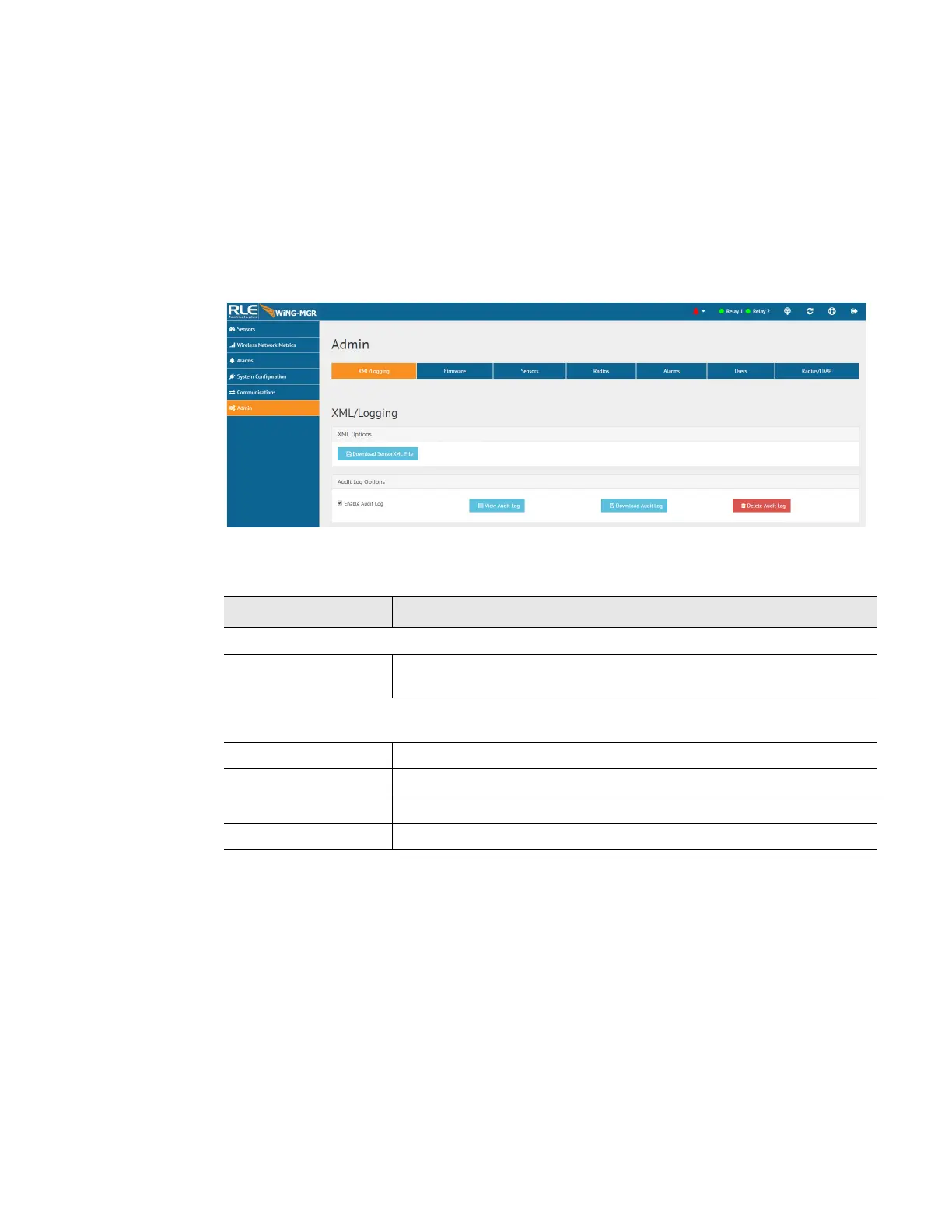
The WiNG-MGR collects quite a bit of data. Right click the Download File button on this
page and select Save Link As or Save Target As to download this data as an XML file. You can
then take that file and import it into a spreadsheet for viewing, logging, and analyzing.
Figure 3.26
XML/Logging Page
Option Description
XML Options
Download Sensor
XML File
Click this link to download sensor information as an .xml file.
Audit Log Options - The audit log is a log of all user interaction with the user interface. This
log will hold 1,000 entries, wrapping in a first in, first out manner.
Enable Audit Log Click this checkbox to enable the audit log.
View Audit Log Click this button to view the audit log.
Download Audit Log Click this button to download the audit log.
Delete Audit Log Click this button to delete all information from the audit log.
Table 3.17
XML/Logging Configuration Options



 To Next Page