58 WiNG-MGR User Guide 800.518.1519
3 Web Interface
3.7.3 Sensors
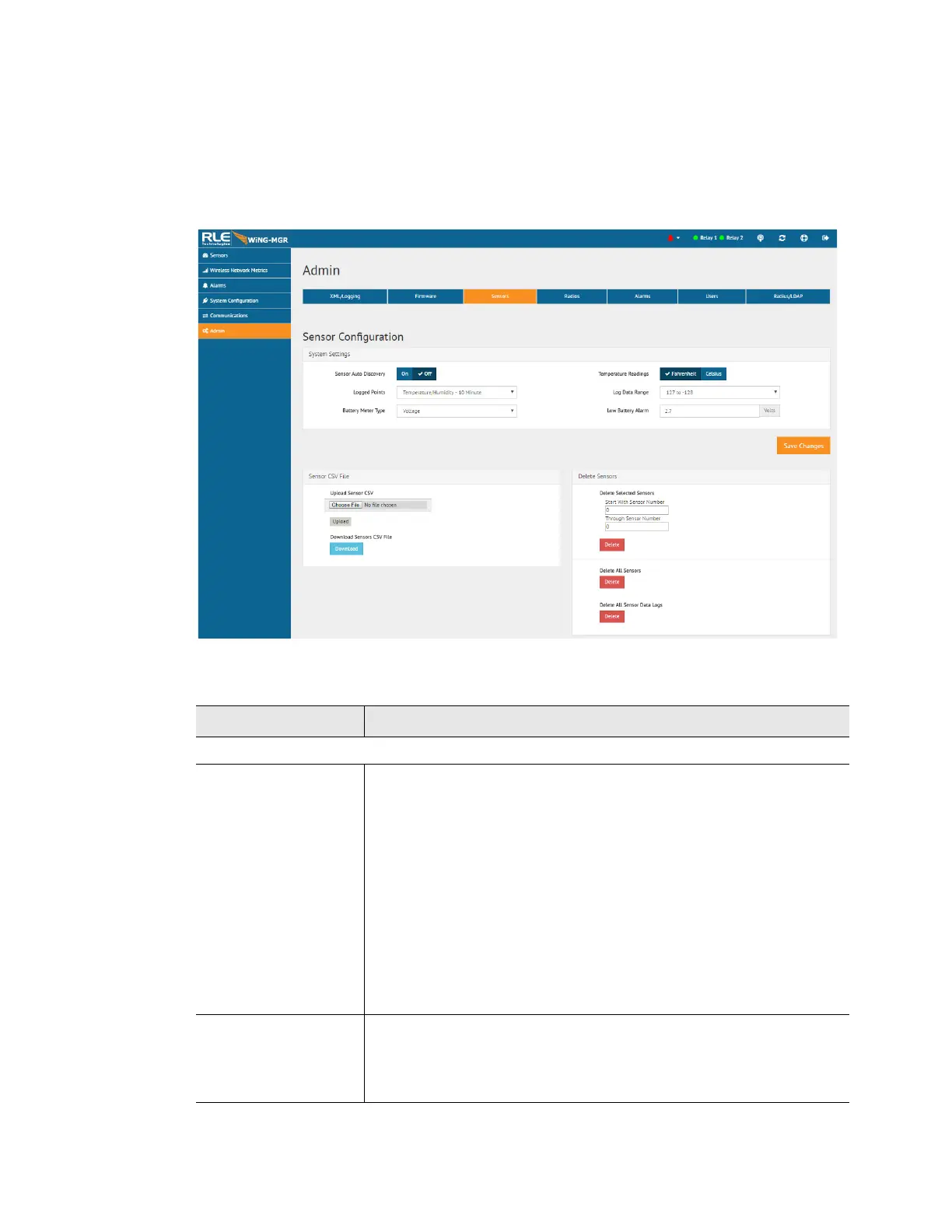
There are some global configuration options that are applicable to all sensors in the system.
Those options are configurable on the Sensors page. The Sensors page also holds the link for
the Sensor Auto Discovery, which is used to add new sensors to the WiNG-MGR’s sensor
network.
Figure 3.28
Sensors Page
Attribute Description
System Settings
Sensor Auto
Discovery
Click the toggle button to turn sensor auto discovery on. Click the
Save Changes button to activate sensor auto discovery.
Through sensor discovery, the WiNG-MGR discovers new sensors
transmitting within its range. The WiNG-MGR loads the newly
detected sensors the next available sensor position in the table on
the Sensors tab of the web interface.
Once you have located all your sensors, return to this page and turn
sensor auto discovery off. If you do not turn off the sensor discovery
feature, the WiNG-MGR will continue to try to find new sensors. This
can contaminate your list of active sensors with additional sensors
that do not actually exist.
Temperature
Readings
Select whether temperature readings display in Fahrenheit or
Celsius.
Default: Fahrenheit
Table 3.19
Sensor Configuration Options



 To Next Page