60 WiNG-MGR User Guide 800.518.1519
3 Web Interface
3.7.4 Radios
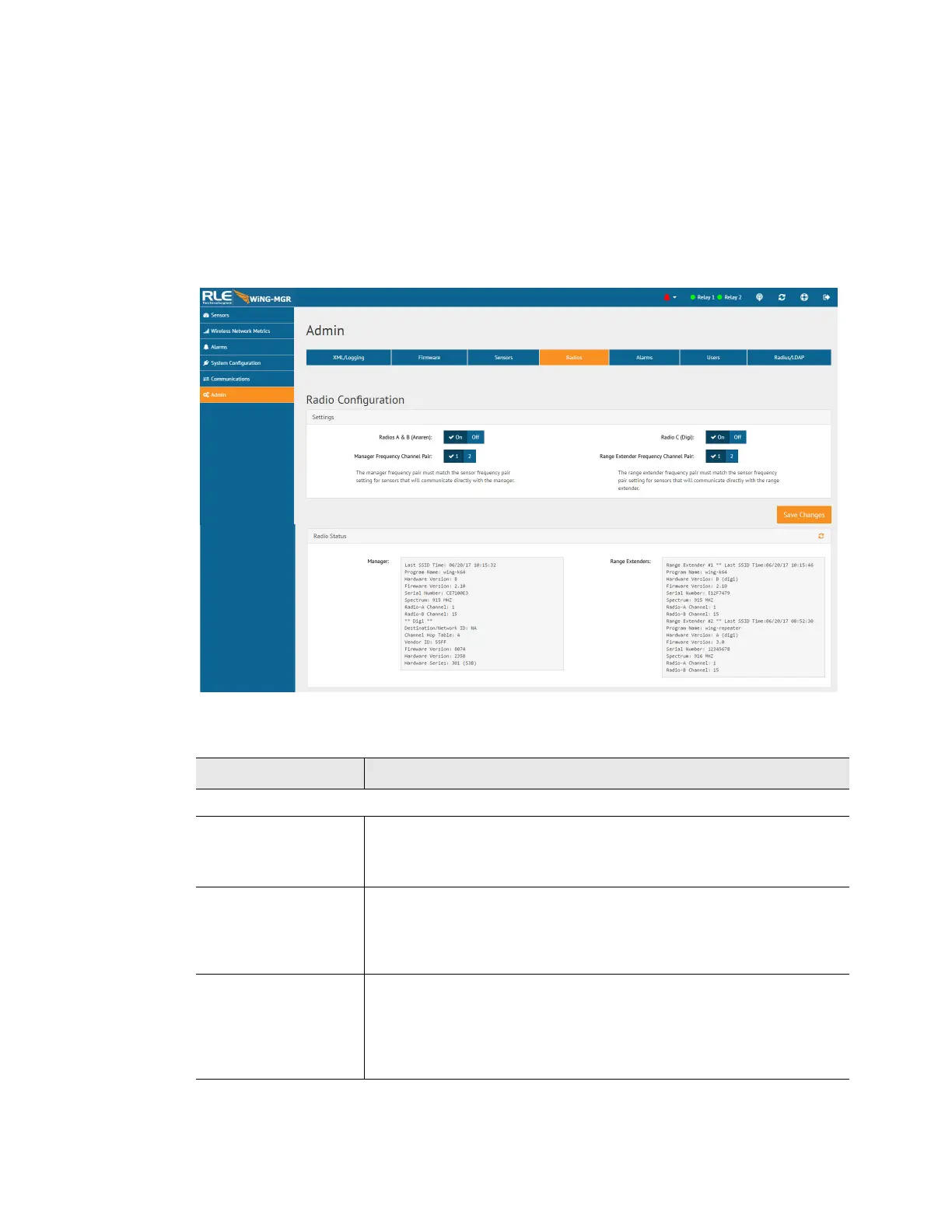
Alternate communications channel pairs and radio communications can be edited on this page.
If you need to change the channel pair settings for your WiNG system, refer to Appendix C,
“Alternate Channel Pair Communications” on page 91. While it’s not a difficult process, there
are quite a few steps involved because you do need to make sure all the components of your
system - the manager, sensors, and range extenders - are all operating on the correct channel
pairs.
Figure 3.29
Radios Page
Attribute Description
Settings
Radios A & B
(Anaren)
Radios A and B communicate with the WiNG sensors.
Default: On
Radio C (Digi) If your system uses a WiNG-RXT range extender, make sure radio C
is on.
Default: On
Manager Frequency
Channel Pair
If you wish to change the channel pair on which your system is
communicating, refer to Appendix C, “Alternate Channel Pair
Communications” on page 91.
Default: Channel pair 1
Table 3.20
Radio Configuration Options



 To Next Page