AX10 Palletizing Solution
External Safeguard Reset Button
CAUTION
Shut down the robot and power off the linear axis controller before making inter-controller and
safety signal connections.
1. Open the linear axis controller.
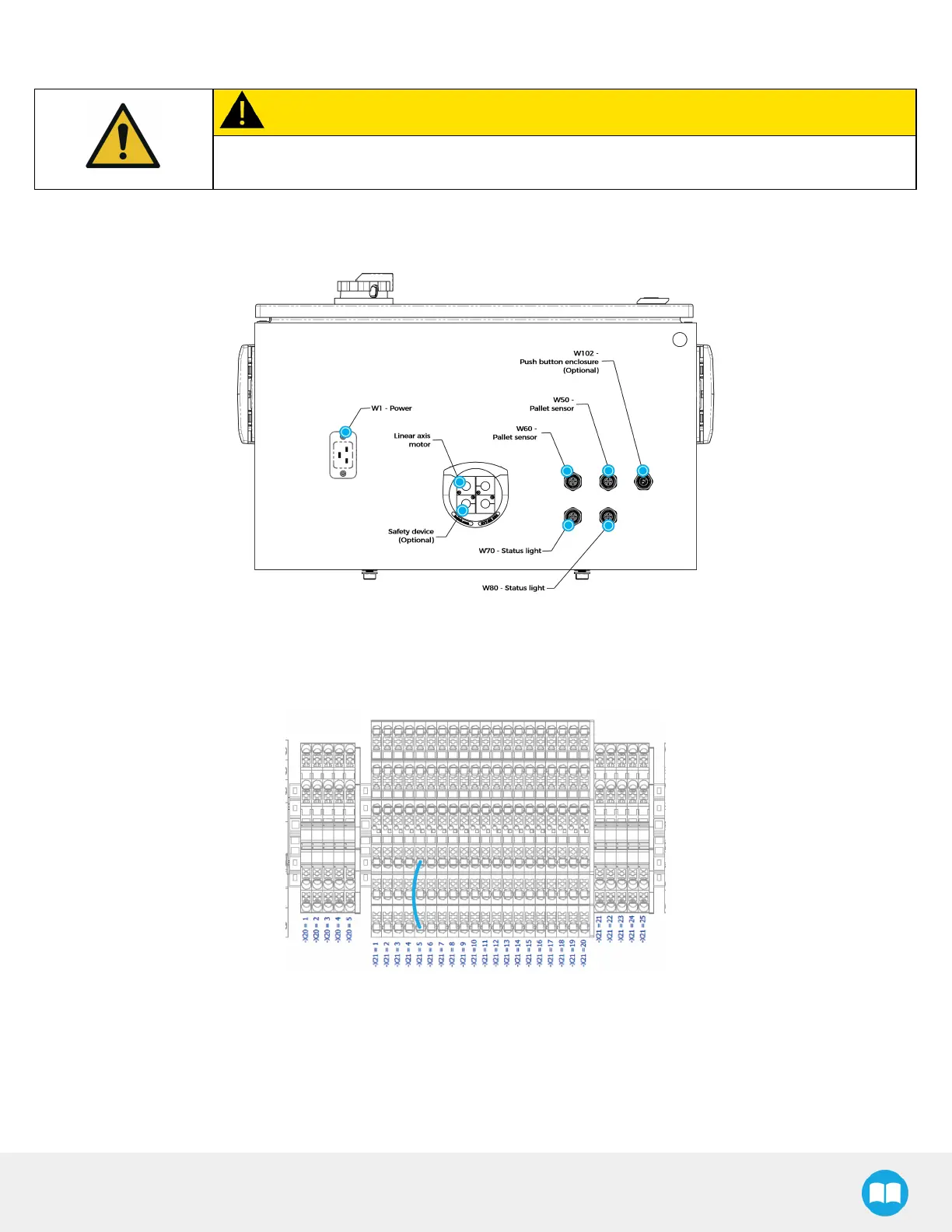
2. Run the safety device cable inside via the cable gland under the controller.
Fig. 6-14: Linear Axis Controller Connections
3. On terminal bank -X21, locate the jumper that corresponds to one of the safety options. In this example, the jumper goes
from -X21.5.1 to -X21.5.3. The 5
th
terminal block (IN5) is allocated to Safeguard Reset Button. The 6
th
terminal block (IN6) is
allocated to 2
nd
Safeguard Reset button.
Fig. 6-15: Example of Jumper Connections
4. Remove the jumper (-X21.5.1 to -X21.5.3).
5. Connect the ends of the pair of wires, each to a contact point, i.e., where the ends of the first jumper were initially locate
(reset contact #1 to -X21.5.1 and reset contact #2 to -X21.5.3). The result should look like the figure below.



 To Next Page