AX10 Palletizing Solution
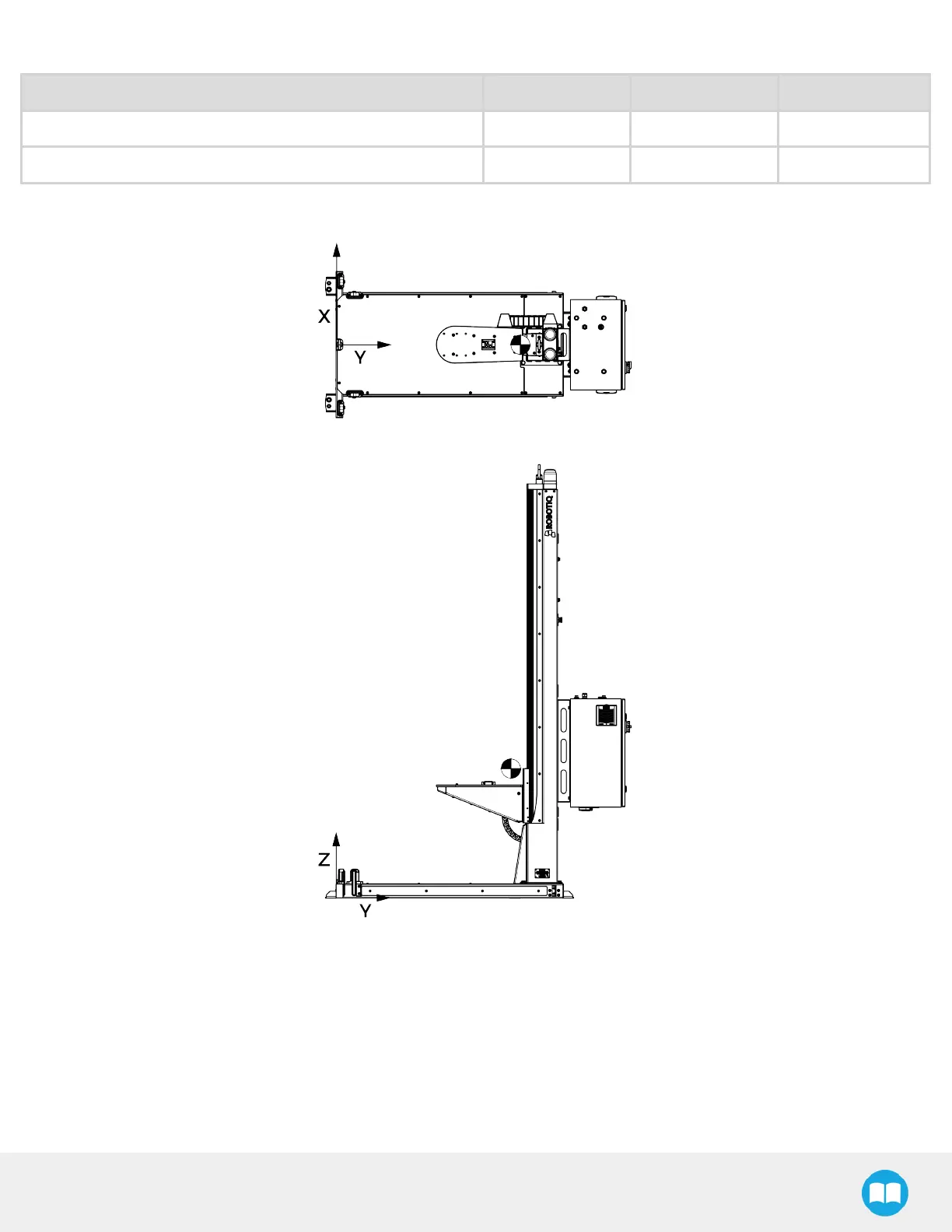
The center of gravity of the Solution is as follows:
Robot
X-axis (width) Y-axis (depth) Z-axis (height)
Without robot
0 mm
1024 mm
726 mm
With UR10e robot (put-in-the-box position)
15 mm 987 mm 791 mm
Fig. 3-2: AX10 Without Robot
Although you can assemble the solution at the place of your choice, you will need to move it to its final location afterwards. You
can use one of the two following methods to securely move the Solution:
l
Using a forklift. Pay attention to the center of gravity to prevent the equipment from tipping over. Make sure to secure and
stabilize the Solution before moving it.
l
Using the set of casters provided with the Solution. To install them, screw the four (4) standing bolts highlighted in the image
below to lift the Solution. Screw the four (4) casters into the base. Unscrew the standing bolts to set the solution down on its
casters.
35



 To Next Page