AX10 Palletizing Solution
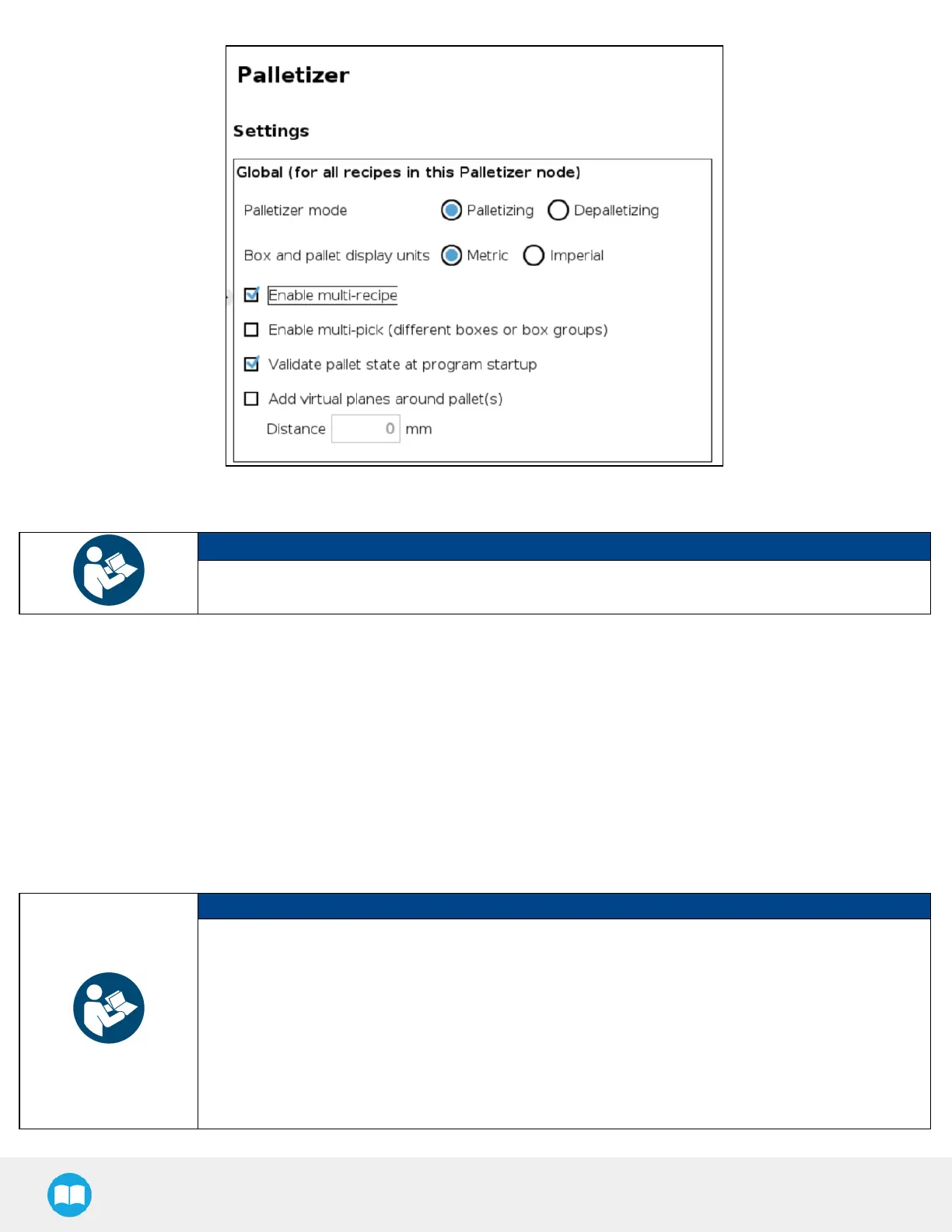
Fig. 5-6: Settings Menu of a Palletizer Node - Global Settings
NOTICE
When enabled, the multi-recipe feature changes the home view of the Palletizer node and displays the
list of palletizing recipes.
4. Enable multi-pick (different boxes or box groups)
Disabled by default.
The multi-pick feature allows for the configuration of different box types.
It can be used in contexts such as:
l
Retrieving different box types from different picking locations;
l
Retrieving multiple identical boxes simultaneously (i.e., at the same picking location) using one or several grippers.
NOTICE
l
Boxes picked together are considered and handled as one unit by the system.
l
Boxes to be picked together must be right next to each other at the same picking location (e.g., at the
end of a conveyor).
l
Boxes picked together must be dropped right next to each other at the same drop location (e.g., on a
pallet layer).
l
Boxes picked together must have the same dimensions.
l
Boxes picked together must have the same payload.
83



 To Next Page