AX10 Palletizing Solution
Box Menu
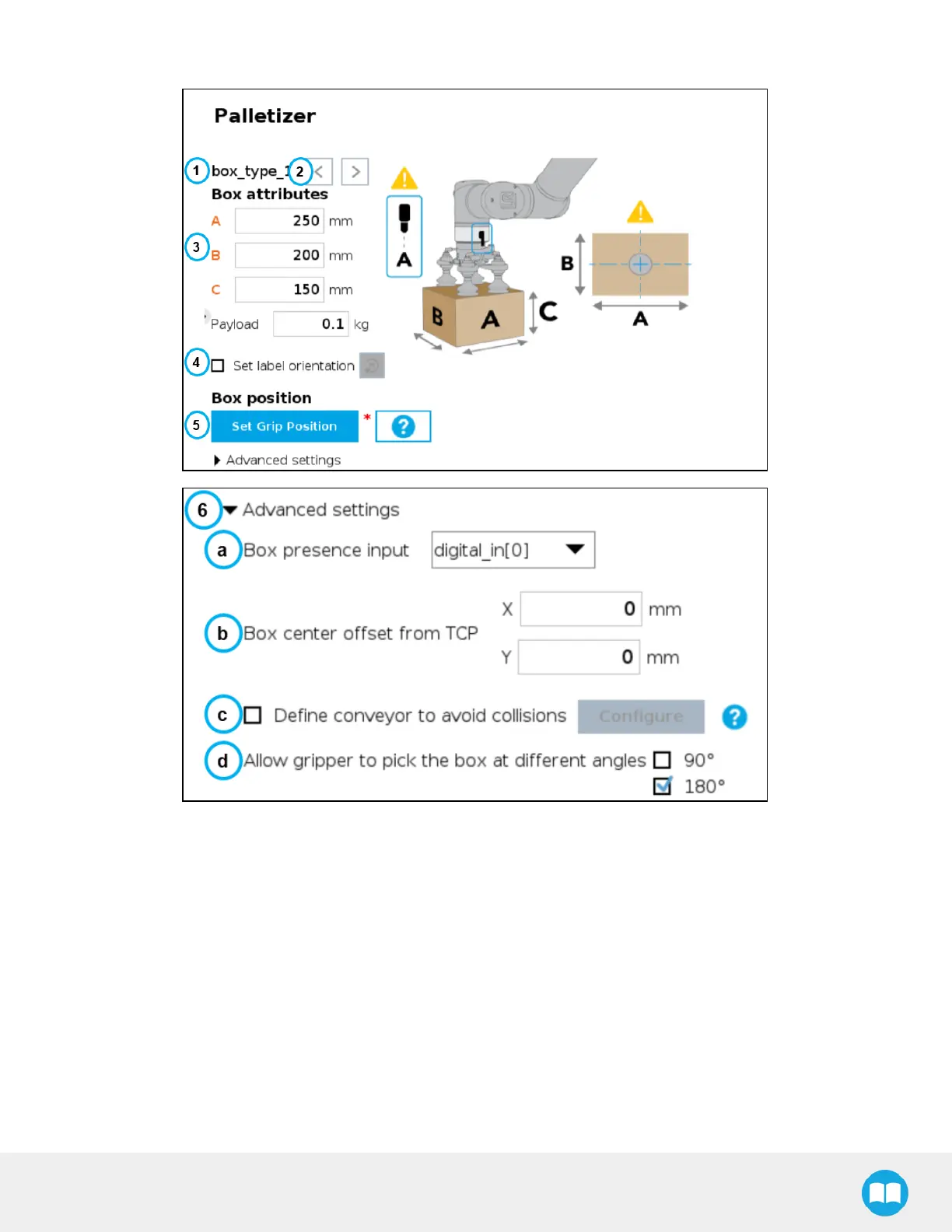
Fig. 5-12: Box Menu of a Palletizer Node
1. Box type name (Multi-Pick)
If the multi-pick feature has been enabled in the Settings menu, the Box menu will display the name of the selected box
type above the Box attributes.
2. Box type toggle (Multi-Pick)
If the multi-pick feature has been enabled in the Settings menu, and if more than one box type has been created, the
user will have the option to toggle between box types using the left and right arrows.
3. Box attributes
l
Refer to the diagram and enter the length, width and height of the box in the corresponding fields.
l
Enter the payload of the box in the corresponding field.
90



 To Next Page