AX10 Palletizing Solution
NOTICE
Best Practice - Multi-Pick Feature
Should the user need to pick several identical boxes using one or several grippers, Robotiq
recommends the following:
l
Create a first box type (i.e., standard box type) that corresponds to a single box unit.
l
Duplicate the first box type.
l
Edit the new box type:
l
Adjust the length or width so that it matches a multiple of that attribute (i.e., X2 for double the
length ORwidth of the standard box, X3 for triple the length ORwidth of the standard box, and
so on);
l
Adjust the payload so that it matches a multiple of that attribute (i.e., X2 for double the payload of
the standard box, X3 for triple the payload of the standard box, and so on).
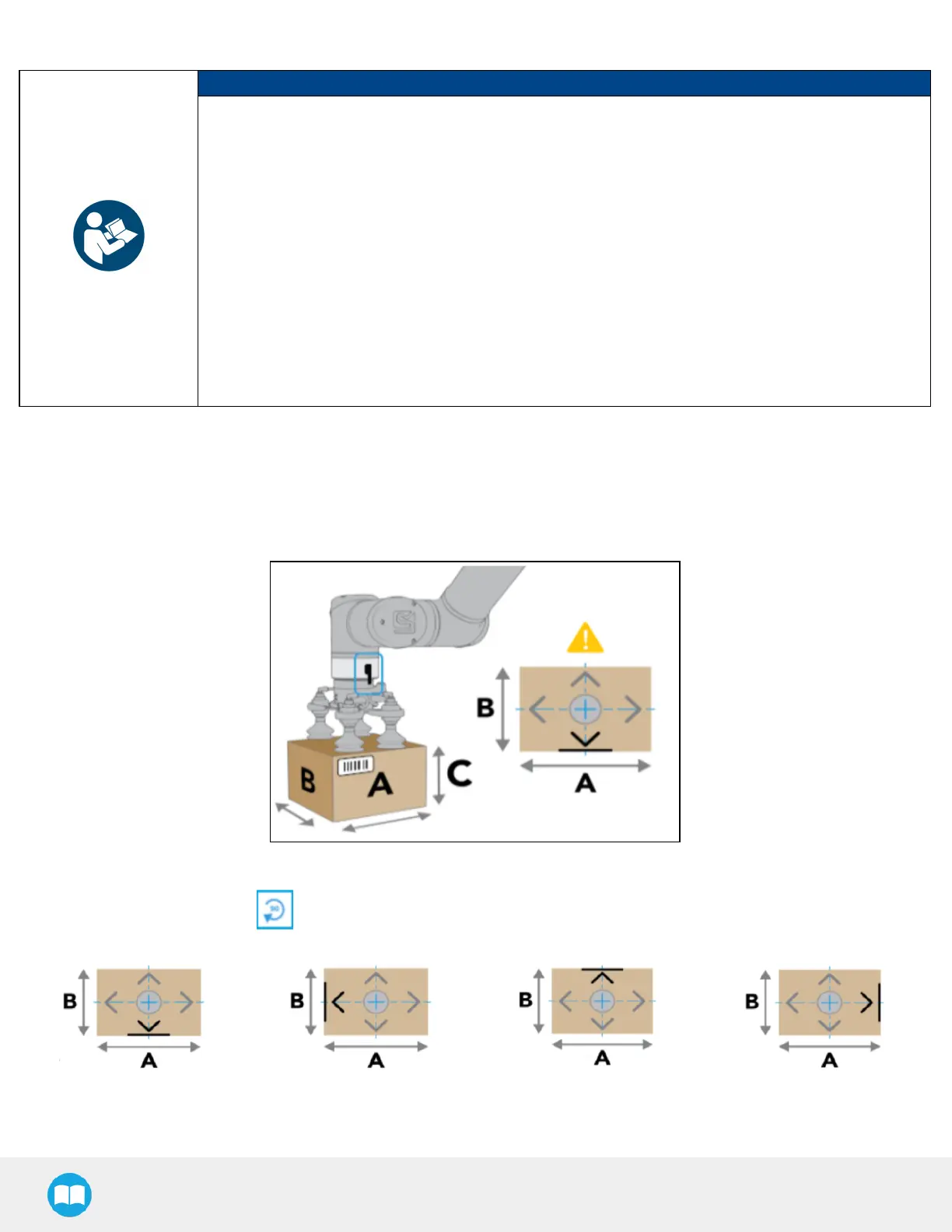
4. Set label orientation
If applicable, tick the Set label orientation box.
Doing so will display a label placeholder directly on one side of the box.
Fig. 5-13: Label Positioning on the "A" Side of the Box.
Tap the Rotate 90° button to change the box side on which the label can be found in the actual production process.
Fig. 5-14: Different Label Positions
91



 To Next Page