AX10 Palletizing Solution
NOTICE
Best Practice - Multi-Pick Feature
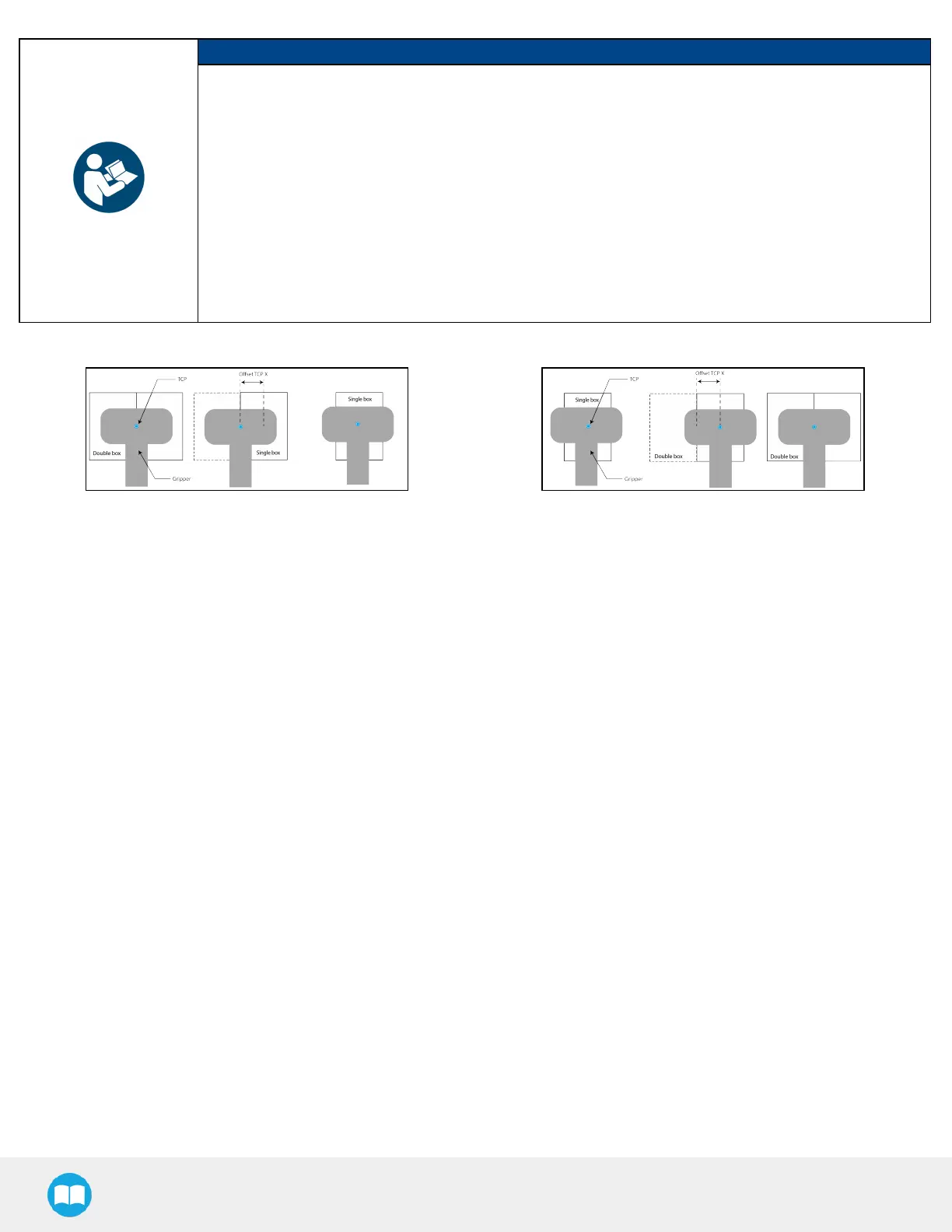
Should the user want the gripper to offset the box center based on whther it picks a single box or a
multiple of the single box:
l
Measure the X and Y distances from the TCP to the target center on top of the box(es).
l
Example 1: The TCP has been set at the center on top of two boxes combined; the robot can be
instructed to offset the box center so that it corresponds to the target center on top of a single box.
l
Example 2: The TCP has been set at the center on top of a single box; the robot can be instructed to
offset the box center so that it corresponds to the target center on top of two boxes combined.
l
Enter the Xand Y values in the corresponding fields.
Fig. 5-15: Examples of Box Center Offset from TCP
c. Allow gripper to pick the box at different angles
In order to optimize the trajectory and travel of the robot arm during the palletizing or depalletizing process, the user can
allow or prevent the gripper to pick up the boxes from different angles.
Tick or untick either box to allow or prevent the gripper from picking the boxes as if the robot wrist had performed a 90-
or 180-degree rotation on the Z-axis.
When the multi-pick feature is disabled in the Settings menu, the System defaults to allowing the gripper to pick the
boxes as if the robot wrist had performed a 90- or 180-degree rotation on the Z-axis.
When the multi-pick feature is enabled in the Settings menu, the system defaults to allowing the gripper to pick the
boxes as if the robot wrist had performed a 180-degree rotation on the Z-axis.
93



 To Next Page