Robotiq Screwdriving Solution - Instruction Manual
3.6.2.URCap Package Uninstallation
On e-SeriesRobots
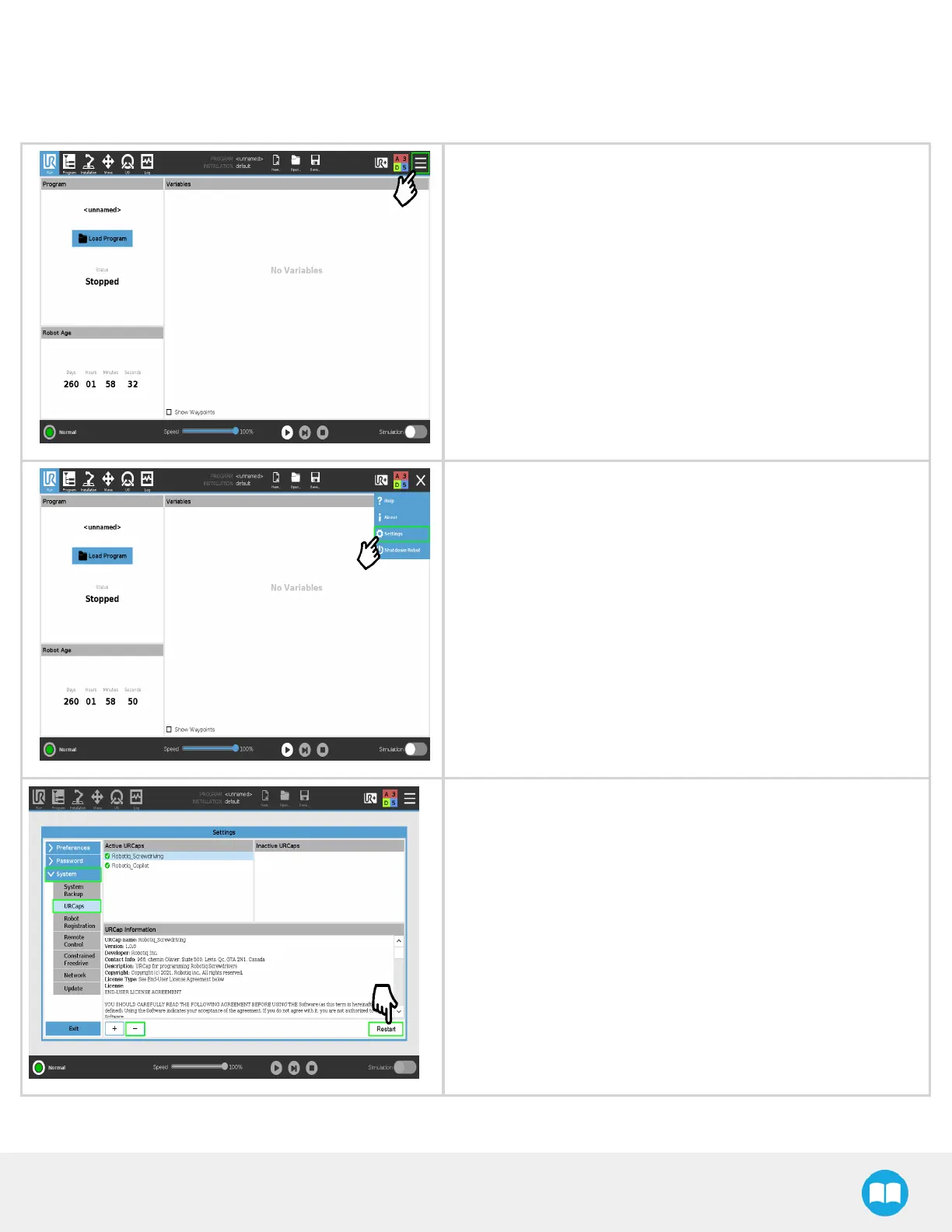
On the teach pendant, tap the triple baricon.
Tap Settings.
l
Select System in the navigation pane on the left.
l
Select URCaps.
l
In the Active URCapsbox, select the URCap you wish to uninstall.
l
Tap the minus(-)button to uninstall the URCap.
l
Restart PolyScope to complete the uninstallation process.
32



 To Next Page