Robotiq Screwdriving Solution - Instruction Manual
4.Operation
4.1.Calibrating the FT300-SForce Torque Sensor (CB-SeriesOnly)
Operating the Screwdriver on CB-Series Universal Robots requires the use of the Robotiq FT 300-SForce Torque Sensor. If you are
not familiar with the calibration procedure of the Sensor, please refer to the Force Copilot UserManual.
Once the FT 300-SForce Torque Sensor has been mounted and calibrated, the user can benefit from the featuresof the Force
Copilot software features, essential in operating the Robotiq Screwdriver.
4.2.Force Copilot License Dongle (e-Series)
Operating the Screwdriver on e-SeriesUniversal Robots requires the use of the Force Copilot software.
Caution
The License Dongle should stay connected to ensure the continuous functioning of the force features.
l
Connect your Force Copilot License Dongle to a USB port or to the USB hub connected to the Universal Robotscontroller.
l
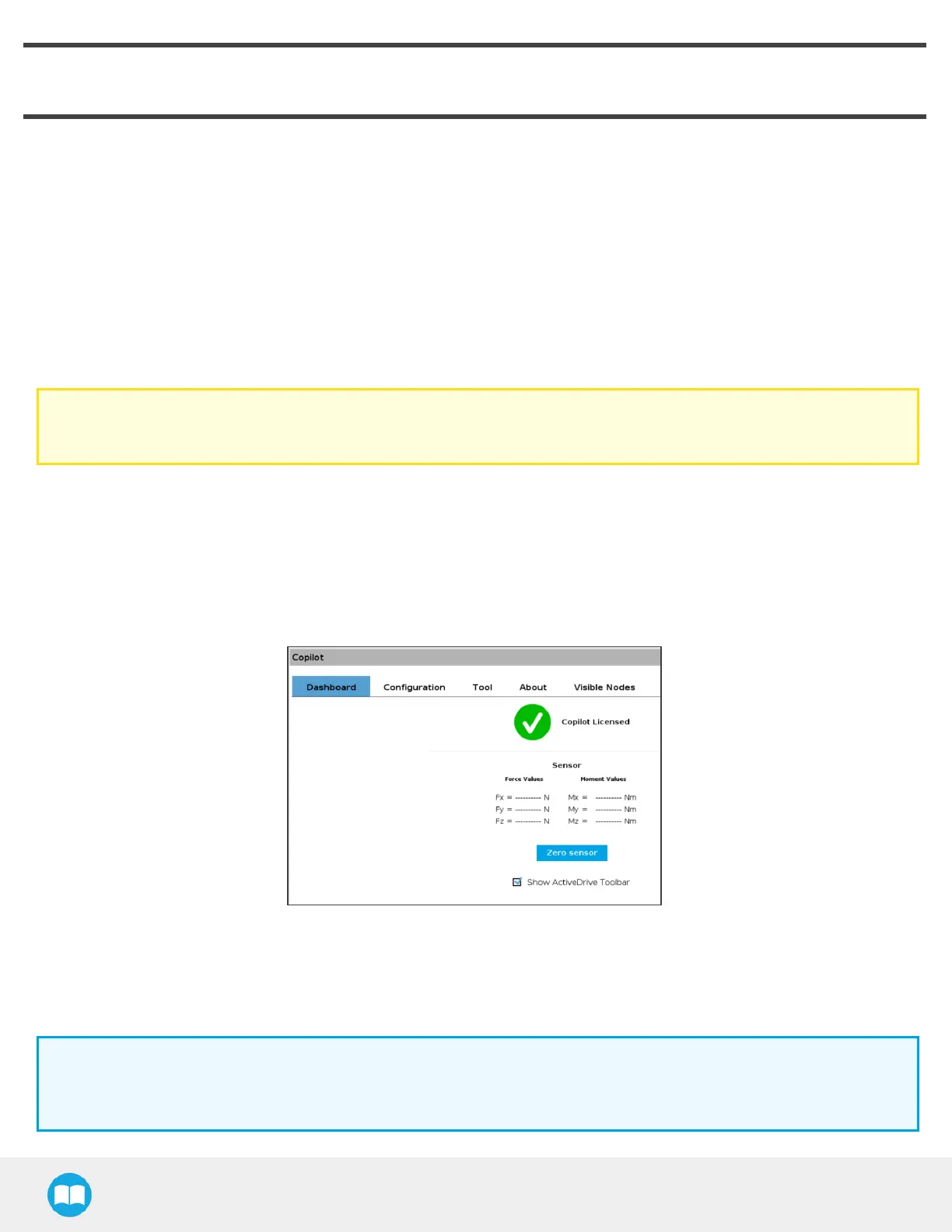
Make sure your Copilot license isactivated.
o
Tap the Installation button in the top ribbon.
o
Select URCaps> Copilot.
o
On the Dashboard sub-menu, the Copilot License activation will display.
4.3.Screw Feeder Signals
In order for the Robotiq Screw Feeder to communicate with the robot controller and interface with the Robotiq Screwdriver, the
user needs to configure the proper input signals in the PolyScope interface.
Info
Should you have omitted to note which Digital Input numbers correspond to the signal wires of the Screw Feeder,
please refer to the Robotiq Screw Feeder section, or look at the terminal blocks of the robot controller.
37



 To Next Page